5
Tapping is to select a button or icon
displayed on the screen by lightly tapping it
with your nger.
This manual indicates the screen
displays and describes operation
assuming an au Nano IC Card 04 is
installed.
Screen illustrations shown in this manual
may look dierent from the actual
screens. In some cases, minor details or
a part of a screen may be omitted.
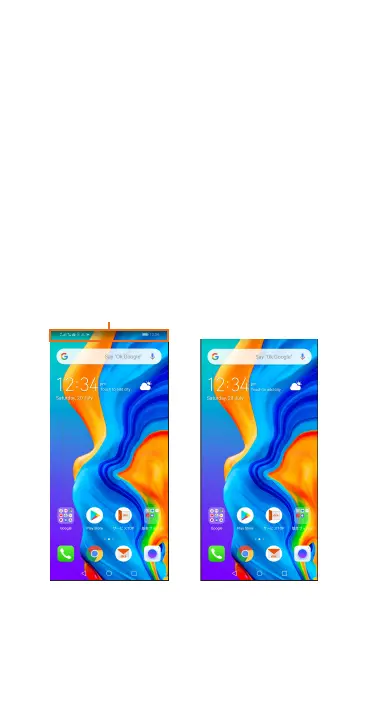
In this manual, icons,
etc. of a screen are
omitted.
Actual screen Screen in this
manual (example)


 To Next Page