4
Notations Used in This Document
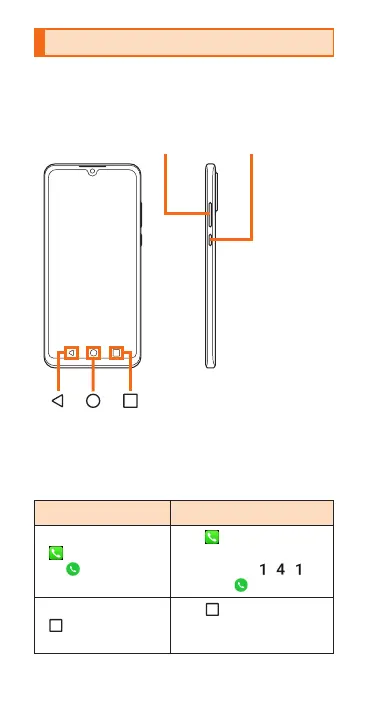
In this manual, buttons are simplied as
shown below.
Volume button Power button
In this manual, operation steps are described
as follows.
Home screen →
[
]→ [1] [4] [1]
→ [
]
Tap
(phone) on
the bottom of Home
screen. Tap
, ,
then tap
.
Home screen →
[
]
Tap
(Phone) on the
bottom of Home
screen.



 To Next Page