85
Getting Ready
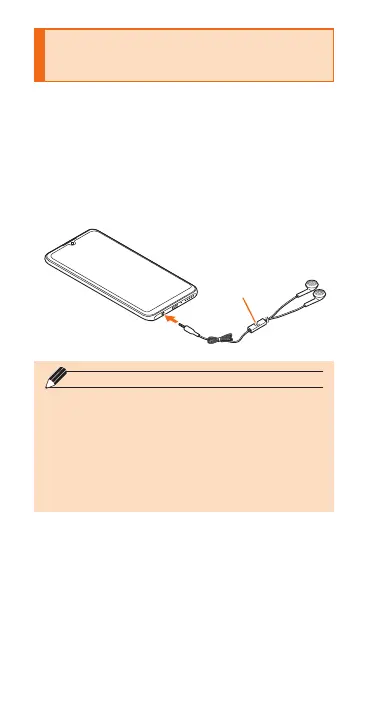
Using Earphone
Microphone (Sample)
Connect the supplied earphone
microphone (sample).
a
Switch
◎ The following operations can be made by the
switch of the earphone microphone (sample).
- Press the switch: switches playback/pause
of music data. Answers an incoming call or
sets Mute during a call.
- Press and hold the switch for 1 second or
longer: Activates Google Assistant. Ends
the call during a call.


 To Next Page