EasyManua.ls Logo

Huawei HWV33 - Page 77

Huawei HWV33
129 pages
Print Icon
To Next Page IconTo Next Page
To Previous Page IconTo Previous Page
Loading...
76
Getting Ready
Charging with Supplied
AC Adapter
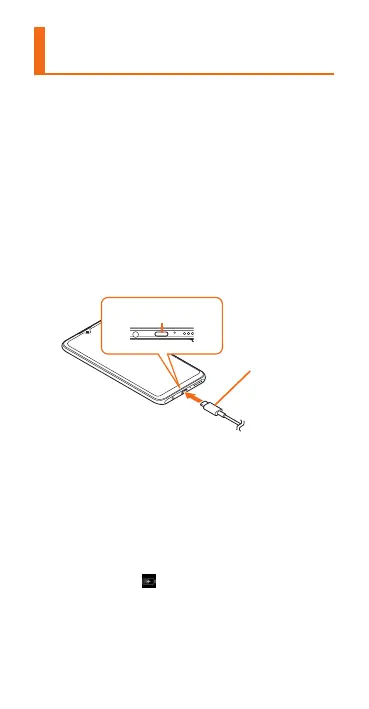
Charging with supplied HUAWEI Quick
Charger (AC adapter/USB cable) is
explained.
Protective lm is a󱐰xed to the AC
adapter. Remove the protective lm to use
this product.
a




USB Type-C plug
External connection
terminal
b





On the status bar (
u
P.91) of the
screen top,
is displayed and charging
starts. When charging is nished,
"100%" is displayed on the status bar.

Related product manuals