78
Getting Ready
b
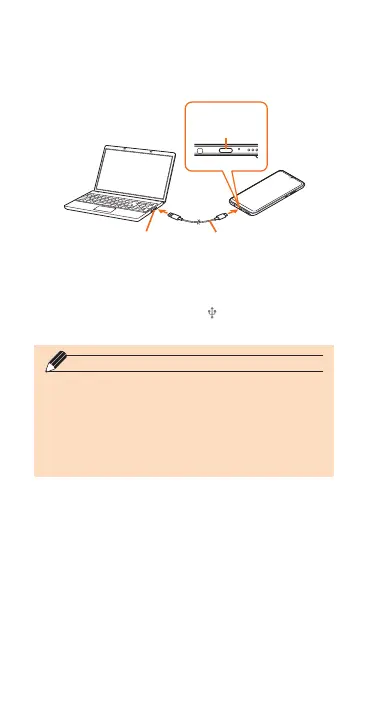
USB port of PC USB cable
ab
External
connection
terminal
c
You can also set from " Settings" on the
notication panel.
◎ You can charge the battery with the product
turned on, but the charging time takes longer.
◎ The charging time may take longer than
charging with HUAWEI Quick Charger.
◎ When the "Found New Hardware Wizard"
screen appears on PC, select "Cancel".


 To Next Page