HUAWEI MC850/MC851 Media Phone User Guide 3 Preparations Before Use
12
Placing the Media Phone
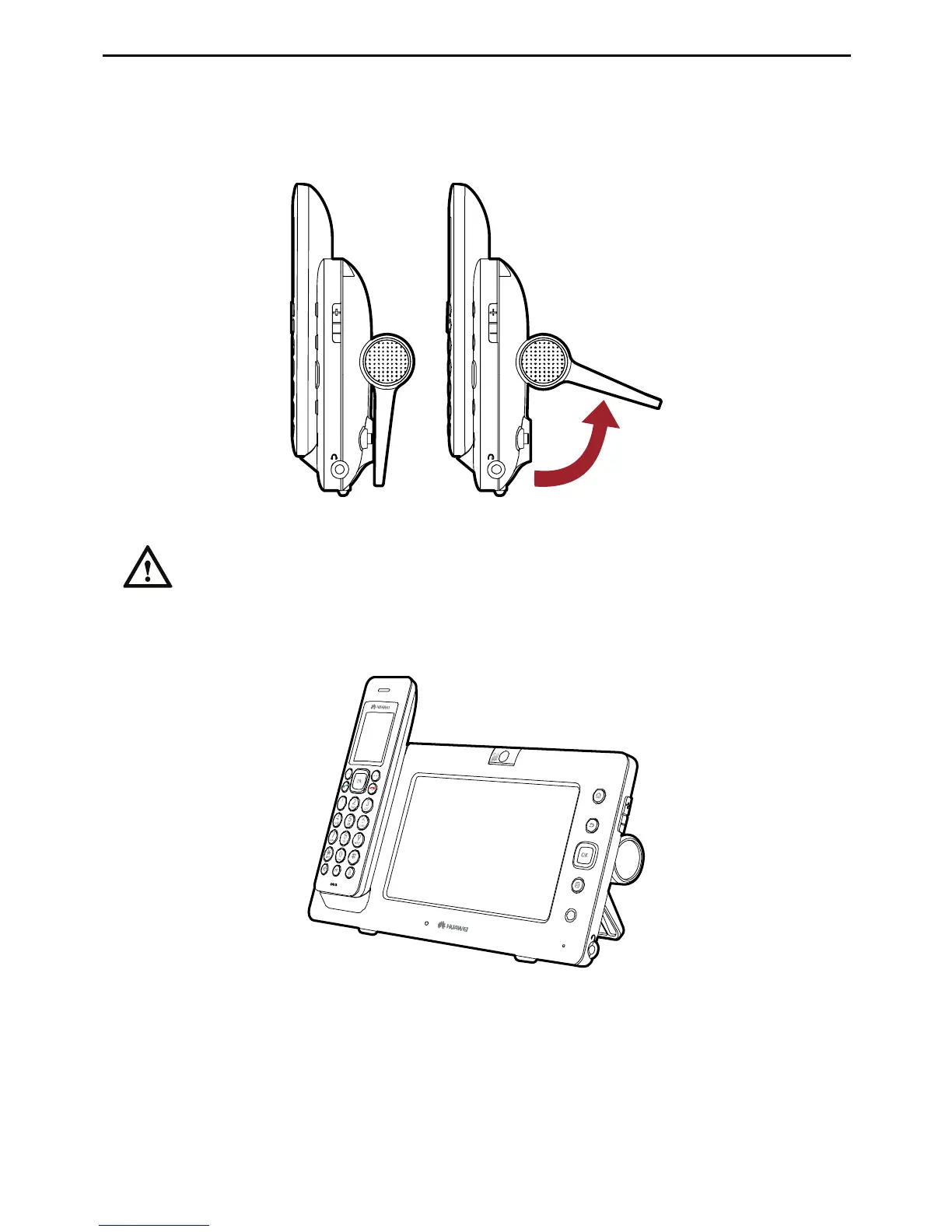
The support located on the rear panel of the media phone is rotatable. You can rotate it
to a proper angle based on your actual requirement.
When rotating the support, do not exert too much strength to prevent any
damage to the support.
If you are using the MC850, after you arrange the base unit properly, place the digital
cordless handset directly on the base unit, as shown in the following figure.
If you are using the MC851, after you arrange the base unit properly, place the handset
directly on the base unit, as shown in the following figure.



 To Next Page