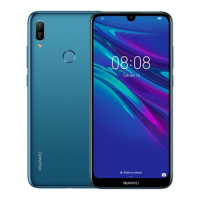
This document is a Quick Start Guide for the MRD-LX1 device, providing essential information for users to get started and operate their device safely and effectively. It covers basic device operations, setup instructions, safety information, and regulatory compliance details.
The device is designed for general mobile communication and computing tasks. Its primary function is to allow users to make and receive calls, send messages, access data services, and utilize various applications. The guide emphasizes the importance of familiarizing oneself with the device's basic operations before use.
Function Description
The MRD-LX1 is a mobile device that supports dual card dual standby single pass functionality, meaning it can accommodate two SIM cards but only one can be actively used for calls or data services at any given time. This design helps optimize power consumption and extend standby time. The device includes standard components such as a headset jack, Micro-USB port, power button, and volume buttons, which are clearly labeled in the provided diagrams.
Usage Features
- Power Management: Users can power on the device by pressing and holding the power button until the screen turns on. To power off, the power button is held, and then the power-off icon is touched. A restart option is also available by holding the power button and then touching the restart icon. For situations where the device becomes unresponsive, a forced restart can be performed by holding the power button for 10 or more seconds.
- SIM Card Installation: The guide provides detailed instructions and diagrams for inserting SIM cards, catering to both single-SIM and dual-SIM configurations. It highlights the importance of correct card alignment and ensuring the card tray is level to prevent damage. Users are cautioned against inserting or removing SIM cards while the device is powered on and are advised to use the included eject pin for safe handling.
- Dual SIM Functionality (for dual-SIM devices): The device supports two SIM cards, but operates on a "dual card dual standby single pass" principle. This means that if SIM card 1 is in use for a call, SIM card 2 cannot be used simultaneously for calls. Similarly, if SIM card 1 is using data services, SIM card 2's data services will be disabled. To avoid missed calls on the inactive SIM, users can enable call forwarding between SIMs.
- Pre-installed Applications: The device comes with a pre-installed "Tips" app, designed to help users discover and master its various features. This app serves as a valuable resource for exploring the device's capabilities.
- Information Access: The guide directs users to various resources for more information, including the Huawei consumer website for device information, FAQs, and support. It also specifies how to access legal information, safety information, authentication info, and certification logos through the device's Settings menu (System > About phone > Legal/Authentication info/Certification logos).
Maintenance Features
- Safety Guidelines: The manual provides comprehensive safety information to ensure the safe and proper operation of the device. Key safety recommendations include:
- Hearing Protection: Avoid listening at high volume levels for extended periods to prevent possible hearing damage.
- Power Adapter and Battery: Use only approved and compatible power adapters, chargers, and batteries to prevent damage, shorten lifespan, or avoid hazards like fire or explosion.
- Operating and Storage Temperatures: Adhere to ideal operating temperatures (0 °C to 35 °C) and storage temperatures (-20 °C to +45 °C).
- Pacemaker Interference: Maintain a minimum distance of 15 cm between the device and a pacemaker to prevent potential interference. If using a pacemaker, hold the device on the side opposite the pacemaker and avoid carrying it in the front pocket.
- Environmental Protection: Keep the device and battery away from excessive heat, direct sunlight, and heating devices. Avoid using the device in dusty, smoky, damp, or dirty environments or near magnetic fields to prevent damage to internal circuits.
- Charging Safety: Ensure the power adapter is plugged into an easily accessible socket near the device when charging. Unplug the charger when not in use.
- Flammable/Explosive Environments: Do not use, store, or transport the device where flammables or explosives are stored (e.g., gas stations, oil depots, chemical plants) to prevent the risk of explosion or fire.
- Driving Safety: Observe local laws and regulations and avoid using the wireless device while driving to reduce accident risks.
- Aircraft Usage: Follow provided instructions for using the device in an aircraft or immediately before boarding, as wireless devices can disrupt aircraft operations or be illegal.
- Disposal and Recycling: The guide emphasizes responsible disposal of the device, battery, and accessories according to local regulations. The crossed-out wheeled-bin symbol indicates that these items should not be disposed of with normal household waste but should be taken to separate waste collection points for electrical and electronic equipment (WEEE) and batteries. Proper collection and recycling are crucial for conserving materials, protecting human health, and safeguarding the environment.
- Hazardous Substances Reduction: The device and its electrical accessories comply with local rules on the restriction of hazardous substances, such as EU REACH, RoHS, and Batteries regulations. Declarations of conformity can be found on the Huawei website.
- Regulatory Conformance: The device complies with RF specifications for body-worn operation, ensuring safe usage near the ear or at a distance of 0.50 cm from the body. Accessories like device cases and holsters should not contain metal components to meet distance requirements. For FCC regulatory compliance, the device meets requirements for exposure to radio waves and the SAR limit. It also complies with Part 15 of the FCC Rules regarding harmful interference. Users are cautioned that any unauthorized changes or modifications to the device could void their authority to operate the equipment.
This comprehensive guide ensures that users can operate their MRD-LX1 device safely, efficiently, and in compliance with all relevant regulations, while also providing resources for further assistance and information.

 Need help?
 General

 To Next Page