Need help?
Do you have a question about the Huawei MRD-LX3 and is the answer not in the manual?
Explains the dual-SIM single-pass feature, limiting simultaneous use of both SIMs for calls/data.
Provides guidelines for safe operation, temperature limits, and precautions against hazards.
Details RF compliance when the device is used near the ear or body.
Presents SAR values and compliance with US FCC limits for ear and body usage.
Outlines FCC compliance rules, potential interference, and user guidance.
Lists trademarks and licensing details for Huawei and related technologies.
Directs users to Huawei's online privacy policy for information on data protection.
This document is a Quick Start Guide for the HUAWEI MRD-LX3 device, providing essential information for its setup, operation, and safety.
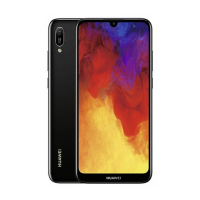
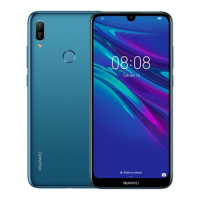
The HUAWEI MRD-LX3 is a mobile device designed for communication and various smart functionalities. It supports dual SIM card functionality (in dual-SIM models), allowing users to manage two different network connections simultaneously, although it operates on a dual card dual standby single pass system, meaning only one SIM can be active for calls or data at any given time. The device includes standard features such as a headset jack, Micro-USB port for charging and data transfer, a power button, volume buttons, and a fingerprint scanner for secure access. It is equipped with a display for user interaction and an internal system that supports various applications.
To begin using the device, users must first power it on by pressing and holding the power button until the screen illuminates. Powering off involves the same initial step, followed by a touch interaction on the screen. A forced restart can be performed by holding the power button for 10 or more seconds. The device's basic operations are guided by an intuitive interface.
Setting up the SIM card(s) is a critical initial step. The guide provides clear instructions, including illustrations, for inserting SIM cards into the card tray using the provided eject pin. For single-SIM models, there is one nano-SIM slot and one microSD slot. Dual-SIM models feature two nano-SIM slots and one microSD slot. Users are cautioned to ensure correct alignment of the card and to avoid inserting or removing SIM cards while the device is powered on to prevent damage. The device supports microSD cards for expandable storage.
The dual card dual standby single pass feature in dual-SIM devices means that while two SIMs are active on standby, only one can be used for calls or data services at any given moment. For example, if SIM card 1 is in use for a call, SIM card 2 cannot receive or make calls. Similarly, if SIM card 1's data service is active, SIM card 2's data service will be disabled. This design helps in reducing power consumption and extending standby time. Users can enable call forwarding between SIMs to avoid missing calls.
The device comes with a pre-installed "Tips" app, which is a valuable resource for users to explore and master the various features and functionalities of their device. This app serves as an interactive guide to enhance the user experience.
The guide emphasizes several safety and maintenance aspects to ensure the longevity and proper functioning of the device. Users are advised to use only approved or compatible power adapters, chargers, and batteries to prevent damage, shorten lifespan, or avoid hazards like fire or explosion.
Environmental conditions play a crucial role in device maintenance. The ideal operating temperature range is specified as 0 °C to 35 °C, and storage temperatures are -20 °C to +45 °C. The device and its battery should be kept away from excessive heat and direct sunlight, and not placed near heating devices such as microwave ovens, stoves, or radiators. To prevent damage to internal circuits, the device should not be used in dusty, smoky, damp, or dirty environments, or near magnetic fields.
When charging, the power adapter should be plugged into an easily accessible socket near the device. It is recommended to unplug the charger from electrical outlets and the device when not in use. The device should not be used, stored, or transported where flammables or explosives are present, such as gas stations or chemical plants, due to the increased risk of explosion or fire.
Proper disposal of the device, battery, and accessories is highlighted, with instructions to follow local regulations and not dispose of them in normal household waste. Improper battery use can lead to fire, explosion, or other hazards.
The guide also includes important safety information regarding hearing protection, advising against listening at high volume levels for extended periods. For users with pacemakers, a minimum distance of 15 cm should be maintained between the device and the pacemaker to prevent interference.
Adherence to local laws and regulations while using the device is stressed, particularly regarding its use while driving to reduce accident risks. In aircraft, the device should only be used according to provided instructions, as wireless device use can disrupt networks, pose hazards, or be illegal.
The document also provides information on how to access legal, safety, authentication, and certification logo information through the device's settings menu (Settings > System > About phone). This allows users to review important regulatory and compliance details directly on their device. All illustrations in the guide are for reference, and the actual device may vary.
 General
| Model | Huawei MRD-LX3 |
|---|---|
| Category | Cell Phone |
| Display Type | IPS LCD |
| Processor | Mediatek MT6761 Helio A22 |
| RAM | 2 GB |
| Internal Storage | 32 GB |
| Battery | 3020 mAh |
| SIM | Dual SIM (Nano-SIM, dual stand-by) |
| Network | GSM / HSPA / LTE |
| Bluetooth | 4.2, A2DP, LE |
| Expandable Storage | microSDXC |
| Main Camera | 13 MP, f/1.8, PDAF |
| Front Camera | 5 MP |
| Operating System | Android 9.0 (Pie), EMUI 9 |

 To Next Page