Installation Reference
24/25 >>
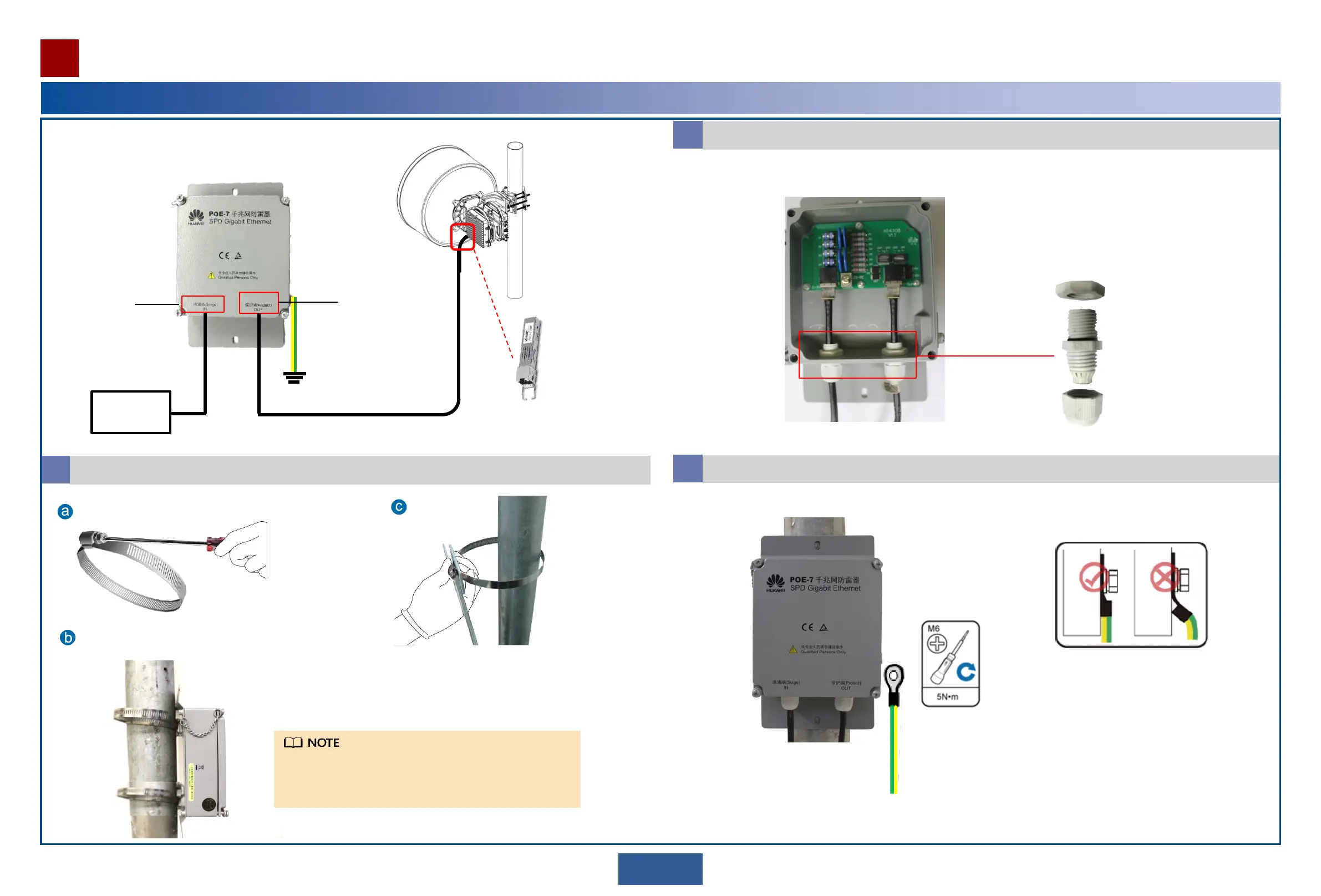
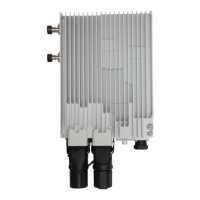
Installing a Signal Lightning Surge Protector
When a device uses SFP GE electrical modules, it must be used with a signal lightning surge protector.
GE electrical
signal
Signal lightning
surge protector
SFP GE electrical
module
Connect the outdoor network cables to the signal lightning surge protector.
1
Use a hose clamp to mount the signal lightning surge protector to the pole.
Unscrew the hose clamp.
Mount the signal lightning surge protector to the pole.
Screw the hose
clamp.
Outdoor
network cable
Outdoor
network cable
Connect the surge end of the protector to GE electrical signals and use SFP GE electrical modules to connect the protect
end to the device. The connection mode is RJ45.
Surge end
Protect end
Ground
cable
2
Install the ground cable for the signal lighting surge protector.
3
Install the OT terminal in the correct direction.
Equipotential device/ground bar
15
When installing a lightning surge protector, separate the protector
from the RTN device with a spacing of no less than 10 cm. This
ensures that cables between the protector and SFP GE electrical
modules can be used for efficient decoupling.


 To Next Page