NOTE
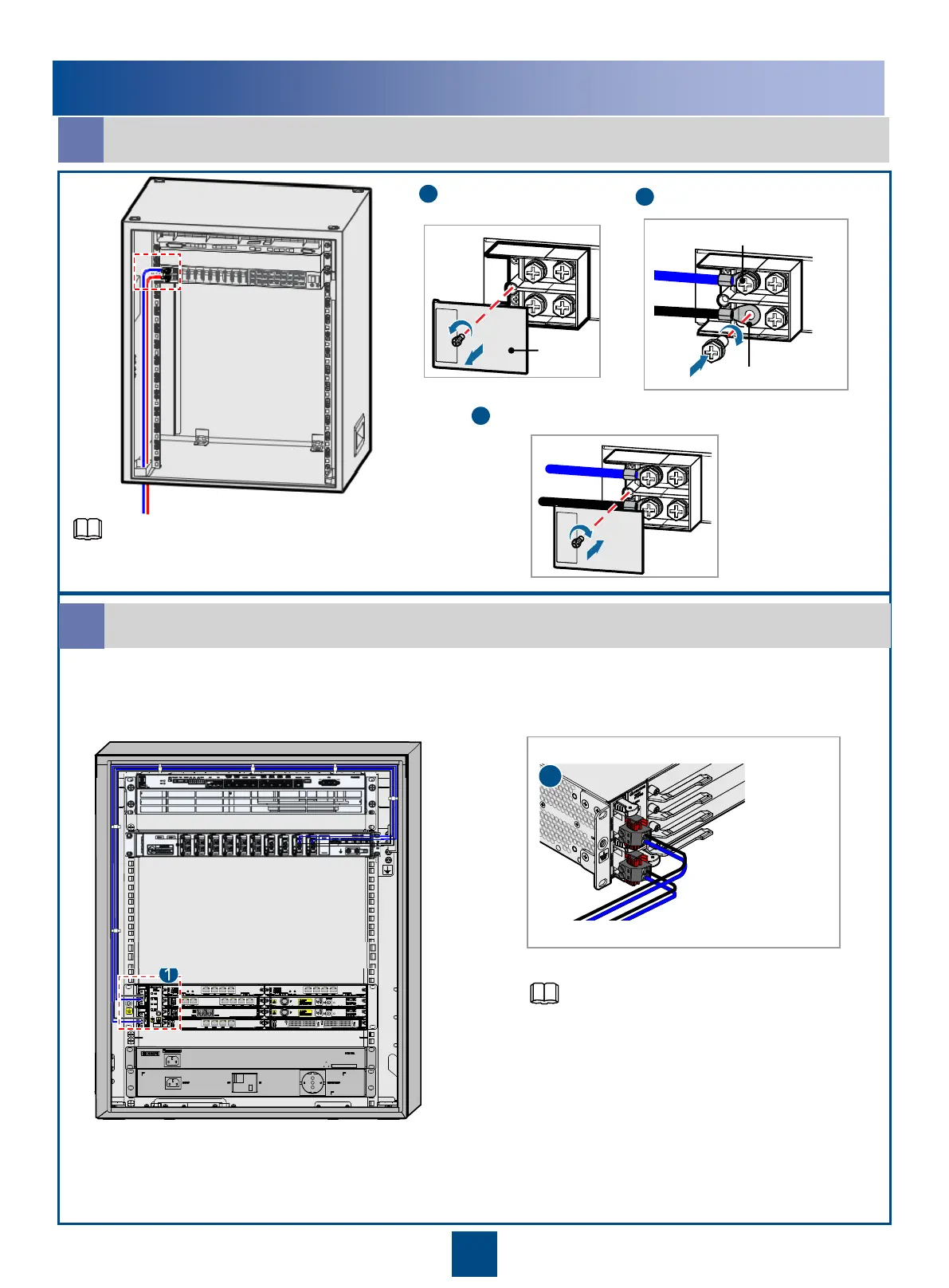
If the input power cables delivered are the blue and black ones,
connect the blue one to the negative terminal and the black one
to the positive terminal.
27
Installing the Input Power Cable for the TMC11H Cabinet
a
Installing the Power Cables for the RTN 900 in the TMC11H Cabinet
b
1
26
3
Installing and Routing the Power Cables – DC Power Supply
NOTE
DC power
box cover
Remove the cover of
the DC power box.
NEG (-)
RTN (+)
Install the input power cable.
Put back the cover of the DC power box.
1
2
3
You can select from DC power output terminals
LOAD6, LOAD7, and LOAD8. For information
about assembling the easy power receptacle
(pressfit type) connector, see the "Appendixes."



 To Next Page