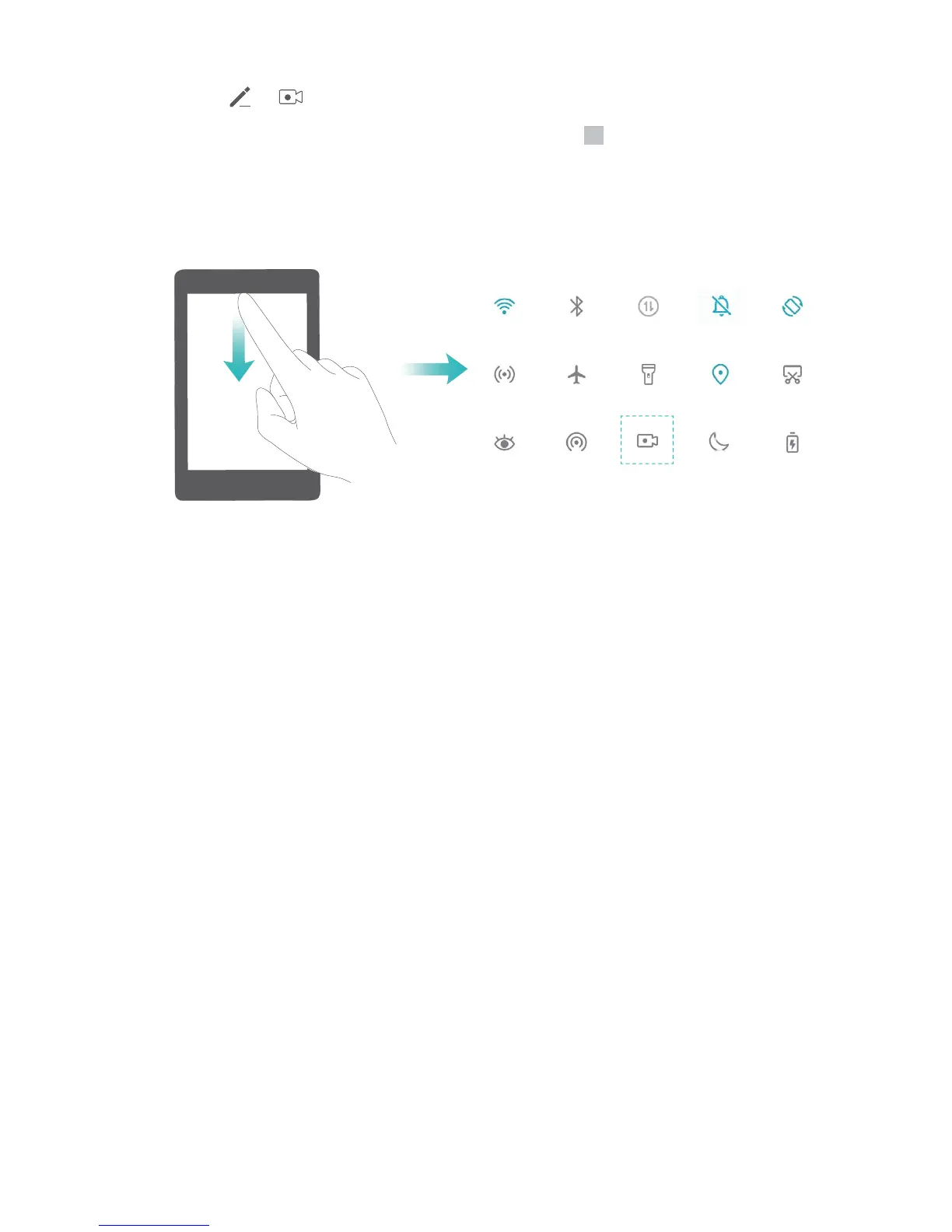
Use shortcut to start recording: Swipe down from the status bar to open the notication panel,
and then touch > to start recording the screen. You can enable or disable Enable
microphone based on your needs. To end the recording, touch in the upper left corner of the
screen.
Use key combination to start recording: Simultaneously press and hold the Power button and the
Volume up button to begin recording. You can enable or disable Enable microphone based on your
needs. To end the recording, simultaneously press and hold the Power button and the Volume up
button again.
Gestures and Operations
17


 To Next Page