Huawei Proprietary and Confidential
Copyright © Huawei Technologies Co., Ltd.
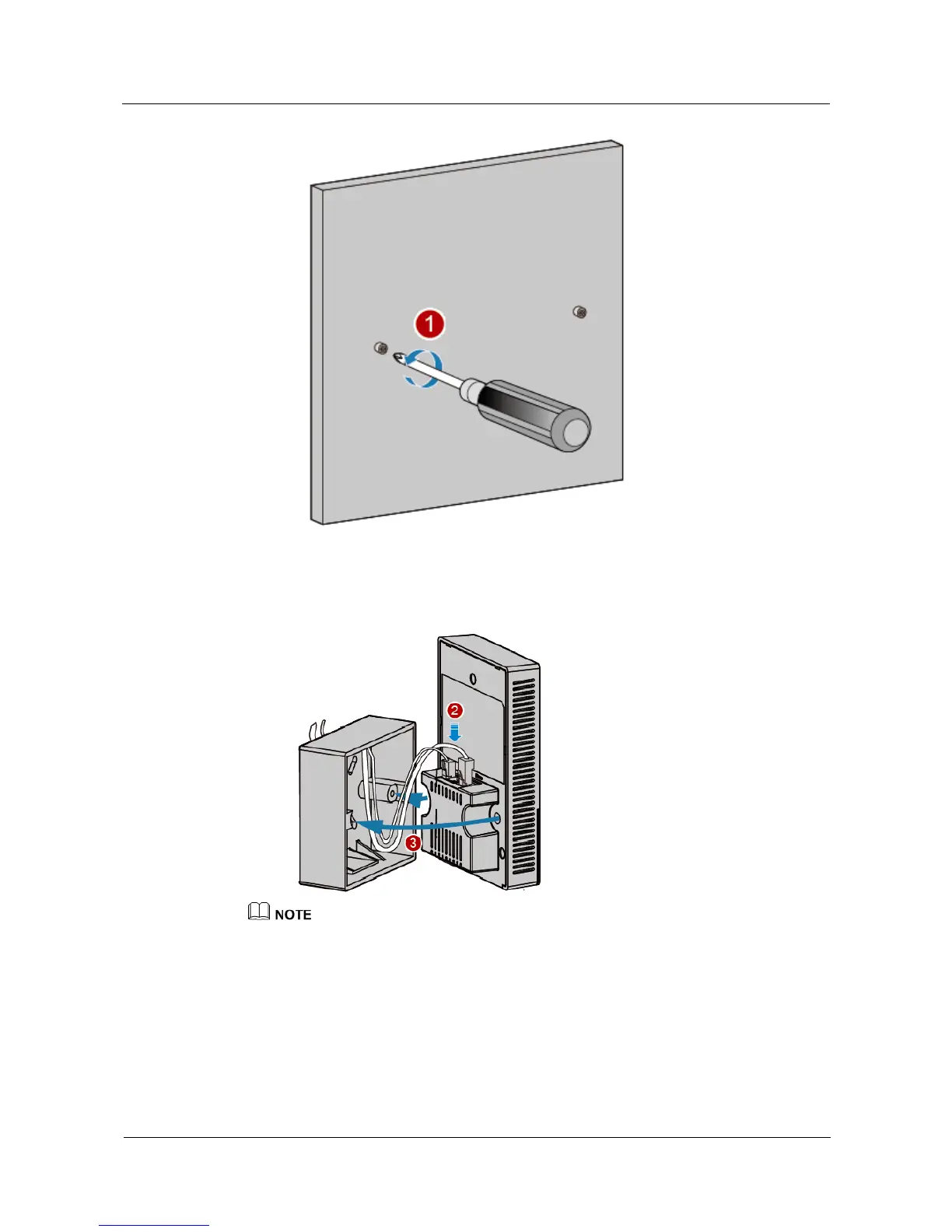
2. Connect the network cable to the GE/PoE interface and the phone cable to the phone
interface.
3. Install the device that has cables properly connected to the 86-type box, as shown in the
following figure.
It is recommended that the length of the cable in the 86-type box should be smaller than 130 mm. You
are advised to connect cables according to the figure.
4. Align the screw holes at the right and left of the device with the screw holes on the box
and secure the device on the box with a screwdriver.
5. Close the panel to complete installation.



 To Next Page