Huawei Proprietary and Confidential
Copyright © Huawei Technologies Co., Ltd.
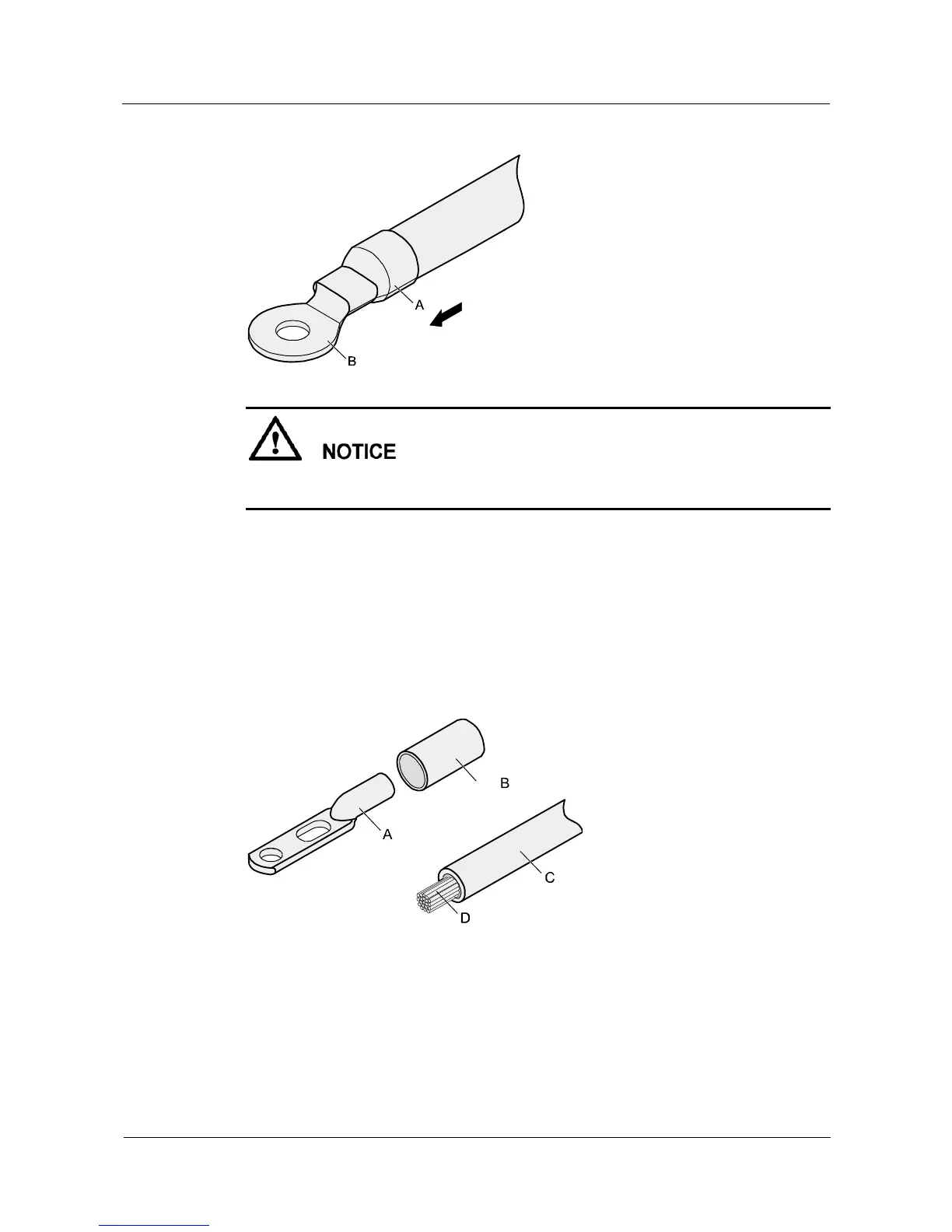
Figure 5-5 Heating the heat shrink tubing (OT terminal)
Stop heating the shrink tubing when the connector is securely locked in the shrink tubing. Do
not heat the shrink tubing too long as this may damage the insulation coating.
----End
Assembling the JG Terminal and Power Cable
Context
Figure 5-6 shows the components of a JG terminal and a power cable.
Figure 5-6 Components of a JG terminal and a power cable
Procedure
Step 1 Strip a part of the insulation to expose the cable conductor with a length of L, as shown in
Figure 5-7. The recommended values of L are listed in Table 5-2.



 To Next Page