EasyManua.ls Logo

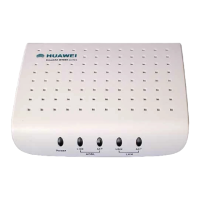
Huawei SmartAX MT880 - User Manual

Huawei SmartAX MT880
80 pages
Print Icon
To Next Page IconTo Next Page
Loading...
HUAWEI
SmartAX MT880 ADSL Router
User Manual
V200R001

Table of Contents

Other manuals for Huawei SmartAX MT880

Questions and Answers

  • J
    Jennifer HollandAug 1, 2025
    What to do if my Huawei SmartAX MT880 Network Router cannot access the Internet?
    • T
      Tasha BrownAug 2, 2025
      If your Huawei Network Router cannot access the Internet, first ensure that all other listed problems do not exist. Then, verify that the dial-up application is correctly installed and configured on your computer. Confirm that you've entered the correct username and password. If issues persist after dial-up, check if the Proxy server settings in your IE browser are properly configured (it should be disabled). As a final check, try accessing different websites to rule out website-specific problems.
  • A
    Arthur DanielAug 9, 2025
    Why does my Huawei Network Router ADSL connection get broken so often?
    • B
      Brian CherryAug 9, 2025
      If the ADSL connection of your Huawei Network Router gets broken frequently, ensure the ADSL line is properly connected. Keep the router away from appliances that produce strong electric or magnetic fields, such as microwave ovens and refrigerators. Also, make sure that no telephone or fax machine is directly connected to the ADSL line. Consider replacing an old ISA network adapter with a new 10/100M PCI network adapter and installing the latest driver.
  • J
    jameselizabethAug 16, 2025
    What to do if the LAN indicator is not on my Huawei SmartAX MT880?
    • C
      carlos62Aug 16, 2025
      If the LAN indicator on your Huawei Network Router is not lit, first, check that you are using the correct cables and that they are properly connected. Ensure that the network adapter indicator on your computer is also on. Verify that your network adapter is working correctly by right-clicking 'My Computer,' selecting 'Properties,' then navigating to 'Hardware' > 'Device Manager.' Look for any devices with a '?' or '!' mark under 'Network Adapters.' If found, try deleting and reinstalling them, or changing the slot for the network adapter. If the problem persists, consider changing the network adapter.
  • E
    edwardroweAug 25, 2025
    How to fix a Huawei Network Router when the Power indicator is not on?
    • D
      Derek BrowningAug 25, 2025
      If the Power indicator on your Huawei Network Router is not on, ensure that the MT880 is properly connected to the power supply. Also, verify that the power adapter matches the MT880.

Summary

Web-based Management

WAN Configuration

Configures Wide Area Network connections, including RFC2684 Bridged, Routed, and PPP.

DHCP and DNS Configuration

Configures DHCP server settings and DNS server addresses.

NAT and Routing

Covers NAT configuration and setting up static routes.

LAN Setting and Virtual Server

Configures LAN interface and sets up virtual servers for external access.

Applications and Filters

Manages special applications and sets up network filters (IP, MAC, URL, Domain).

Firewall and RIP

Configures firewall rules for security and RIP for network routing.

Service Configuration

PPPoE Configuration

Details the steps for configuring PPPoE connection on the MT880.

PPPoA Configuration

Provides instructions for setting up PPPoA connection on the MT880.

MT880 Overview

Hardware Installation

Connecting MT880

Guides on physically connecting the ADSL line, computer, and Ethernet LAN to the MT880.

Before Configuring MT880

Accessing the Web-based Configuration Manager

Explains how to launch the web browser and access the MT880's configuration interface.

Troubleshooting Guide

Quick Troubleshooting

Provides solutions for common issues like power, ADSL link, and LAN link failures.

Technical Specifications

Huawei SmartAX MT880 Specifications

General IconGeneral
WAN Ports1
LAN Ports4
FirewallYes
Connectivity TechnologyWired
InterfaceEthernet
Ports Qty4
Data Link ProtocolEthernet
StandardsITU G.992.1 (G.dmt)
TypeModem/router

Related product manuals