EasyManua.ls Logo

Hubble Eclipse+ - User Manual

Hubble Eclipse+
21 pages
Print Icon
To Next Page IconTo Next Page
Loading...
USER’S GUIDE
Eclipse+
The features described in this user’s guide are subject to modifications without prior notice.
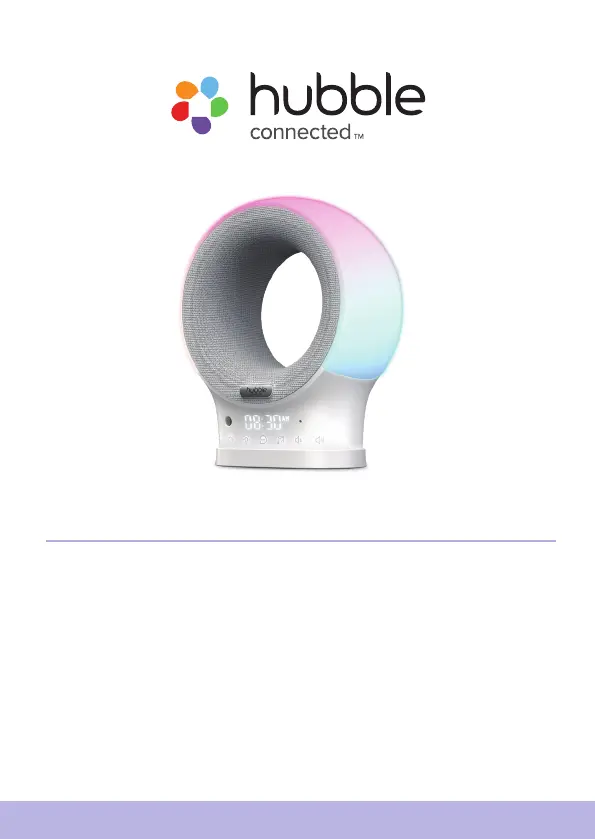
Smart Portable Audio Monitor and Soother
With Night Light and BT Speaker

Questions and Answers

  • D
    Dean Brandt MDAug 13, 2025
    What to do if I get a message about connection problems with my Hubble Eclipse+?
    • A
      Alexandra BenderAug 13, 2025
      If you're seeing a message about problems accessing your Hubble Speakers device and suspect it's due to your internet connection, try these steps: First, wait a few minutes and try again. If the problem persists, restart your device. As a last resort, restart your Wi-Fi router, as the issue could stem from there.
  • F
    Faith CruzAug 17, 2025
    How to turn on the nightlight on Hubble Eclipse+?
    • M
      mackcarrieAug 17, 2025
      If the nightlight on your Hubble Speakers is not working, try these solutions: First, press the nightlight button on the Eclipse+ to cycle through the colors. If that doesn't work, increase the brightness level either on the Eclipse+ itself or through the HubbleClub App.
  • R
    Raymond GriffinAug 20, 2025
    Why can't I log in to my Hubble Speakers account?
    • E
      Edward KennedyAug 21, 2025
      If you are unable to log in to your Hubble Speakers account even after registering, double-check your username and password for any typos or errors.
  • N
    nancymilesAug 25, 2025
    What to do if I didn't receive a password reset email for my Hubble Eclipse+ Speakers?
    • O
      ortizmatthewAug 25, 2025
      If you're not receiving a new password after using the “Forgot password” option for your Hubble Speakers account, here are a couple of things to check: First, look in your Junk Mail Folder, as the email might have been sent there. Second, there might be a delay, so wait a few minutes and refresh your email account.
  • H
    Heidi ParkerAug 28, 2025
    What to do if I see an 'Email ID is not registered' error with my Hubble Eclipse+ Speakers?
    • T
      Travis HallAug 28, 2025
      If you receive an error message saying “Email ID is not registered” while using Hubble Speakers, make sure that you have registered. You can create an account by tapping 'Create Account'.
  • N
    ngonzalezSep 1, 2025
    How to fix no power issue on Hubble Eclipse+ Speakers?
    • P
      pamelamcculloughSep 1, 2025
      If your Hubble Speakers have no power, please check the following: First, verify that the cable is fully inserted into both the Eclipse+ power port and the wall block. Second, make sure the wall block and wall outlet are functioning correctly. Finally, ensure the wall outlet has power.
  • B
    Brittney MackSep 5, 2025
    Why can't I access my Hubble Eclipse+ Speakers device?
    • J
      John CamposSep 5, 2025
      If you are unable to access your Hubble Speakers device, ensure that the device is within Wi-Fi range. For better connectivity, try moving the device closer to the router and try again.
  • T
    Tom RobertsSep 8, 2025
    Why can't I find my product model on the Hubble Eclipse+ app?
    • C
      Casey GuzmanSep 8, 2025
      If you can't find your product model on the Hubble App for your Hubble Speakers, verify that you have downloaded the correct app, which is “HubbleClub By Hubble Connected”, and that you have selected Wellness.

Summary

Safety Instructions

Strangulation Hazard Warning

Critical safety alert regarding cords and child safety.

Getting Start

Charge Eclipse+

Instructions for charging the Eclipse+ device.

Power on Eclipse+

Steps to turn on the Eclipse+ device.

Connect to HubbleClub

Guide to connecting the device to the HubbleClub app.

Basic Operation of Eclipse+

Control Night Light

How to manage the night light features and colors.

Use ConnectChat

Guide to using the two-way voice messaging feature.

Troubleshooting for Wi-Fi Internet Viewing

FCC and IC Regulations

Technical Specifications

Hubble Eclipse+ Specifications

General IconGeneral
BrandHubble
ModelEclipse+
Speaker TypePortable Bluetooth Speaker
Water ResistanceIPX7
Charging PortUSB-C
ConnectivityBluetooth
Frequency Response20kHz
TypeWireless Speaker