4
User Instructions
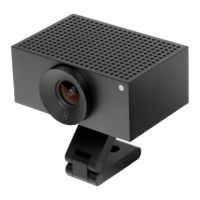
e L1 camera is made for easy installation, using only a single
RJ45 Ethernet cable for both power and communications
with a host computer.
Installation
Use the ¼” tripod mount found on the boom face of the
camera to aach a bracket to the L1. Using the bracket,
mount the L1 at a maximum height of 2m.
e L1 must be installed in a location where the top and
boom venting holes are unobstructed, to ensure proper
airow.
Connect minimum a Cat5e rated Ethernet cable to the camera,
and terminate the cable in a Power over Ethernet (PoE) Power
Sourcing Equipment (PSE) enabled host or midspan adapter.
If third party Ethernet cables are to be used, then prioritise
Ethernet cables with short connectors. e long connector
alternatives can be more dicult to disconnect.
Make sure to use the latest camera soware by following the
instructions at: www.huddly.com/L1/setup
Power
e L1 cameras can be powered by a PoE PSE which adheres
to the following minimum requirements:
• Voltage range: 37-57V DC
• Maximum current: 0.35A


 To Next Page