72
If you’ve already connected your Hudl to a
Wi-Fi network before but can no longer access the
Internet, follow these simple steps:
Swipe your finger downwards from the top right
of your Hudl’s screen to see the ‘Quick Settings’
panel.
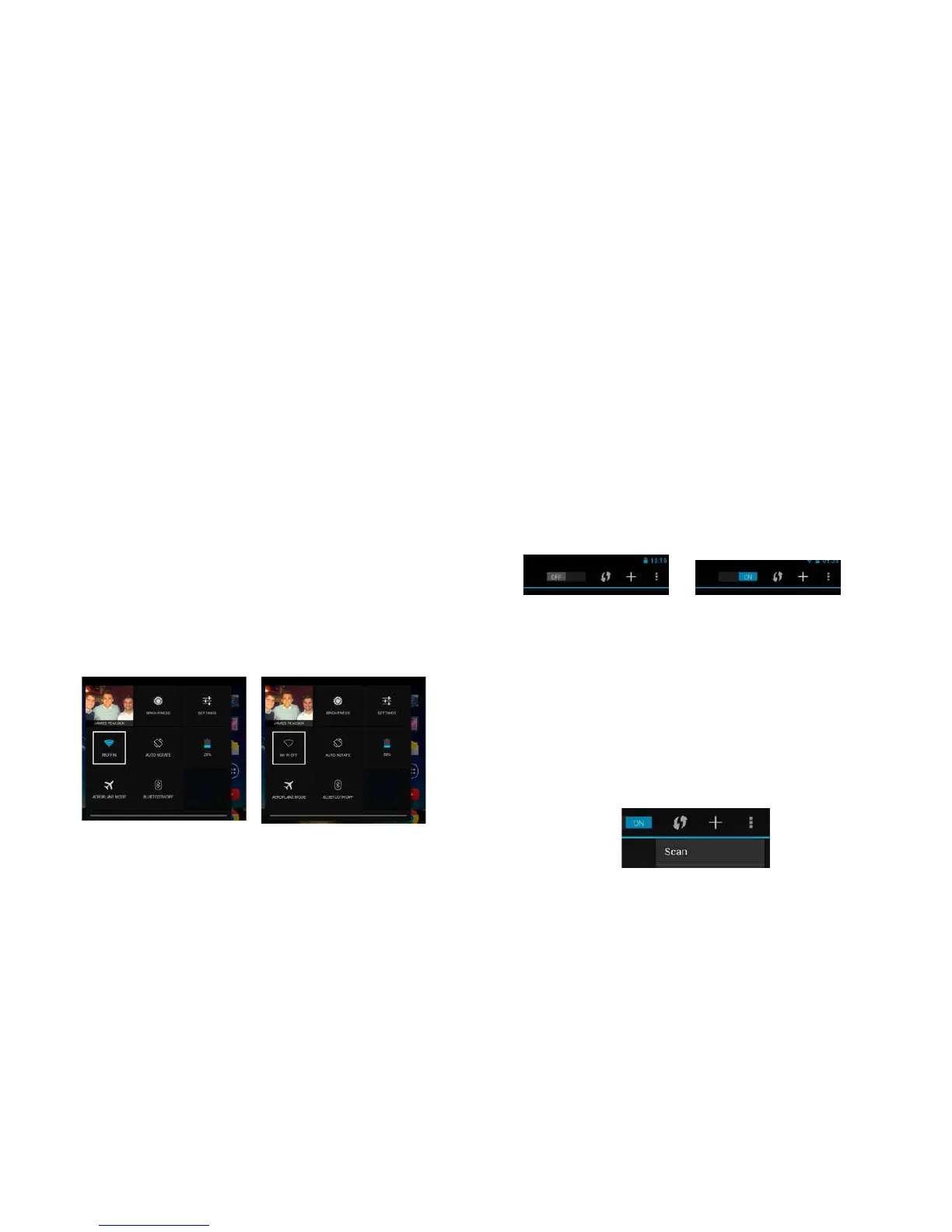
2 From the quick settings panel you can check to
see if your Hudl’s Wi-Fi connection is switched
on. If it’s on, then the Wi-Fi icon will be blue, just
like in the picture below.
Wi-Fi is switched on Wi-Fi is switched off
MyHudlwasconnectedtoWiFibutnolongerseemstoconnect
Tap on the Wi-Fi icon and you will be taken to
your Wi-Fi Settings screen.
To turn on your Wi-Fi tap on the switch at
the top of the screen, as shown in the picture
below.
Once your Wi-Fi is switched on you will see a
list of available Wi-Fi hotspots. If the one you
want to connect to isn’t on the list, try moving
closer to your Wi-Fi router.
If your network still isn’t showing aer moving
closer to the router, try tapping the 3 dots in
the top right of the Wi-Fi settings screen and
tap ‘Scan’. This should refresh the list of Wi-Fi
hotspots.



 To Next Page