Chapter 2 • Pointing the antenna by using the DAPT2
1039429-0001 Revision D
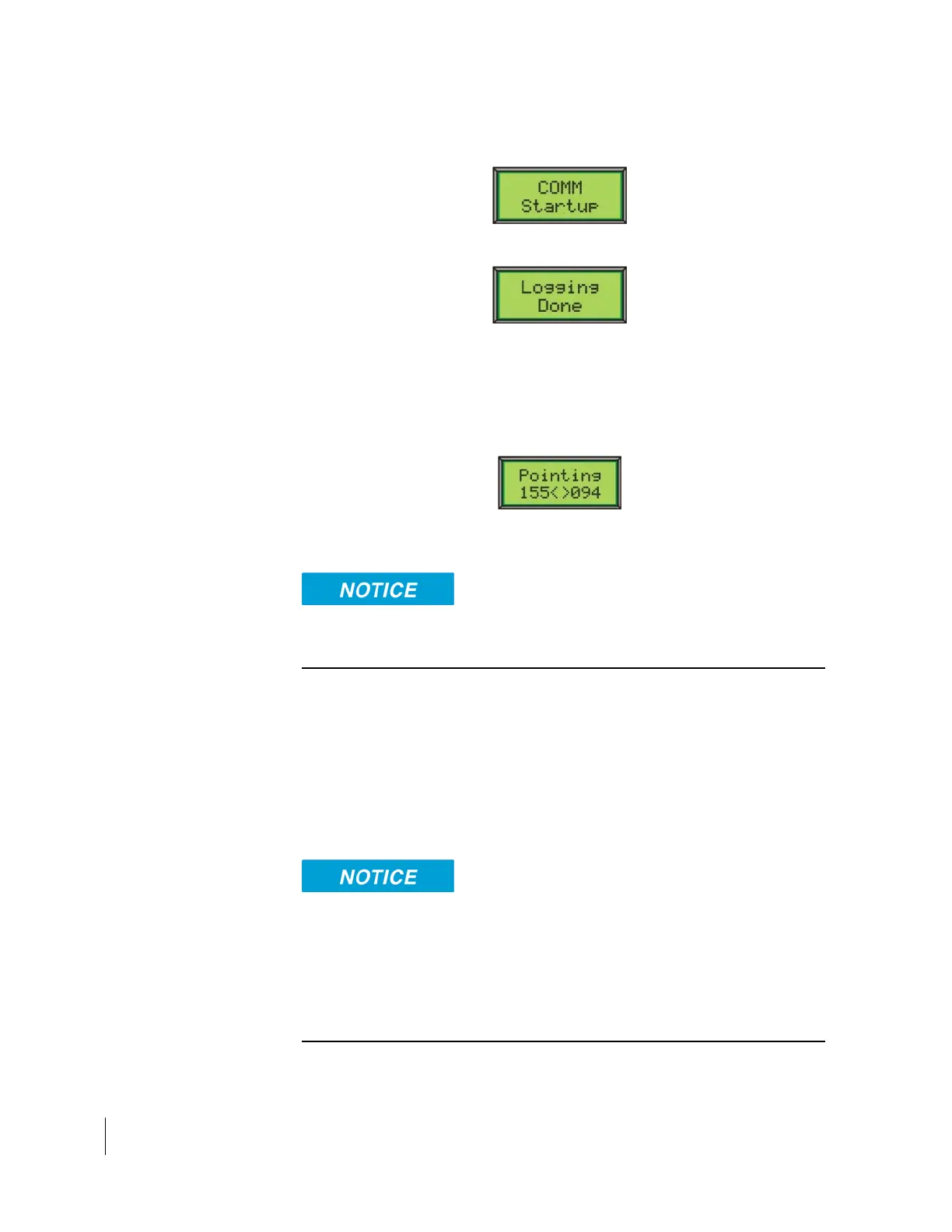
After a few seconds, the following message appears briefly while the
measured IFL voltage is transferred to the satellite modem:
After a few seconds, the following message appears on the DAPT2 screen.
2. Press the Advance (3) button.
When the satellite modem receives the voltage response message, it
advances to the pointing state, during which the antenna can be coarse and
fine-pointed.
Upon entering the pointing state, the DAPT2 display reads:
The highest recorded SQF value is on the left and the current SQF reading is
on the right.
A SQF value of 31 or greater indicates acquisition of the correct satellite
beacon.
3. Wait for the SQF reading to settle on a value then use the appropriately sized
wrench for the specific antenna to adjust the antenna azimuth and elevation.
See the guide specific to the antenna you are installing for in-depth
instructions about making these adjustments.
Continue until you achieve the highest possible SQF value.
Note: The tone from the DAPT2 will be louder and the cadence will quicken
as the beacon is acquired.
Do not attempt to point the antenna manually by pulling on the feed support
arm. This can cause permanent damage to the antenna. Instead, use the
antenna mechanical adjustments.
You may gently maneuver the antenna reflector to coarsely point the antenna,
but only if the Az/El canister bolts are loose enough so that the reflector
rotates easily.



 To Next Page