Chapter 4 • Pointing the antenna by using a wireless device
1039429-0001 Revision D
Chapter 4
Pointing the antenna by using a
wireless device
This chapter describes an alternate method of pointing the antenna using a wireless
device (phone, tablet, or laptop) connected to the satellite modem through a
wireless router (Wi-Fi).
Prerequisites
The instructions provided are specifically for the Netgear N150 Wireless Router
model WNR1000v2. The default settings were used and should work with most
routers. You may need to consult your router manufacturer if you cannot access the
modem. Hughes provides a list of recommended routers on the Installer Portal.
Perform the following steps to set up the wireless router to work with the satellite
modem and a wireless laptop or smart mobile device. Do not use the Netgear setup
disk. The initial setup must be performed on a computer with an Ethernet port so
the wireless router can be wired to the computer. This process only needs to be
performed once. After the process is complete, the Netgear router can be used with
any smart wireless device or wireless laptop.
Setting up the Wi-Fi device
1. Plug the wireless router into power.
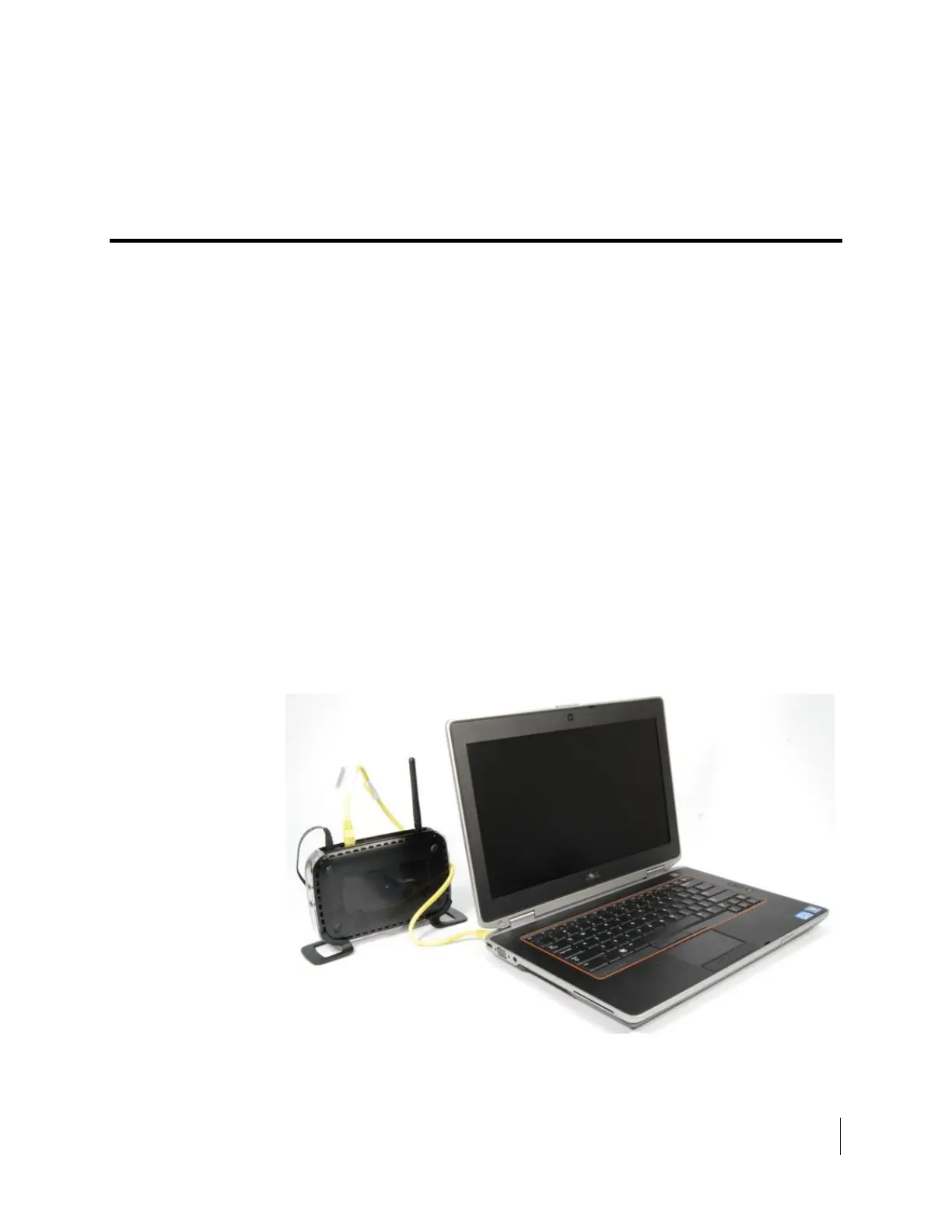
2. Plug in an Ethernet cable from any LAN port to the Ethernet port on a laptop
or computer, as shown in Figure 21.
Figure 21: Ethernet connection to wireless router



 To Next Page