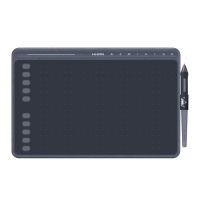
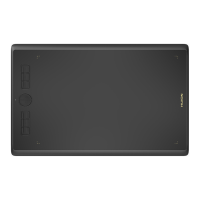
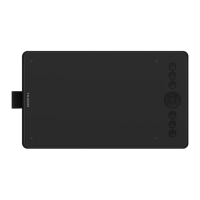
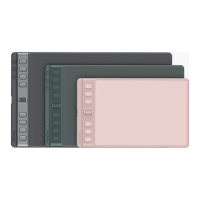
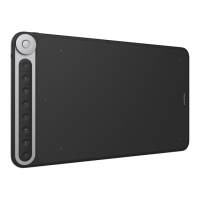
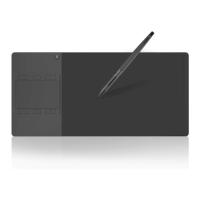
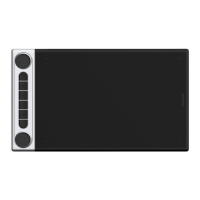
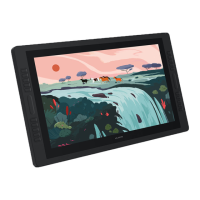
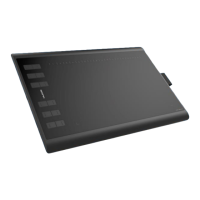
The HUION INSPIROY H1060P is a professional battery-free graphics tablet designed to enhance painting and creative workflows. This device allows users to draw and write with precision, mimicking the experience of a pen on paper. It is compatible with both Windows (7 or later) and macOS (10.11 or later) operating systems.
Function Description
The H1060P functions as an input device for computers, translating pen movements and pressure into digital input. It features a large active working area where users can draw, paint, and navigate their computer's interface using a battery-free pen. The tablet is equipped with both physical "Press Keys" and "Soft Keys" that can be customized to perform various functions, streamlining the user's workflow. The battery-free pen eliminates the need for charging, ensuring uninterrupted creative sessions.
Usage Features
- Battery-free Pen: The tablet comes with a PW100 battery-free pen, which means it never needs to be charged, offering a continuous and hassle-free drawing experience.
- Customizable Press Keys and Soft Keys: The tablet features 12 customizable physical "Press Keys" and 16 customizable "Soft Keys" located around the active area. These keys can be assigned to various functions, shortcuts, or tools within different software applications, allowing users to tailor the tablet to their specific needs and preferences.
- Pressure Sensitivity: The pen offers a high level of pressure sensitivity, allowing for nuanced control over line thickness, opacity, and other brush parameters, similar to traditional art tools. The pressure sensitivity can be adjusted through the driver settings to match individual drawing styles.
- Pen Tilt Support: The tablet and pen support pen tilt recognition, which allows for dynamic brush effects in compatible software, mimicking the natural tilt of a brush or pencil.
- Working Area Configuration: Users can define the mapping between the tablet's active area and their monitor screen. This includes options for "Full Area" (mapping the entire tablet to the entire monitor) or "Customized Area" (allowing users to select a specific portion of the tablet to map to a specific screen area). This is particularly useful in multi-monitor setups, where users can choose which monitor the tablet interacts with or map it across all displays in mirror mode.
- Working Area Rotation: The tablet's working area can be rotated by 0°, 90°, 180°, or 270°. This feature is beneficial for both left-handed and right-handed users, allowing them to orient the tablet in the most comfortable position.
- Pen Button Customization: The two buttons on the battery-free pen are also customizable. Users can assign different functions to these buttons, such as right-click, scroll, or specific tool shortcuts, further enhancing efficiency.
- Windows Ink Support: The H1060P fully supports Microsoft Windows Ink features, enabling seamless integration with pen-enabled applications like Microsoft Office, Windows Journal, Adobe Photoshop CC, and SketchBook 6. This ensures a broad range of compatibility and enhanced functionality within these programs.
- Driver Interface: The tablet's functionality is managed through a comprehensive driver interface. This interface provides visual feedback on device connection status, allows for detailed customization of keys and working area, and includes a pressure sensitivity adjustment slider and a pen pressure testing area.
- Easy Cursor Positioning: The pen allows for precise cursor positioning by hovering slightly above the active area, and selections are made by tapping the pen tip on the tablet surface.
- Movement and Click Functions: Standard click, double-click, and drag-and-drop actions are easily performed with the pen, making it intuitive for general computer navigation as well as drawing.
Maintenance Features
- Driver Installation and Management: The device requires a driver for full functionality, which can be downloaded from the HUION website. The manual emphasizes the importance of uninstalling any previous tablet drivers (including older versions of HUION drivers or drivers from other brands) before installing the new one to prevent conflicts. It also advises closing all graphics software and anti-virus software during installation. The driver icon in the system tray indicates successful installation and tablet recognition.
- Pen Nib Replacement: The pen nibs are designed to be replaceable as they wear down over time. The tablet comes with replacement nibs and a pen holder that integrates a nib clip. The replacement process involves rotating the pen holder to access new nibs, using the holder's built-in hole to extract the old nib, and then inserting a new nib firmly into the pen.
- Cleaning Instructions: For maintenance, the tablet should be unplugged, and then wiped with a soft, damp cloth. Users are cautioned against using any detergents or exposing the product to water or other liquids to prevent malfunction or electrical shock.
- Troubleshooting Guide: The manual includes a troubleshooting section to address common issues such as lack of pressure sensitivity, pen not working, press keys not functioning, computer not entering sleep mode, or side buttons not responding. It provides practical solutions like driver reinstallation, checking pen compatibility, verifying key settings, and ensuring proper pen usage.
- Data Export and Import: The driver allows users to export and import their custom configuration data. This feature is highly convenient for users who work with multiple software applications or devices, as it saves time by avoiding repeated settings adjustments and ensures consistent performance across different setups.
- Safety Precautions: The manual outlines several safety precautions, including avoiding exposure to liquids, keeping the tablet away from children to prevent accidental swallowing of small parts, powering off the tablet in restricted electronic device areas (like airplanes), and strictly prohibiting disassembly or modification of the tablet or pen to prevent damage, injury, or voiding the warranty. It also warns against inserting foreign materials into USB ports or other openings.


 To Next Page
 General