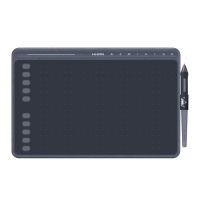
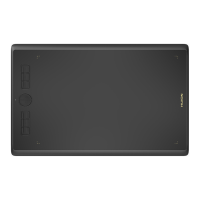
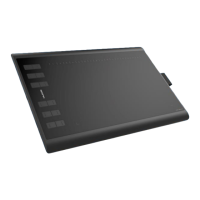
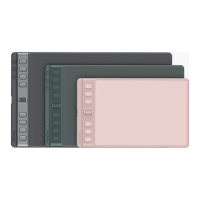
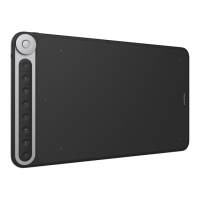
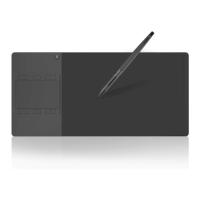
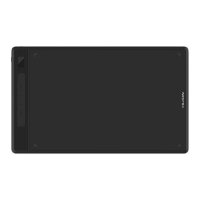
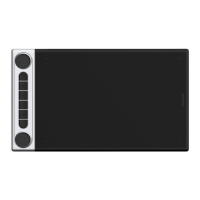
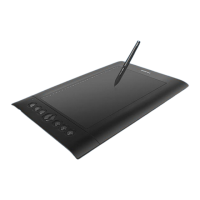
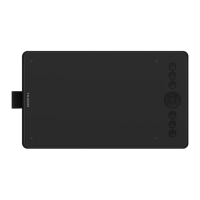
The HUION Inspiroy H320M is a creative pen tablet designed for professional drawing and digital creation. It offers a versatile experience with both a pen tablet and an LCD writing tablet integrated into one device, catering to various artistic and note-taking needs.
Function Description:
The H320M serves as a professional battery-free drawing tablet that enhances work efficiency for painting and creation. It allows users to draw and write freely, depicting different lines and colors, mimicking the experience of a pen on paper. The device is compatible with Windows and Macintosh operating systems, and also supports connection to Android phones and pads for on-the-go creativity. When connected to an Android device, the tablet automatically enters phone mode, where the pen operates within a specific gray area. The tablet features programmable press keys for customizable shortcuts and a battery-free pen for uninterrupted use. The LCD writing tablet provides a separate surface for quick notes or sketches, which can be cleared with a dedicated key.
Important Technical Specifications:
Creative Tablet (Pen Tablet Side):
- Model: H320M
- Touch Technology: Battery-free Electromagnetic Resonance
- Working Area: 228.6 x 142.9mm (9 x 5.625inch)
- Working Area (Phone Mode): 142.9 x 89.3mm
- Dimension: 305.4 x 179.6 x 9mm
- Net Weight: 450g
- Touch Resolution: 5080LPI (Lines Per Inch)
- Report Rate: 266PPS (Points Per Second)
- Pen Sensing Height: 10mm
- Interface: USB-C
- Press Keys: 11 Programmable Press Keys
- Tilt Range: ±60°
- OS Support: Windows 7 or later, macOS 10.12 or later
Digital Pen (PW100):
- Model: PW100
- Dimension: 163 x Φ14.5 mm
- Weight: 13 g
- Pressure Sensitivity: 8192 Levels
- Accuracy: ±0.3mm
Usage Features:
- Driver Installation: Users need to download and install the driver from the HUION website (www.huion.com/download). It's crucial to uninstall any other similar product drivers and close all graphics and anti-virus software before installation to avoid conflicts. The driver icon in the system tray indicates successful installation and device recognition.
- Pen Usage: The pen should be held like a normal pen or pencil, allowing easy access to the side switch with the thumb or forefinger without accidental presses. The pen's tip is used to tap for clicks, highlight, select items, and double-click to open. Moving the pen slightly above the active area positions the cursor, and pressing the tip registers a click.
- Customizable Buttons: The pen features two customizable side buttons, active when the pen tip is within 10mm of the tablet's surface.
- Working Area Settings: The driver allows users to define the tablet's active area mapping to the screen. Options include "Full Area" (default) or "Customized Area" by entering coordinates or dragging graphic corners. For multiple monitors, users can select the specific monitor to map to in extended mode, or the tablet will map to all monitors simultaneously in mirror mode.
- Rotate Working Area: The tablet's orientation can be rotated by 0°, 90°, 180°, or 270° to accommodate left or right-handed operation.
- Press Keys Function Setting: The 11 programmable press keys can be customized through the driver interface. Users can assign specific functions from a pop-up dialog box. There's also an option to enable or disable the press keys.
- Pen Buttons Function Setting: Similar to the press keys, the pen's side buttons can be customized to perform various functions.
- Pressure Sensitivity Setting: The pen's pressure sensitivity can be adjusted by dragging a slider in the driver settings. A smaller value indicates higher pressure sensitivity. A "Pen Pressure Test" feature allows users to test the pressure levels by gradually applying pressure to the stylus.
- Windows Ink Feature: The tablet supports Microsoft Windows Ink, enabling compatibility with pen features in applications like Microsoft Office, Windows Journal, Adobe Photoshop CC, and SketchBook 6.
- Android Connectivity: When connecting to an Android phone or pad (Android OS 6.0 or later), users may need to enable "OTG" function in their device settings. The tablet automatically enters phone mode, with the pen working in a specific gray area. If not recognized, pressing buttons ① and ⑥ for 3 seconds can activate phone mode. Note that press keys on both the tablet and digital pen are not supported in phone mode.
Maintenance Features:
- Cleaning: Before cleaning, the power cord should be unplugged, and the tablet wiped with a soft, damp cloth. Detergents should not be used.
- Pen Nib Replacement: Nibs wear out over time and need replacement. To replace, anticlockwise rotate the pen holder to open the cover, take out a new nib, insert the old nib into the hole at the bottom of the holder, tilt the pen to pull it out, and then insert the new nib straight into the pen until it stops.
- Data Export and Import: The driver allows users to export and import custom configuration data, simplifying setup when using different software or after reinstalling the driver.
- Troubleshooting: The manual provides solutions for common issues such as no pressure in graphics software, pen not working, press keys not working, computer not entering sleep mode, and the pen's side button not working. It also addresses system-related issues like the computer not recognizing the tablet or wireless receiver, suggesting checking USB port functionality.
- General Precautions: Users are advised to avoid exposing the product to water or other liquids, keep it away from children to prevent swallowing small parts, power off in restricted electronic device areas (e.g., airplanes), and never disassemble or modify the tablet or pen to prevent damage or voiding the warranty. Unauthorized component replacement is also cautioned against.


 To Next Page
 General