-10-
(3) Operating Procedures
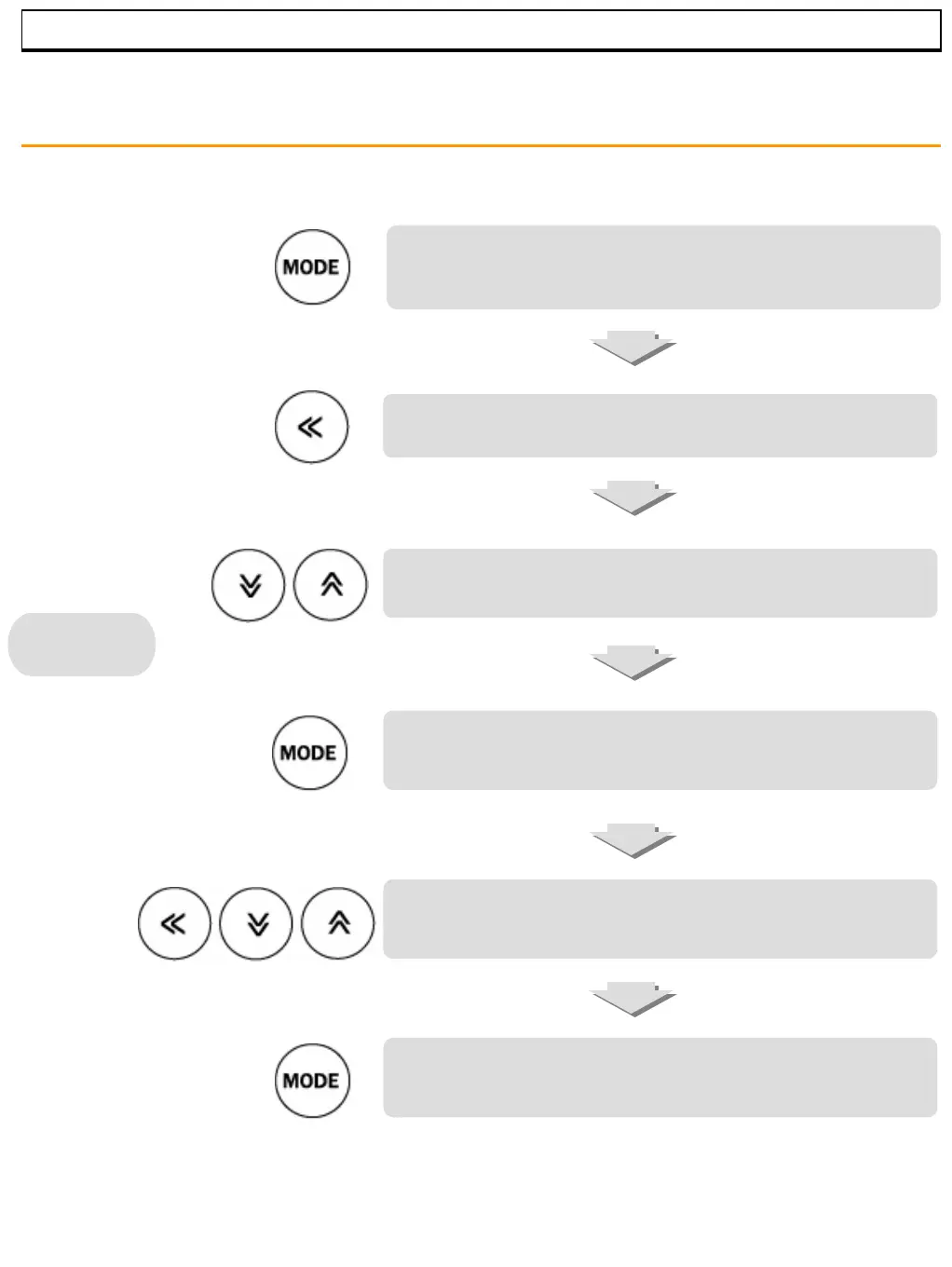
Press the “Mode” key ⑧ to enter the temperature set mode.
‘TEMP’ appears in the PV display①. Set temperature display (SV
display②) begins flashing to set desired temperature.
⑨ Press the “◁” key to move to the next digit position.
Press the “up △⑪” key to increase value.
Press the “down ▽⑩” key to decrease value.
Press the “Mode” key ⑧ to enter timer mode. ‘TIME’ appears in
the PV display①. The SV display② begins flashing to set timer.
Set the timer as the same way of temperature set by using of the
arrow keys. If timer set is 00:00, the timer will not function. Only
set temperature will operate.
Press the “Mode” key ⑧ to complete setting. The set value
stops flashing. The displays return to PV/SV mode..
Setup
MUFFLE FURNACE



 To Next Page