10
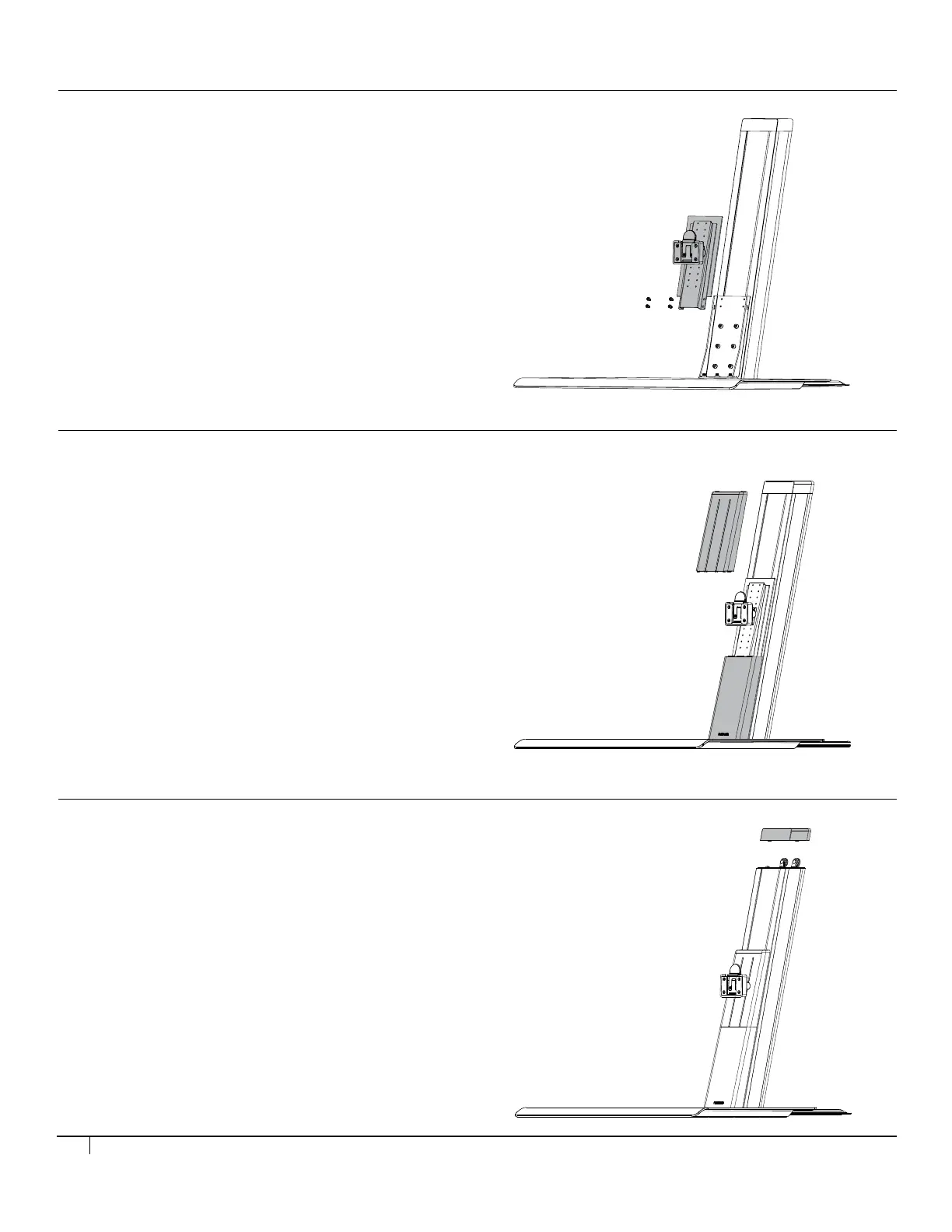
Step 4
Attach the front covers.
(Upper front cover slides in from the top behind the monitor
mounting bracket.)
Step 3
Attach the monitor mount bracket.
Step 4
Attach the front covers.
(Upper front cover slides in from the top behind the monitor
mounting bracket.)
Step 3
Attach the monitor mount bracket.
Step 6
Slide the right side cover upward to remove it from the post.
Install the new side cover. (Repeat this on the other side for dual monitor)
Place the top cover back on.
Step 5
Remove the top cover.
STEP 3
• Attach the monitor mount bracket.
STEP 4
• Install the front covers.
(Upper front cover slides in from the top behind the monitor mounting bracket).
STEP 5
• Remove the top cover.


 To Next Page