2
QUICKSTAND LITE REWORK INSTRUCTIONS
1
Find a safe place to store monitors, mice and any other peripherals that may be installed on the
QuickStand Lite (QSL).
2
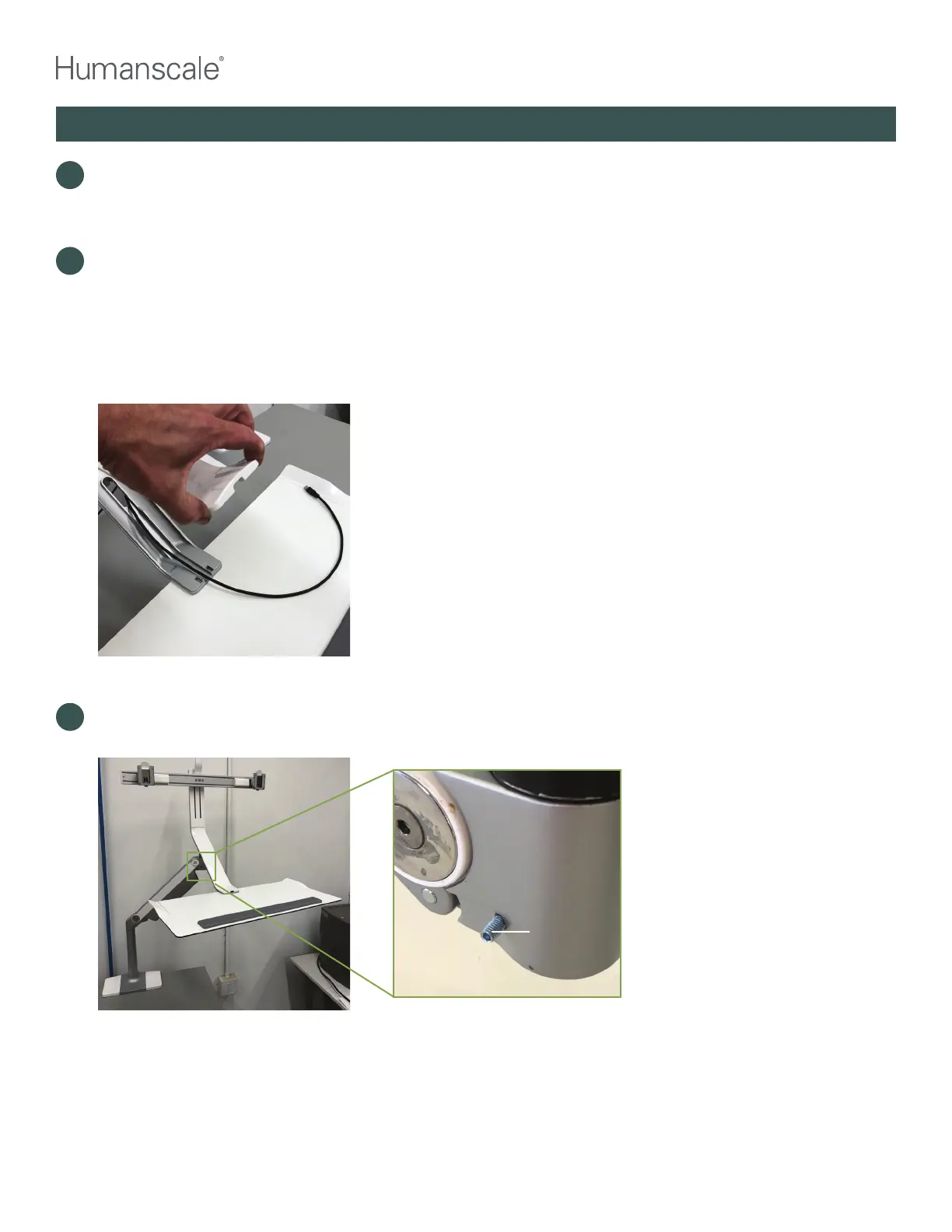
Check if keyboard and mouse are hardwired. If so, trace cables back to computer port or dock. Label
cables carefully to prevent errors when reinstalling. Unplug cables and snake wires back through M8 long
dynamic arm (“dynamic arm”) cable channel. Remove plastic cover from QSL head and remove wires
to free keyboard and mouse and set them aside. Remove any additional items that are on the keyboard
platform. Raise QSL to highest position to remove monitors. WARNING: DO NOT REMOVE THE
MONITORS UNLESS THE QSL IS IN THE HIGHEST POSITION. Remove the monitors, one at a time
and stow them in a safe place.
3
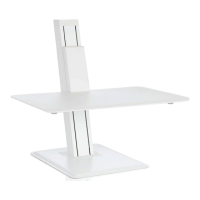
Free the QSL head by completely removing the 2.5 mm allen screw on front end of the dynamic arm to
free the arm link pin.
Set screw to
be removed



 To Next Page