2
1.2. Physical Description of Victor Reader Classic +
1.2.1. The Face of the Unit
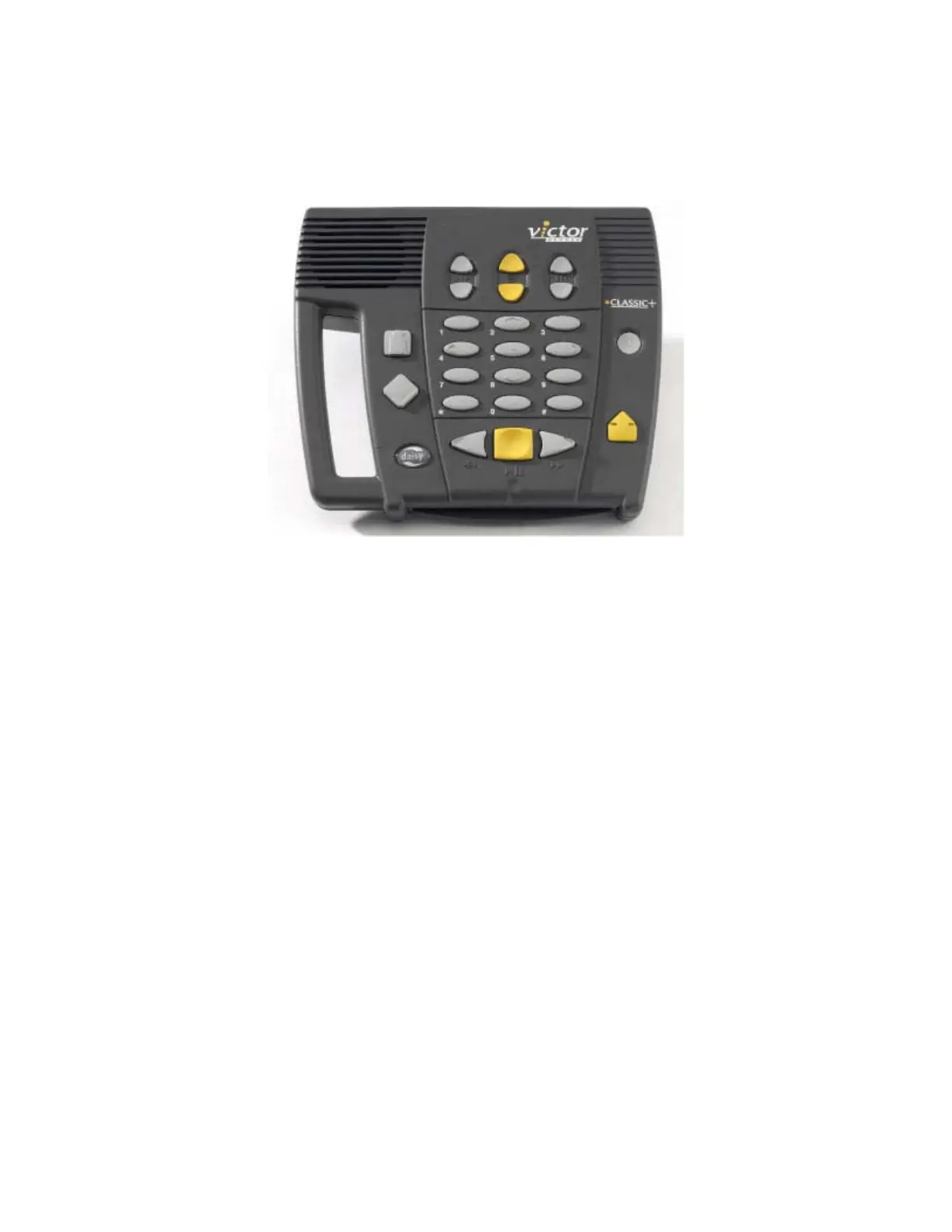
The built-in speaker is located on the upper left corner of the face. The
speaker provides high quality sound.
On the top centre of the face, are three groups of two up and down buttons. From
left to right, these are the Tone, Volume and Speed keys.
Beneath the Tone, Volume and Speed controls, you’ll find the twelve
Numeric keys that will allow you to easily move through the structure of a
book.
To the left of the twelve Numeric keys, midway down the unit, are two more
keys. The upper one is the Go-to-Page key that allows you to go directly to a
desired page.
The second key is the Bookmark key. This lets you insert a bookmark to save
your place. Notice that underneath the Bookmark key, there is an oval-shaped
form. This is not a button but rather the Daisy logo, which is displayed on the
unit.
Beneath the twelve Numeric keys you’ll find the: Rewind, Play/Stop and Fast-
Forward keys.
To the right of these, and slightly up, you’ll find two more keys. The upper one,
which curves in slightly, is the Power key and beneath it is the Eject key, used to eject
CDs from the drive slot.



 To Next Page