21
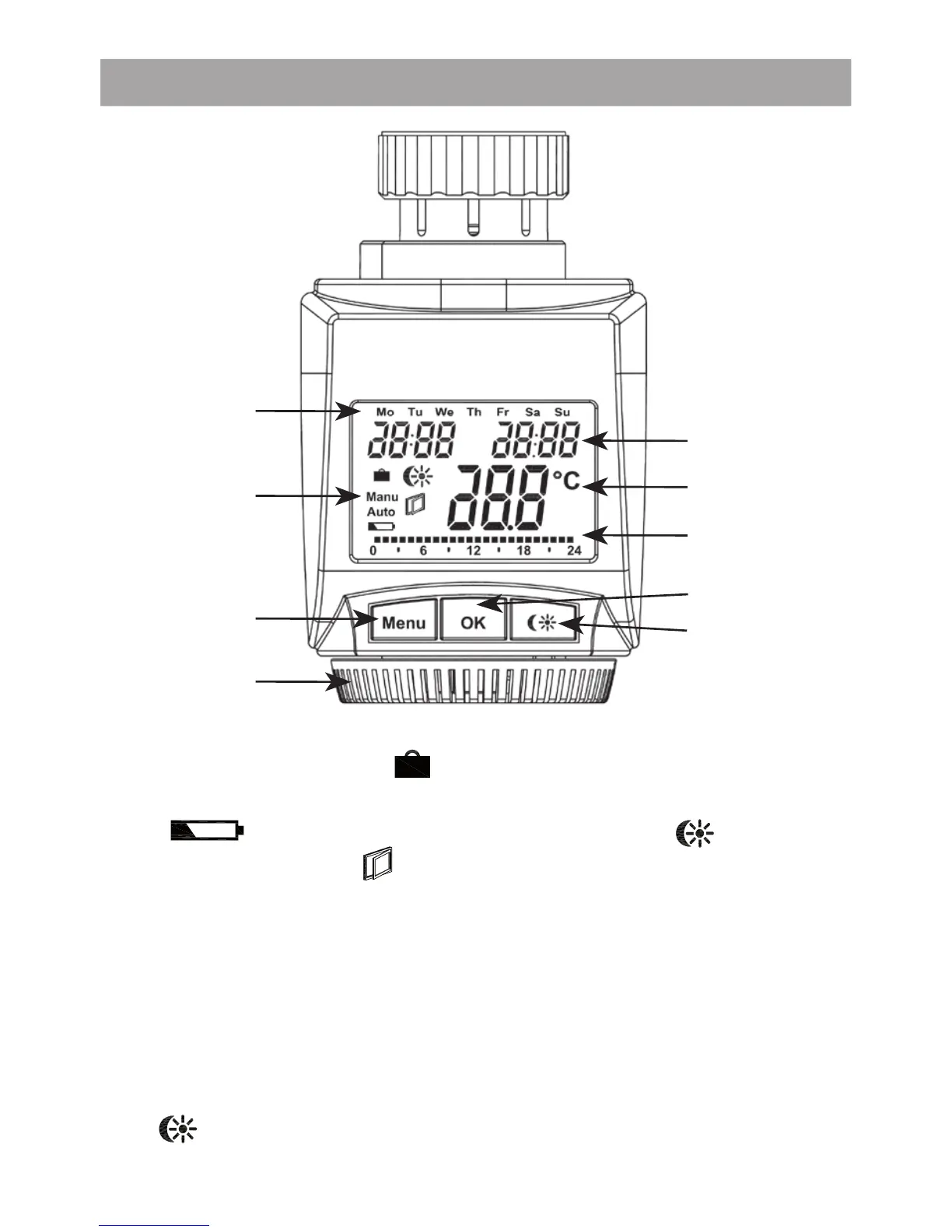
1. Operation and display
A Day of the week
B Holiday function (
), manual operation (Manu), au-
tomatic operation (Auto), “battery empty” symbol
(
), set-back/comfort temperature ( ), “window
open” symbol (
)
C Menu button: Press and hold down the button for more
than 3 seconds to open the confi guration menu
D Setting wheel: For making adjustments (e.g. temperature)
E Time and date indicator, menu items, functions
F Current temperature setting
G Switching periods set within weekly program
H OK button: For confi rming/saving, teaching in
I
button: For switching between set-back and com-
fort temperatures
A
B
C
D
E
F
G
H
I


 To Next Page
 Loading...