29
Use the setting wheel to select menu items and the OK but-
ton to confi rm your choice. Press the menu button again to
return to the previous level. After 65 seconds without any-
thing happening, the menu will close automatically.
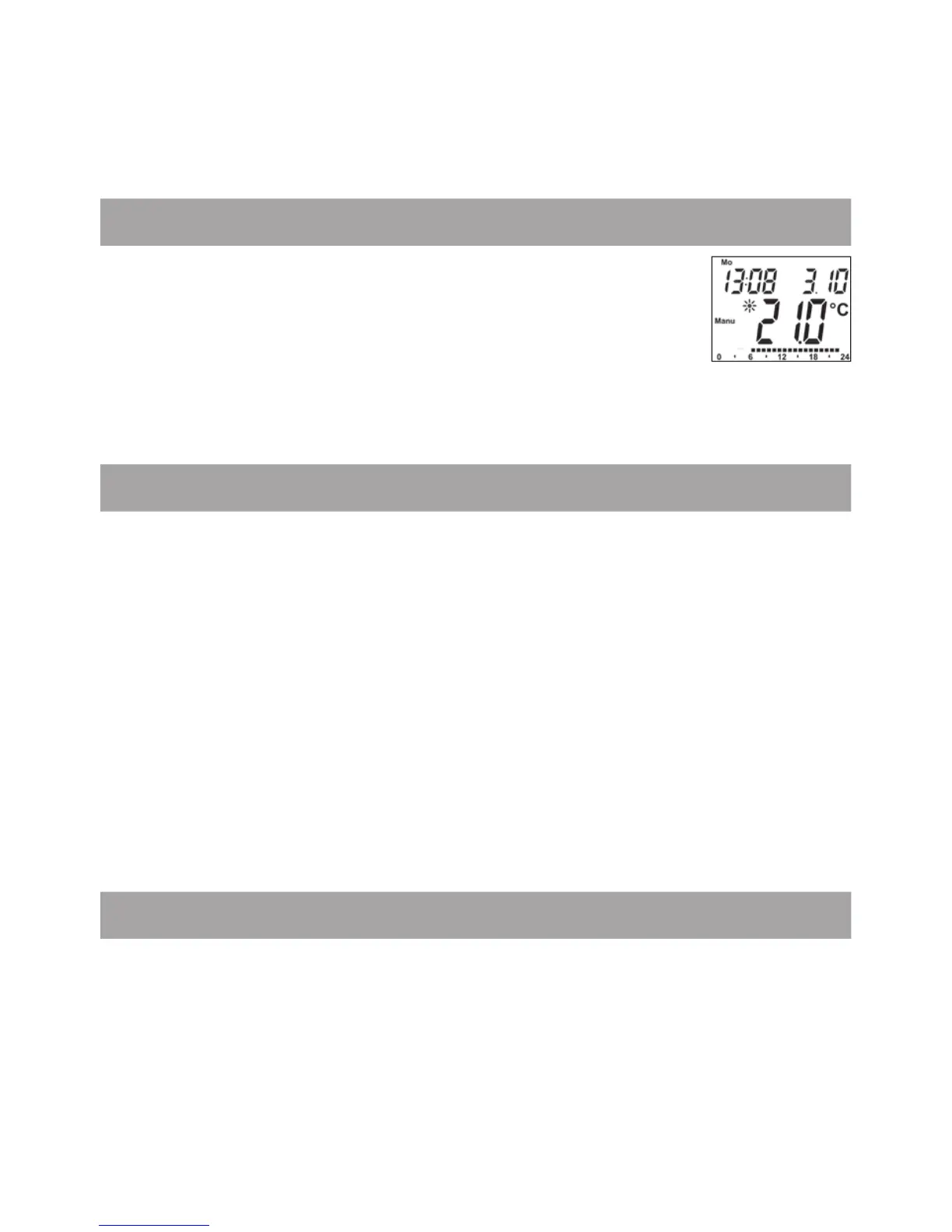
13. Display content during normal operation
During normal operation, the following are displayed:
day of the week, time of day, date, operating mode,
temperature setting and switching periods.
The bars indicating the weekly program’s switching
periods are shown for every other time interval. For an example,
please refer to “10. Weekly program: Examples”
.
14. Teaching in wireless components
The actuator supports the teaching in of up to 4 system components
(e.g. remote control and window contact) plus 1 wall thermostat.
• Press and hold down the OK button for more than 3 seconds.
• The remaining teach-in time will be displayed (30 seconds).
• The device being taught-in now needs to send a wireless signal
(e.g. press button on remote control).
• The display will then switch to the normal view.
Once this has been done, the actuator will respond to wireless
commands from taught-in devices. Whenever the actuator re-
ceives a signal from a window contact or remote control, the dis-
play will light up briefl y.
15. Teaching out wireless components
Components that have been taught in on the actuator can be taught
out again using the “UnL” (Unlearn) function. All wireless components
are taught out at once with this function.
• Press and hold down the menu button for more than 3 seconds.
• Use the setting wheel to select the “UnL” menu item.
• Confi rm with OK.
• “ACC” will appear on the display; press OK to confi rm.


 To Next Page