28
7. SET UP THE LIGHTNING FUNCTIONS
7. SET UP THE LIGHTNING FUNCTIONS
The following instructions explain how to congure the Lightning automatic functions
for use.
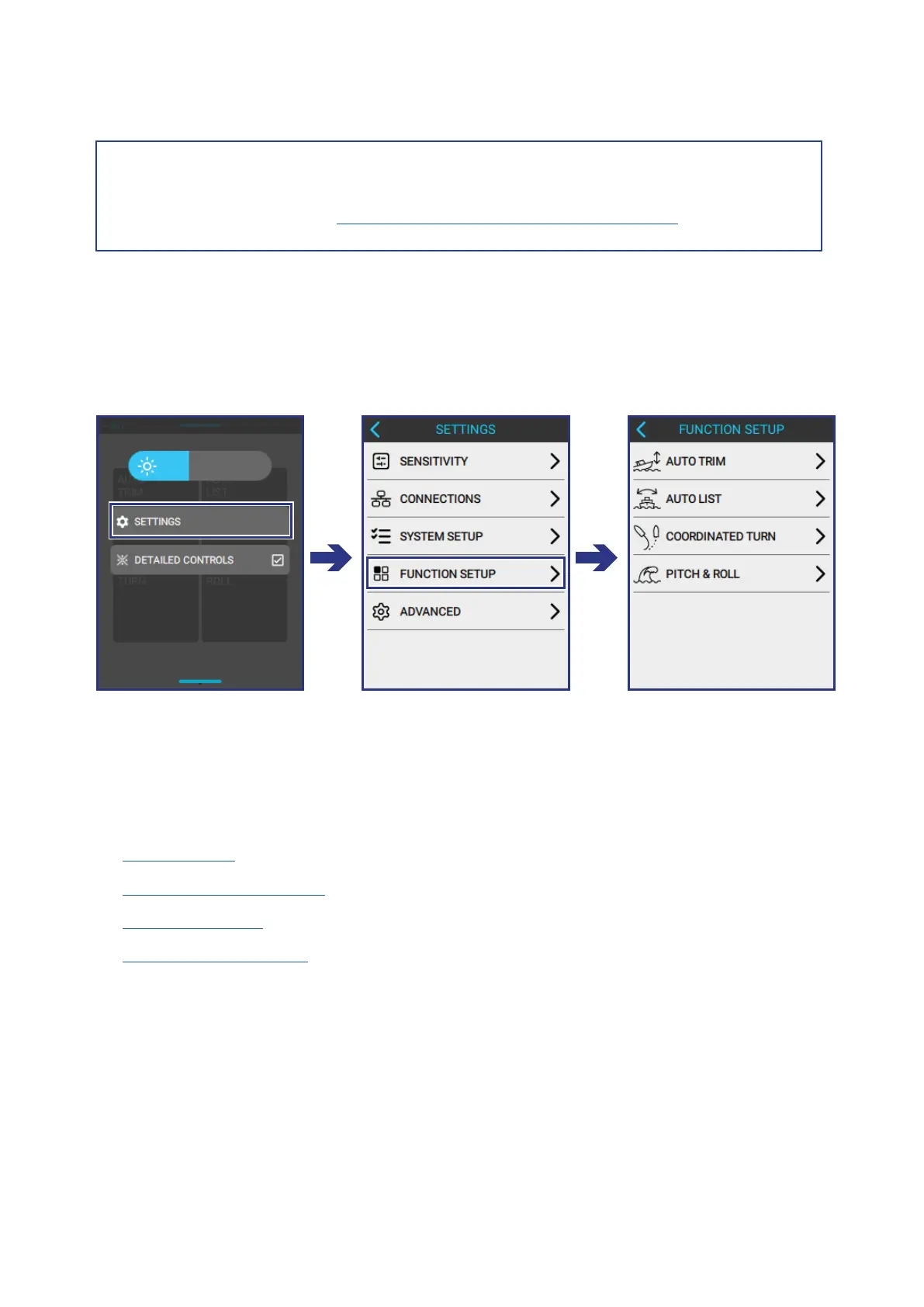
To open the FUNCTION SETUP screen, do the following:
MENU > SETTINGS > FUNCTION SETUP
7.1 CONFIGURE AUTO TRIM
Input the following information to correctly congure the AUTO TRIM function
according to the needs of the boat:
• Hump Speed
• Hump Speed Extension
• Trim Max Speed
• Max Speed Extension
To open the AUTO TRIM screen, do the following:
FUNCTION SETUP > AUTO TRIM
Before setting up the system functionality, make sure to set up the system.
For more information see Section 6: Set up the Lightning System.
NOTE!


 To Next Page
 Loading...

