32
7. SET UP THE LIGHTNING FUNCTIONS
1
8
NOTE THE MAX SPEED BLADE EXTENTION percentage number, to input into
the LCP later in Section 7.1.2:
7.1.2 INPUT THE AUTO TRIM DATA INTO THE CONTROL PANEL
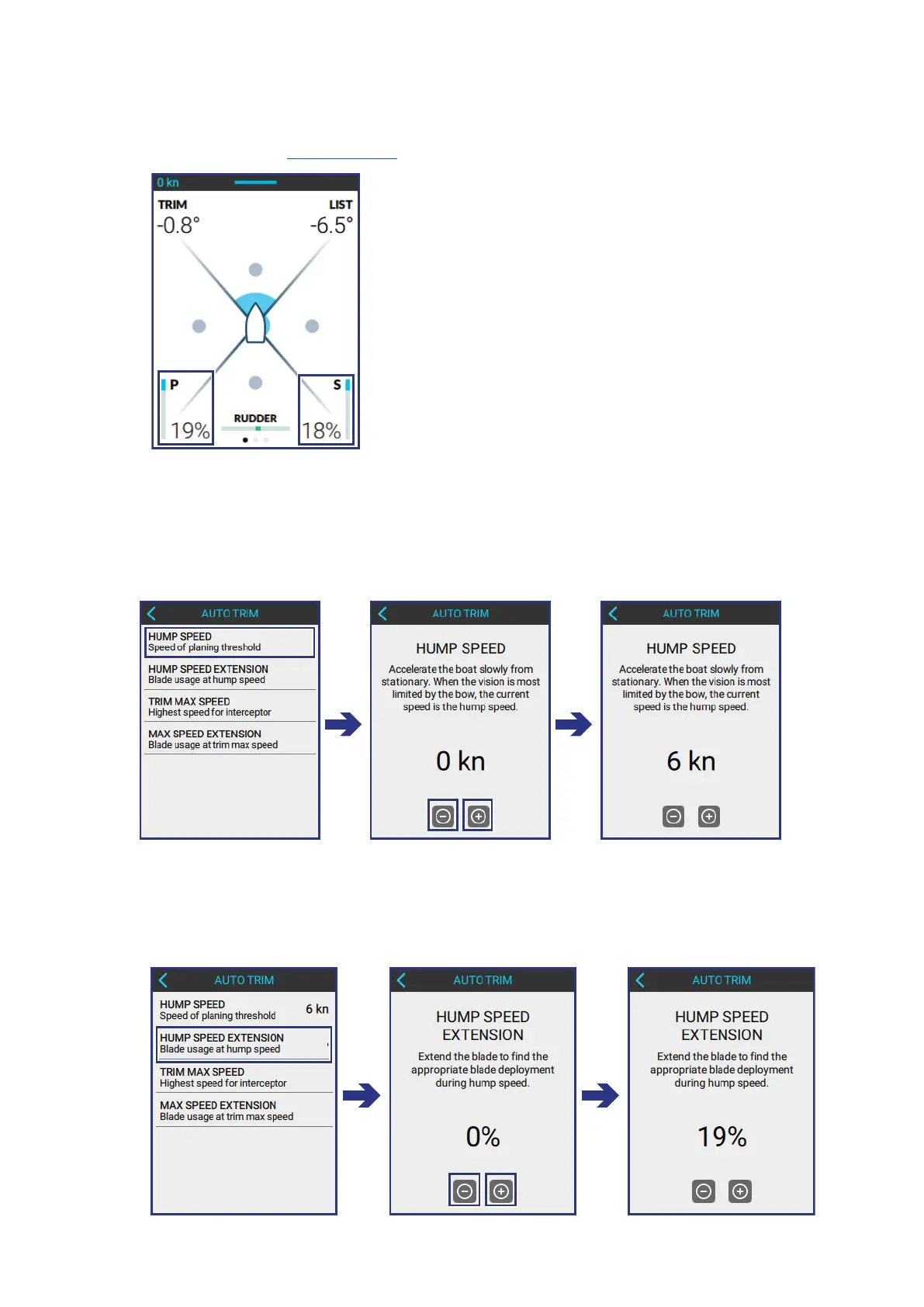
INPUT THE HUMP SPEED into the HUMP SPEED SCREEN of the LCP:
AUTO TRIM > HUMP SPEED
• Use the + and - buttons to input the correct value.
2
INPUT THE HUMP SPEED EXTENSION percentage into the LCP:
AUTO TRIM > HUMP SPEED EXTENSION
• Use the + and - buttons to input the correct value.



 To Next Page