49
8. CUSTOMIZE THE LCP DISPLAY
8. CUSTOMIZE THE LCP DISPLAY
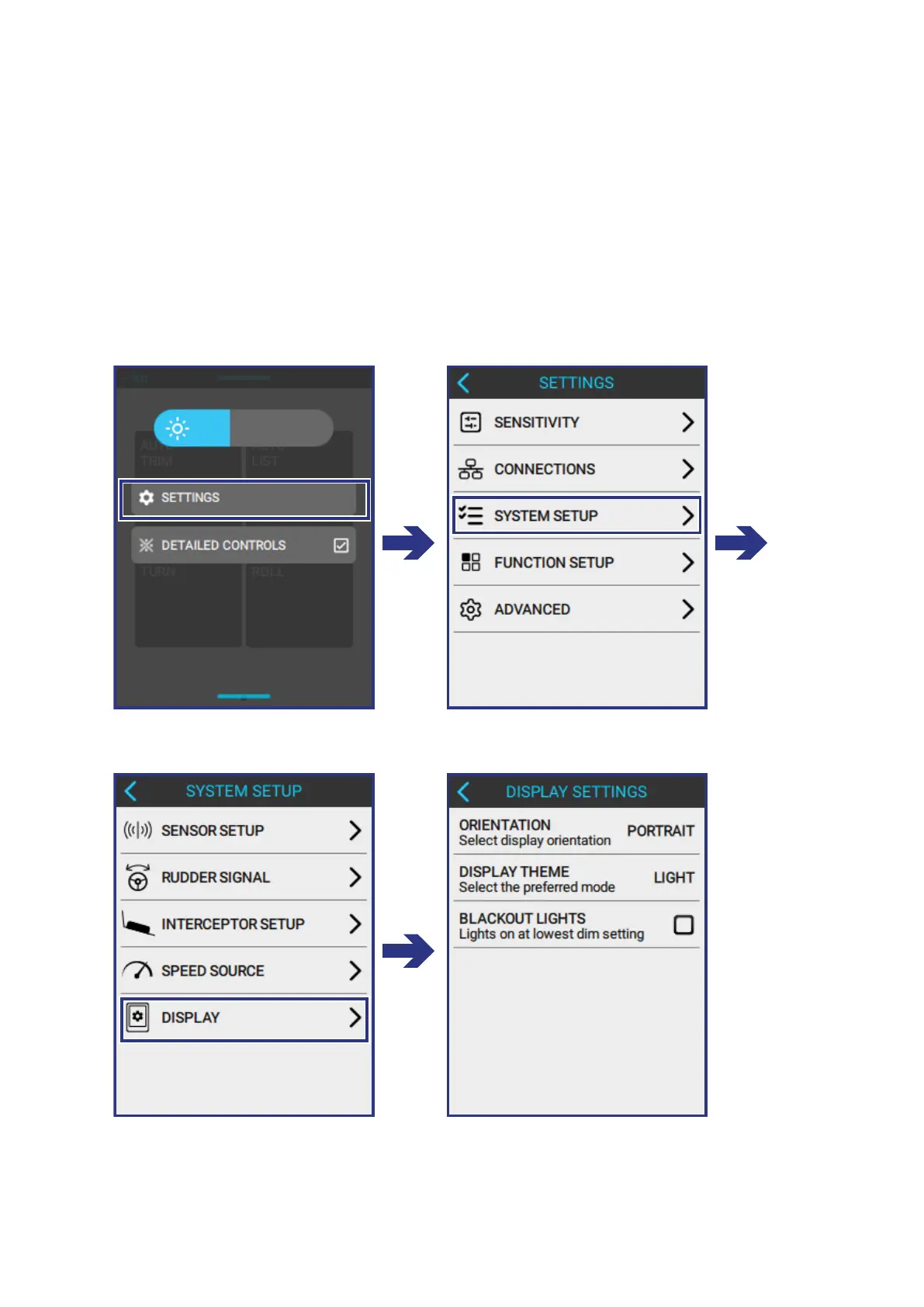
The Lightning Control Panel can be customized in the following ways:
• Change the display orientation to t how the LCP is installed on the boat.
• Change the default theme to Dark Theme.
• Enable the LED lights to switch o at the lowest dimmer setting.
To make changes to the open the LCP Display go to:
MENU > SETTINGS > SYSTEM SETUP > DISPLAY



 To Next Page