Need help?
Do you have a question about the HuntCam MiNi-301 and is the answer not in the manual?
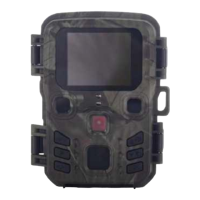
Covers display screen, lens, and IR lamps.
Details control buttons, DC adapter port, tripod slot, and SD card slot.
Identifies battery compartment and ON-TEST-OFF button.
Details AA battery and external power input.
Covers preparation, specifications, handling, and insertion.
Instructions for switching the Mode Button to Test, ON, or Off.
Describes using Menu, Up/Down, and OK buttons for system parameter setup.
Options for Camera, Video, Camera & Video, Time Lapse.
Settings for image resolution and continuous shot count.
Adjusts ISO for brightness and selects video resolution.
Configures video length, audio capture, and timelapse intervals.
Adjusts PIR interval delay and sensor sensitivity.
Selects UI language and manages memory with overwrite feature.
Sets camera date/time format and custom name.
Configures scheduled operation and password protection.
Options to format SD card and restore factory settings.
Instructions for switching to photo/video mode and taking manual shots.
How to enter playback, scan media, and play videos.
Actions available in playback: delete, protect, slide show.
 General
| Brand | HuntCam |
|---|---|
| Model | MiNi-301 |
| Category | Scouting Camera |
| Language | English |

 To Next Page