4
ACC2 STRONGBOX PEDESTAL ASSEMBLY INSTRUCTIONS
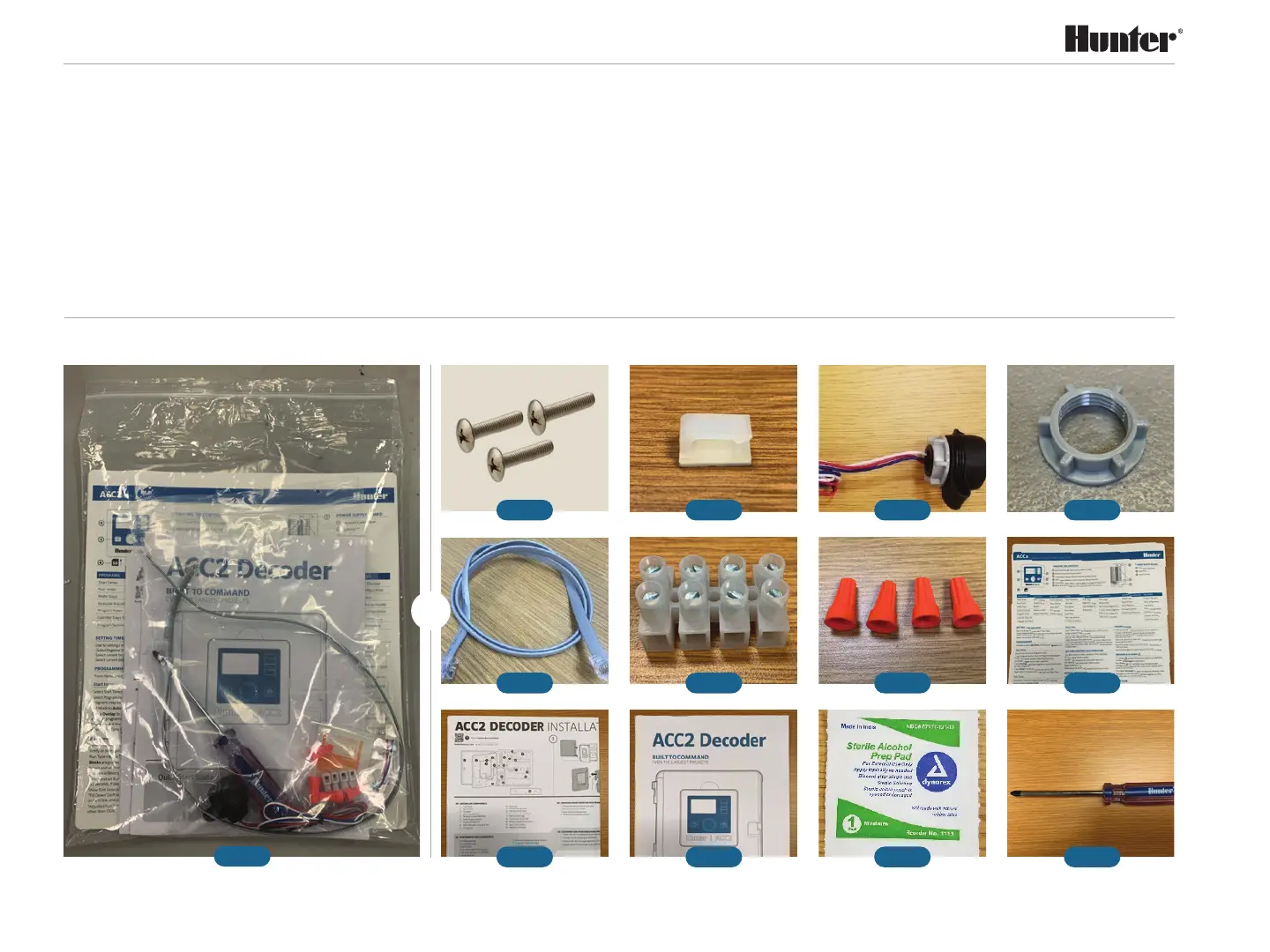
• Fig. 1: Bag of hardware and User Guides,
which includes the following:
• Fig. 2: Screws 8-32 x 1" (qty: 3)
• Fig. 3: Cable tie mount (qty: 1)
• Fig. 4: Smartport with extended cable (qty: 1)
• Fig. 4a: Plastic nut for SmartPort (may
already be attached to SmartPort)
• Fig. 5: Extended length RJ11 Reversed
6-Wire (qty: 1)
• Fig. 6: Euro block (qty: 1)
• Fig. 7: Wire nuts (qty: 4)
• Fig. 8: ACC2 Controller programming
instructions (qty: 1)
• Fig. 9: ACC2 Installation Guide (qty: 1),
Decoder version shown
• Fig. 10: ACC2 Quick Start Guide (qty: 1),
Decoder version shown
• Fig. 11: Isopropyl alcohol wipe (qty: 1)
• Fig. 12: Hunter #2 Phillips head screwdriver
(qty: 1)
Plus: Hunter ACC2 inner chassis to
StrongBox pedestal assembly instructions
Unboxing Bag Contents
Fig. 1
Fig. 2
Fig. 5
Fig. 9
Fig. 3
Fig. 6
Fig. 10
Fig. 4
Fig. 7
Fig. 11
Fig. 4a
Fig. 8
Fig. 12
→


 To Next Page