- 06 -
How to use
Precautions Before Use
Be sure not to exceed the maximum water line in using any of the functions,
and do not wash the rice in the inner pot.
❶
Keep Warm
• After cooking, the rice cooker will automatically switch to Keep Warm mode. You can also
switch to Keep Warm mode from Standby mode by pressing the [Keep Warm] button.
• It is warmed for up to 12 hours.
• If kept warm for more than 12 hours, the rice will no longer be fresh but may discolor or smell.
❷
Preset
Ex. If the current time for cooking porridge is 10 PM and it should be cooked by 6 AM tomorrow,
the timer should be set to 8 hours. (Timer calculated from the current time to the time it is cooked.)
①
Put the washed rice into the inner pot and add water that matches the amount of rice.
②
Connect the power and select the porridge mode using the jog dial on the control panel.
③
The rice cooker will switch to Preset mode when you press the [Preset] button. Adjust the
time the cooker will complete cooking from the current time by rotating the dial.
④
The rice cooker will switch to Porridge Preset mode when you press the Cook button (jog
dial), and the porridge will be fully cooked within the set time.
* Press the Cancel button to cancel the timer.
Ready to cook | Power ON
①
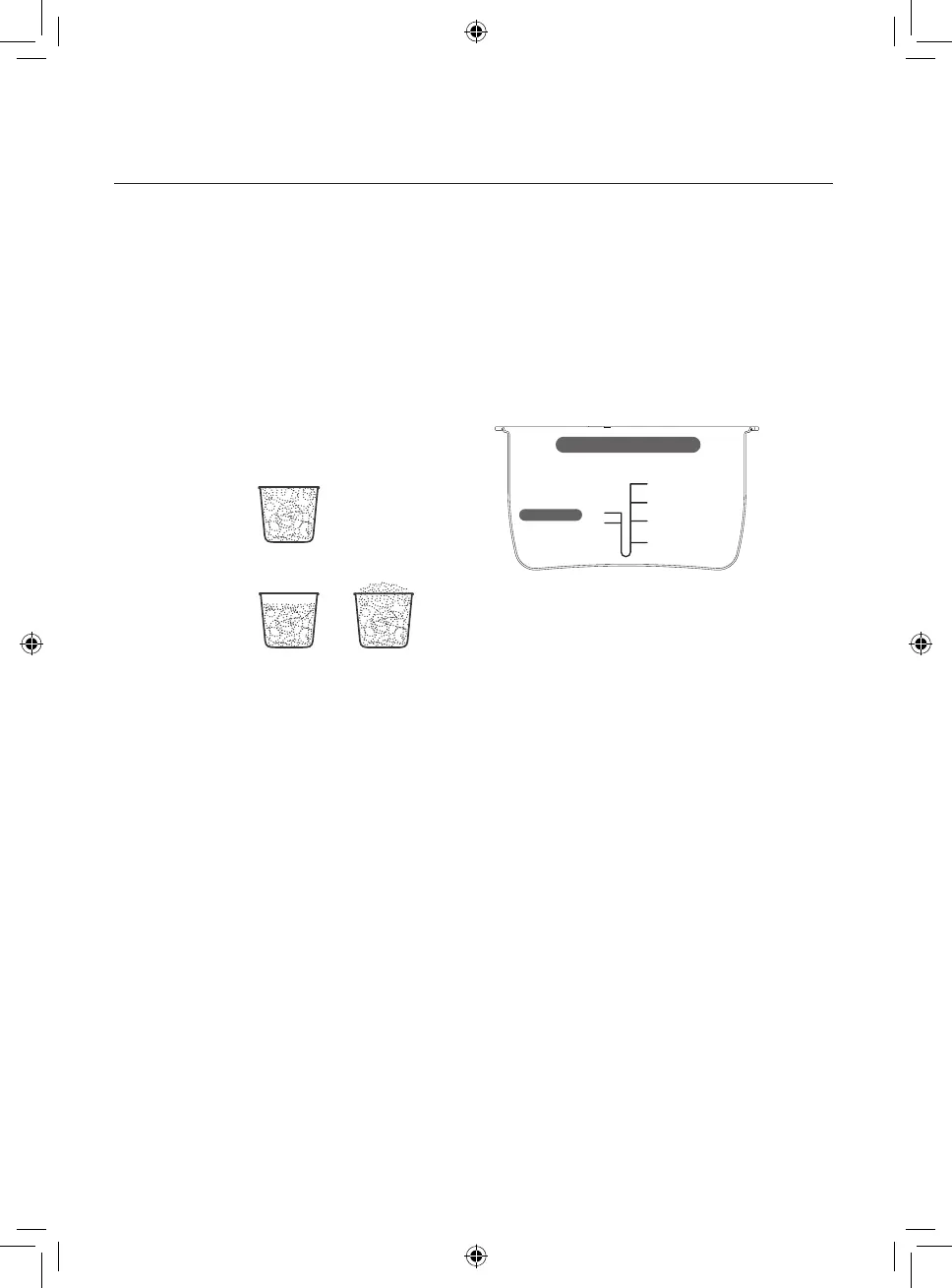
Use the measuring cup included in
the package to measure the amount
of rice. After measuring, wash the rice
and put it into the inner pot.
Ex) Correct use
Ex) Wrong use
Low Starch / White rice
Water grid
③
Place the inner pot on a flat surface
and put the precise amount of water to
match the appropriate level.
②
Put water
Per cup
Low starch
Water Level
Per cup
White rice
MAX 1.5
4.0
MAX
3.0
2.0
1.0
1.0


 To Next Page