This document provides comprehensive instructions for the assembly, operation, and maintenance of a digital stand fan, referred to as the "Super 8 Digital Stand Fan." The fan is designed for household use and offers various features to enhance user comfort and convenience.
Function Description
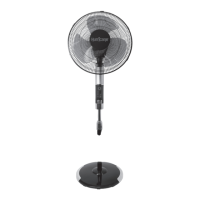
The Super 8 Digital Stand Fan is an electrical appliance primarily designed to provide air circulation and cooling within an indoor environment. It features a stand design, allowing for adjustable height and direction of airflow. The fan operates with a motor that drives fan blades to create airflow, which can be controlled through multiple settings.
Key functions include:
- Adjustable Wind Speed: The fan offers three levels of wind speed (1, 2, 3) to suit different preferences and environmental conditions.
- Multiple Wind Modes: It provides three distinct wind modes:
- Normal Wind: Delivers a constant airflow at the selected speed level.
- Natural Wind: Simulates natural breezes through pre-programmed variations in wind speed, aiming to provide a more refreshing and natural feel. This mode also has three speed levels.
- Sleep Wind: Designed for nighttime use, this mode provides a light and soft airflow, also with three speed levels, to ensure comfortable sleep without strong drafts.
- Oscillation Function: The fan can oscillate to distribute air across a wider area. It offers various oscillation patterns, including "Left/Right," "Up/Down," and an "'8' shape," in addition to a "fixed direction" option.
- Timer Function: Users can set a timer for the fan to automatically shut off after a specified period, ranging from 0.5 to 8 hours. This feature is useful for energy saving and convenience, especially during sleep.
- Remote Control Operation: The fan comes with a remote control, allowing users to conveniently adjust all settings (power on/off, wind speed, wind mode, oscillation, and timer) from a distance.
- Manual Control: In addition to the remote, the fan also has touch keys on the unit itself for direct control of all functions.
- Height Adjustment: The stand allows for manual adjustment of the fan's height to direct airflow at different levels.
- Pitch Air Supply Adjustment: The fan head can be manually tilted upward or downward to adjust the vertical angle of airflow.
Usage Features
The fan is designed with user convenience and safety in mind.
- Easy Assembly: The manual provides clear, step-by-step instructions for assembling the round base, column unit, guard, and fan blade, making the setup process straightforward.
- Intuitive Controls: Both the remote control and the unit's touch keys are clearly labeled with icons for power, wind speed, wind mode, oscillation, and timer, ensuring ease of use. The display panel illuminates to indicate current settings, such as wind speed level, wind type, and timer status.
- Overload Protection (Fuse): The appliance incorporates an overload protection fuse in the plug. This safety feature helps prevent electrical hazards in case of an overload or short-circuit. The manual provides instructions for replacing the fuse if it blows.
- Polarized Plug: The fan is equipped with a polarized plug, designed to fit into an outlet in only one way, which is a standard safety feature to reduce the risk of electric shock.
- Stable Operation: Users are advised to ensure the fan is placed on a stable surface to prevent it from overturning during operation.
- Remote Control Range: The remote control operates effectively within approximately 5 meters and at a deflection angle of 30 degrees, offering good flexibility in room placement.
- Battery Replacement: Instructions for replacing the AAA batteries in the remote control are provided, ensuring continuous remote functionality.
Maintenance Features
Proper maintenance is crucial for the longevity and safe operation of the fan.
- Cleaning Instructions: The manual emphasizes the importance of unplugging the fan before any cleaning. Plastic parts should be cleaned with a soft cloth dampened with mild soap and water, ensuring all soap film is thoroughly removed. It is critical to prevent water or any other liquid from entering the motor housing or internal parts to avoid damage and electrical hazards.
- Ventilation Maintenance: To ensure adequate air circulation to the motor, users are advised to keep the vents at the rear of the motor housing free from dust and fluff. While a vacuum cleaner can be used for cleaning these vents, it should only be done after unplugging the fan. Disassembling the fan to remove fluff is not recommended for users.
- Avoid Abrasive Cleaners: The manual specifically warns against using abrasive detergents, solvents (like gasoline or thinner), or bending agents, as these can scratch or damage the fan's surfaces.
- No User Servicing of Internal Parts: Users are explicitly instructed not to attempt to fix the fan themselves. Any service beyond basic cleaning and fuse replacement should be referred to qualified service personnel. This ensures safety and proper repair.
- Fuse Replacement Guidelines: Detailed instructions are provided for safely opening the fuse cover, carefully removing the old fuse, and replacing it with a new 2.5 Amp, 125 Volt fuse. Users are cautioned against operating the fan with a damaged cord or plug and are advised to discard the product or return it to an authorized service facility if the attachment plug is damaged and cannot be repaired.
- Storage: While not explicitly detailed, the emphasis on keeping vents clear and avoiding liquid ingress suggests that proper storage in a clean, dry environment would contribute to the fan's maintenance.

 Need help?
 General


 To Next Page