www.P yleUSA.com
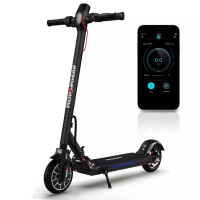
1. Speedometer: Display the current speed of the HURES36 Foldable Electric Scooter, as well as to display error codes.
2. Modes: Three modes available. "ECO" for Energy saving mode (smooth acceleration, suitable for beginners), "D" for
Standard mode and "S" for Sport mode (powerful, only recommended for skilled riders).
3. Pedestrian mode: Makes pushing the Electric Scooter easier.
4. Wireless BT: The icon indicates that the Electric Scooter has been successfully connected to the mobile device.
5. Error: The wrench icon indicates that the Electric Scooter has detected an error.
6. Battery Level: The battery power is indicated by 5 bars, each representing approximately 20% of a full battery.
7. Power Button: Press the button to turn the Electric Scooter on; and press and hold the button for 3 seconds to turn
the Electric Scooter o. When the Electric Scooter is on, press the button to turn the headlight on/o, and double
press to switch between modes.
Assembling Your Foldable Electric Scooter
7
2
1
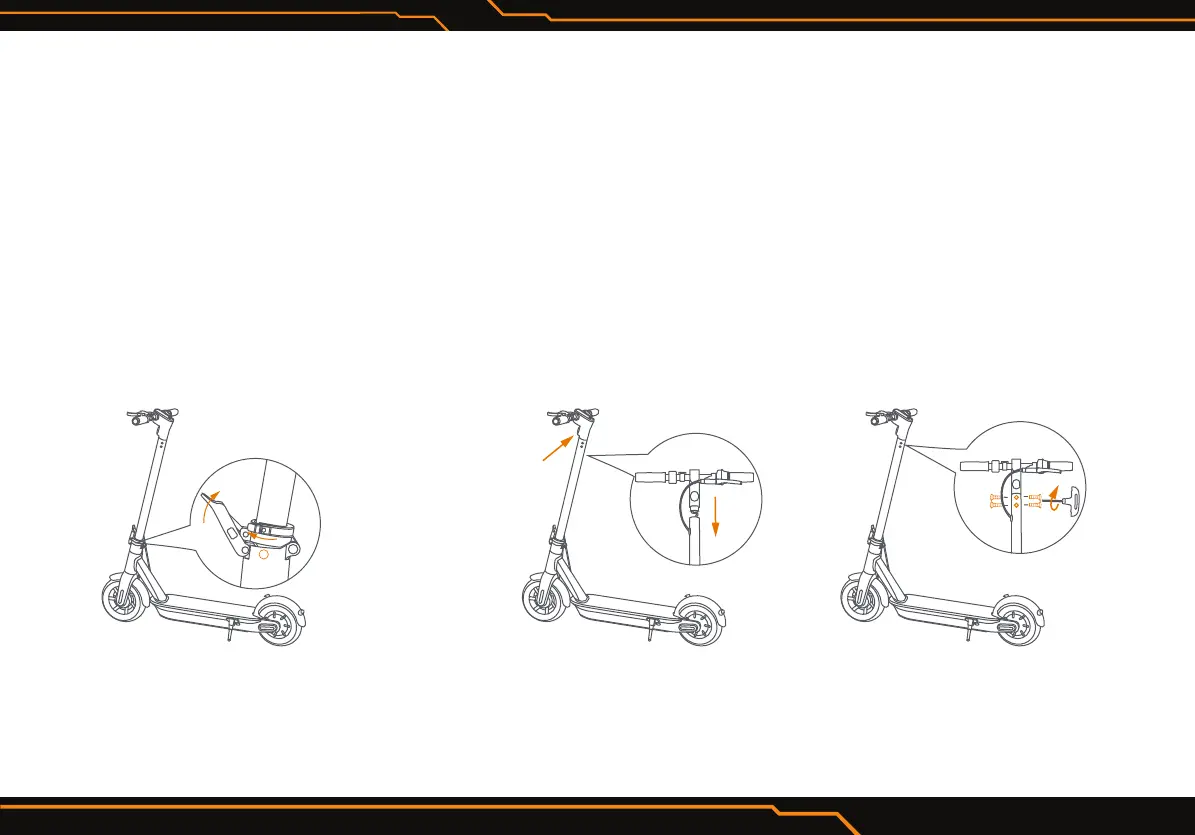
1. Unfold the handlebar stem and
fasten it. Then unfold the kickstand
to support the Foldable Electric
Scooter.
Headlight
toward front
2. Firmly connect the wires inside the
handle and the stem. Slide the handle
onto the stem. Be aware of the
correct orientation.
3. Install six screws (two on each side)
with the included hex wrench.


 To Next Page