
EasyManua.ls Logo

Husky 867006-1004 - User Manual

Husky 867006-1004
28 pages
Print Icon
To Next Page IconTo Next Page
Loading...
USE AND CARE GUIDE
SMART WATERING TIMER
Questions, problems, missing parts?
Before returning to the store, call Hubspace Customer Service
8 a.m. - 7 p.m., EST, Monday - Friday, 9 a.m. - 6 p.m., EST, Saturday
1-877-592-5233
HOMEDEPOT.COM/HUBSPACE
Item #1010 461 413
Model #867006-1004
THANK YOU
We appreciate the trust and condence you have placed in Hubspace through the purchase of this smart watering
timer. We strive to continually create quality products designed to enhance your home. Visit us online to see our full
line of products available for your home improvement needs. Thank you for choosing Hubspace!

Table of Contents

Other manuals for Husky 867006-1004

Questions and Answers

  • A
    Austin IbarraAug 6, 2025
    What to do if my Husky Irrigation System timer does not water?
    • J
      jjenkinsAug 6, 2025
      If your Husky Irrigation System timer isn't watering or turning on at the set time, ensure the faucet is on, the clock is set to the correct time (including AM/PM), the batteries aren't low, the desired outlet (left or right) is programmed, rain delay is off, and the start time is correctly set, including AM/PM.
  • J
    Jennifer WallaceAug 10, 2025
    Why is my Hubspace device not connecting to Wi-Fi?
    • J
      Jenna HallAug 10, 2025
      Your Hubspace device may not be connecting to Wi-Fi because your internet connection or Wi-Fi network is down. Ensure that your device is connected to a power source.
  • T
    thomas63Aug 15, 2025
    What to do if water won’t turn off on my Husky Irrigation System?
    • T
      Terry ThomasAug 15, 2025
      If the water won’t turn off on your Husky Irrigation System, make sure the watering duration is set to the desired time and the manual mode is off.
  • M
    michaelbakerAug 20, 2025
    What to do if my Husky device is offline for long periods of time?
    • M
      Ms. Donna Lee DVMAug 20, 2025
      Ensure your Wi-Fi signal strength is sufficient. You may need to move your router, use mesh Wi-Fi, or Wi-Fi extenders.
  • D
    David AtkinsAug 26, 2025
    What to do if I scanned the QR code, but the app cannot connect to it?
    • M
      Melissa ByrdAug 26, 2025
      Turn off Bluetooth on your phone and turn it back on. Then, scan the QR code. If the problem persists, turn your phone off and on, then try again.
  • J
    jamesmccormickAug 30, 2025
    What to do if I have low water pressure on my Husky 867006-1004?
    • A
      Abigail ThomasAug 30, 2025
      If you're experiencing low water pressure with your Husky Irrigation System, ensure the faucet is completely open and use only one port at a time.

Summary

Safety Information and Notices

Installation Notice

Any removal or replacement of parts in installation is NOT recommended and may invalidate the warranty.

Product Use Notice

Always use new alkaline batteries. User is responsible for damage caused by unauthentic batteries.

Service & Maintenance Notice

Seek advice from HOMEDEPOT.COM/Hubspace on cleaning, moving, or maintaining the product.

Gateway Notice

Ensure minimum 10A circuit breaker upstream. Do not use in wet locations. Limit is 10 Amps.

Warranty Information

Covers limited 4-year warranty for the product and 1-year warranty for the gateway.

Information Statements

Wireless Protocol

Details Wi-Fi and Bluetooth certifications and trademarks.

FCC Compliance Statement

States compliance with FCC Rules Part 15 regarding harmful interference and operation.

ISED Statement

Provides compliance information with IC RSS-102 radiation exposure limits.

Pre-Installation

Description

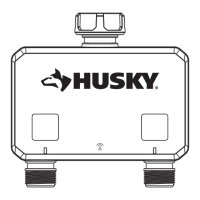
Overview of the dual-spigot battery-operated BLE intelligent irrigation timer.

Package Contents

Lists the items included in the product package, showing parts A, B, and C.

Installation

Install the Batteries

Instructions for removing the battery tray, inserting batteries, and replacing the tray securely.

Attach Timer to Faucet

Guidance on attaching the timer to an outdoor hose faucet and turning the faucet on.

Smart Plug Setup

Details on setting up the smart plug, including LED states, power, and network requirements.

Program Timer

Steps for downloading the app, creating an account, and setting up the timer via the app.

Operation

Features Overview

Lists key features: physical buttons, LED indicators, schedule capacity, and app control.

Manual Operation

Details on using physical buttons for manual control of the left and right water valves.

LED Operation

Description of LED trigger colors and their corresponding meanings for the watering timer.

Power Loss & Return Operation

Explains timer behavior during power loss, battery removal, or reinstallation.

Low Battery Operation

Details timer functions during low battery, including valve closure and button disablement.

App Operation

Outlines operations available via the Hubspace app: status, control, naming, and battery level.

Auto-Off Timer

Information on automatic shut-off timer for spigots, including default and range settings.

Scheduling

Guidance on setting watering schedules by time, sunrise, or sunset, and syncing conditions.

Number of Schedules

Specifies the maximum number of watering schedules programmable per spigot.

Rain Delay

Explains how to set a rain delay to pause scheduled operations for a specified period.

Onboarding and Removal

Details methods for onboarding via QR code, manual entry, or QR-codeless setup, and device removal.

Troubleshooting

Timer Issues

Addresses common timer problems: no watering, water not turning off, or low water pressure.

Smart Plug Issues

Covers smart plug troubleshooting: connectivity, Wi-Fi, and QR code problems.

Husky 867006-1004 Specifications

General IconGeneral
BrandHusky
Model867006-1004
CategoryIrrigation System
LanguageEnglish

Related product manuals
