GENERAL QUESTIONS / TROUBLESHOOTING
What kind of warranty is provided?
1 year warranty on the gateway and a 4-year limited warranty on the timer.
Can I use my timer manually if needed?
Yes, you can directly press the manual buttons on the front of the timer or enter manual mode through the
operation settings within the Hubspace app. Please refer to the instruction manual for manual button operation
instructions.
Can I leave my timer outside during winter?
It is not recommended to leave the timer outside during cold seasonal weather. Instead, the timer should be drained
of water, batteries removed and stored for the next season.
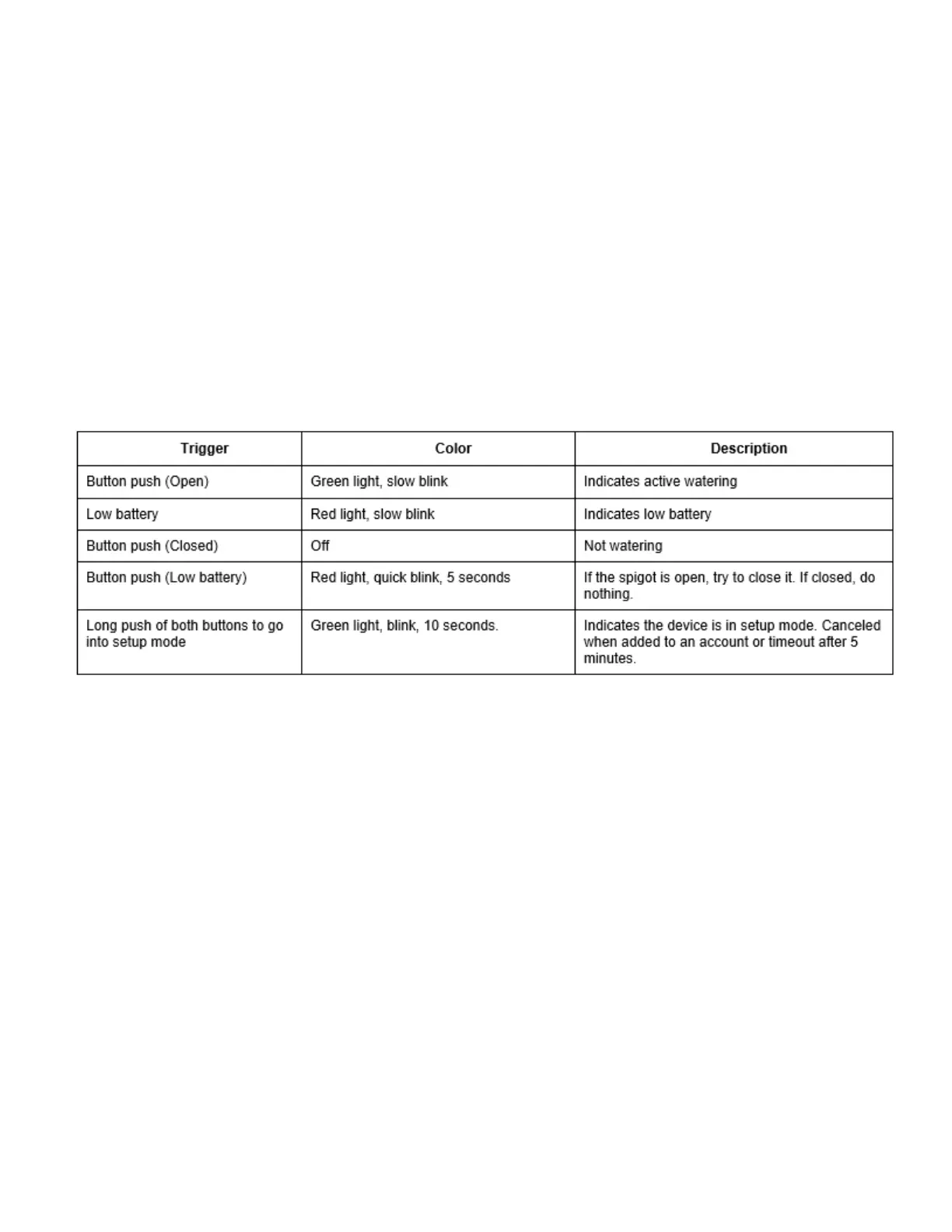
What do the different blinking LED lights on the timer mean?
Can I use my gateway outside?
No, it is not recommended to use the gateway outside, it is for INDOOR use only.
Can I use my timer inside?
No, this timer is for outdoor use only. Do not connect the timer to an indoor faucet.
My timer does not water or does not come on at the desired time - how can I fix this?
Check that the faucet is on, check if the clock is set to the correct time including AM and PM, check if batteries are
low, check what spigot (left or right) is programmed, check if rain delay is set, check if start time is set to the desired
time (AM OR PM).
My water won't turn off - how can I fix this?
Check if the watering duration is set to the desired time, check if manual mode is on.
Will my device overflow if the batteries are low?
You will be alerted in the app that the batteries are low, the timer will automatically close the valves for safety. In
the event of complete power loss (battery removal or crash) the timer will close the spigots.


 To Next Page