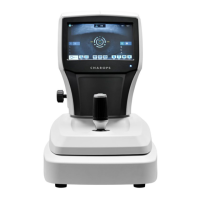
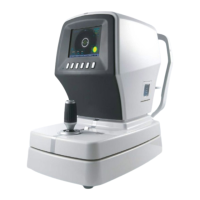
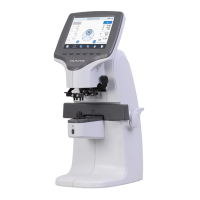
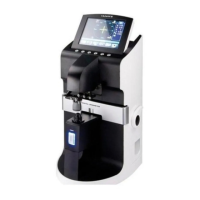
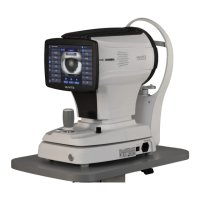
The HUVITZ CLM-7000 is an automatic lensmeter designed for measuring various types of lenses, including spherical, cylindrical, and axis measurements. It also features the ability to measure PD (pupil distance) and UV protection ratio. The device is equipped with a specialized mechanical jig and a detailed display for ease of use.
Function Description
The CLM-7000 is a versatile instrument capable of measuring the center and refraction power of lenses with ease and rapidity. It can automatically measure single/binocular PD in framed lenses, in addition to the refraction power of each lens. The device supports precise measurements guaranteed by a 0.01D measurement unit. It can measure progressive multi-focal lenses and general multi-focal lenses easily and rapidly. For soft contact lenses, the CLM-7000 can measure them easily and accurately using a specialized mechanical jig and display. The device also supports gorgeous displays through a proper colored LCD. Measured data can be provided to customers by using the printing function.
The CLM-7000 offers several measurement modes:
- Normal Lens Mode: For standard lenses.
- Progressive Lens Mode: For progressive multi-focal lenses, including automatic detection and measurement of far and near vision power.
- Soft Contact Lens Mode: Utilizes a mechanical jig for accurate measurement.
- Hard Contact Lens Mode: Also uses a mechanical jig for measurement.
- UV Lens Mode: Measures the UV transmission ratio.
- D-Sunglasses Lens Mode: For measuring heavy dark sunglass lenses.
The device's screen layout provides comprehensive information during measurement, including active direction, cylinder, sequential number, measuring point, lens type, measured data (S: basic power, C: cylinder power, A: cylinder axis, P: prism X, prism Y, PD: RPD or LPD, ADD: progressive power 1 and 2), message box, state icon, prism type, ABBE data, and total PD.
Important Technical Specifications
The CLM-7000 boasts a wide measurement range from -25D to +25D.
Measurement Range:
- Sphere Power: -25D ~ +25D
- Cylinder Power: 0 to ±10.00D
- Cylinder Axis: 0° ~ 180° degrees (1° Step)
- Add Power: 0 to +10D
- Prism Power: 0 to 10Δ
Precision:
- Diopter Steps: 0.01 / 0.125 / 0.25D
- Prism Steps: 0.01 / 0.125 / 0.25Δ
Measurement Modes:
- Cylinder: +, ±, -
- Prism: Rectangular / Polar/Displacement
- Sampling Speed: 0.016 seconds
- LED Wavelength: 630 nm
- Contact Lenses: Hard and Soft
- Abbe Values: Manual Compensation
- Wavelength: e-Line, d-Line
- Display: TFT LCD Display (320X240 LED Backlight)
- Data Output: RS-232C, Printer
- BPS: 9600, 19200, 38400, 57600, 115200 bps
- Dimensions: 196 (W) x 253 (D) x 398 (H) mm (7.72 in. x 9.96 in. x 15.70 in.)
- Weight: 5.5kg
- Power Supply: AC 100 - 240 V ~, 50-60Hz, 1A
Usage Features
The CLM-7000 is designed for user-friendly operation with a clear LCD display and intuitive button controls.
Buttons for Operations:
- MODE: Accesses the Setup Screen.
- TRNS: Transposes the sign of cylindrical reading.
- PROG: Enters the Progressive Multi-Focal Screen.
- SOFT CNCT: Displays for soft contact lens.
- HARD CNCT: Displays for hard contact lens.
- UV: Enters the UV Measurement Screen.
- D-SUN: Measures heavy dark sunglass lenses.
- LENS: Returns to the display for the normal lens.
- S→R: Switches between left and right selection of the framed lens or selects left/right lens.
- CLEAR: Initializes data and converts screen.
- PRINT: Prints current memorized data.
- CAL: Sets the current state of transmission into 100%.
- RUN: Starts recording current data.
- STOP: Stops recording current data and memorizes the average value.
- MEM button: Memorizes the current measured-value.
Safety Precautions:
- The device should be used in an area free of explosions, flammable, explosive, or volatile solvent substances.
- Avoid using in humid rooms (humidity should be maintained between 50% and 80% for normal operation).
- Do not place containers with liquids or gases on top of any electrical equipment or devices.
- The equipment must be operated only by, or under direct supervision of, a properly trained and qualified person.
- Modifications should only be carried out by Shanghai Huvitz's service technicians or other authorized persons.
- Regular maintenance should be performed as stated in the User's Manual.
- Ensure proper connection of the power cable to a suitable receptacle.
- Do not pull on the power cable to disconnect.
- This equipment may be used for international application related to the inspection of general lenses.
- Before every operation, visually check the equipment for exterior mechanical damage or improper function.
- Do not cover any ventilation grids or slits.
- Immediately turn off and unplug if smoke, sparks, strange noises, or odors occur.
Environment Factors:
- Avoid exposure to water vapor, direct sunlight, extreme temperatures (normal operating range is 10°C to 40°C, humidity 30% to 75%), heat, high humidity, excessive shocks or vibrations, chemical material, or explosive gas.
- Be careful not to insert dust or metal into the device.
- Do not disassemble the product or open it.
- Be careful not to close the fan located on the lateral or rear side of the equipment.
- Don't plug the AC power cord into the outlet before the connection between devices of the equipment is completed.
- Pull out the power cord with holding the plug, not the cord.
- Avoid places where the ambient temperature falls below 10°C or exceeds 40°C for normal operation, below -25°C or exceeds 40°C for transportation and below -10°C or exceeds 40°C for storage. Humidity should be maintained between 30% and 75% for normal operation, transportation and storage.
Maintenance Features
The manual provides clear instructions for routine maintenance tasks.
Replacing Printing Paper:
- Open the printer cover.
- Insert the paper into the printer shaft and put the shaft into the predefined position.
- Lift the printer lever and insert the shaft with paper.
- Lower the printer lever and turn the feeding velvet to roll the paper.
- Close the printer cover.
- Advance the paper out of the printer cover.
- Note: Use a thermal printing paper of width 57mm and diameter of roll 50mm.
Replacing Fuse:
- Pull out the fuse box.
- Replace the old one with the new one.
- Put into the fuse box with the new one.
- Note: Use 250V, T3.15AL fuse for the Auto Lensmeter CLM-7000.
Storage:
- During night time, be sure to cover the dust cloth as shown in the picture, because some dust might make spoil your equipment.
- If you don't use your equipment for one week or more, make sure that the dust cap should be fitted into the lens support as shown in the picture.
Disposal:
- Dispose of the instrument, accessories, and components following local governing ordinances and recycling plans.
- A lithium battery may pollute the environment if the instrument or a lithium battery is abandoned.
- When disposing of packing materials, sort them by materials and follow local governing ordinances and recycling plans.
Troubleshooting (Various Messages):
- Message box shows information when you are measuring or this instrument is out of order.
- ALIGNMENT OK: When the optic center falls within 0.5 prism.
- MARKING OK: When the optic center is correct.
- OFF CENTER: When the optical center of lens is off too much.
- Following messages are on out-of-working problem.
- NO SIGNAL: Is displayed when there is no signal.
- OUT OF RANGE: Is displayed when there is out of range signal.
- UNSTABLE SIGNAL: Contact lens measurement, when signal is bad, appear.
How to clean pin hole:
- While your machine is being started up, if there is the warning message, "No Signal" or "Out of range", please clean the 4-pin hole at first. Just use your lens towel as the below picture. But, don't use liquids such as alcohol, acetone, etc.
- Caution: Never use liquids such as alcohol, acetone, etc. Because such liquids might melt the glue on the 4-pin hole.
Service Information:
- For any problems with the equipment, refer to the maintenance and troubleshooting sections.
- Contact the local distributor for problem resolution.
- Before calling the local distributor, check the information such as Model and Serial Numbers. This information is found on the back of the unit. The serial number is unique to this unit. Retain your purchase receipt as proof of purchase.
- If you can't contact your local distributor, you can directly get in touch with the service department of the SHANGHAI HUVITZ using the phone number and the address written in the below table.

 Need help?
 General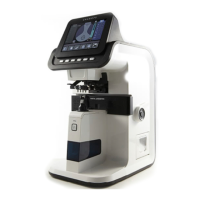

 To Next Page