Need help?
Do you have a question about the HXM HD-008 and is the answer not in the manual?
Details FCC rules and standards compliance for the device.
Guidelines for proper operation, cleaning, and care of the drum kit.
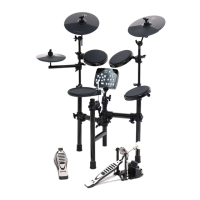
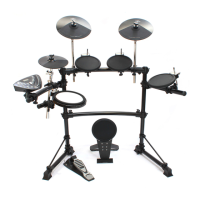
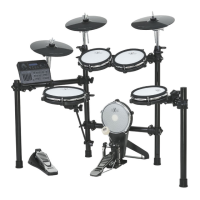
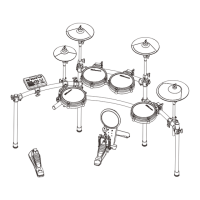
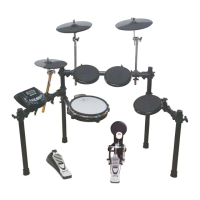
Comparison of features and components between Kit A and Kit B configurations.
Diagram and initial setup for the Kit A configuration, including part identification.
Identification of all parts included in the RACK SYSTEM RACKA package for Kit A.
Step-by-step instructions for assembling the rack structure for Kit A.
Procedures for installing the Hi-Hat, Snare, Tom, Kick, and Sound Module for Kit A.
Diagram and initial setup for the Kit B configuration, including part identification.
Identification of all parts included in the RACK SYSTEM RACKB package for Kit B.
Step-by-step instructions for assembling the rack structure for Kit B.
Procedures for installing the Hi-Hat, Snare, Tom, Kick, and Sound Module for Kit B.
Detailed explanation of the sound module's control panel buttons, display, and functions.
Description of all input/output jacks and connection points on the sound module's back panel.
Instructions on how to turn on the device and general principles for playing pads.
How to strike different parts of pads and cymbals to produce various sounds.
How to adjust the overall volume level of the drum kit.
Guide to selecting, creating, and saving user-defined drum kits.
Method for assigning and using numeric buttons for rapid drum kit selection.
How to select, play, and practice with the built-in demonstration songs.
Steps for recording, playing back, and managing personal songs.
Procedures to exit song playback modes and return to the kit selection screen.
How to configure metronome settings like time signature, volume, and sound type.
Instructions for setting and adjusting the tempo of the metronome.
Process for choosing a drum kit and specific pads/cymbals to edit.
Steps to enter the edit mode and select individual drum parts for modification.
How to select and modify parameters like voice, volume, and pitch for drum parts.
Finalizing editing and saving changes to a user kit or applying them to the current kit.
Adjusting background music and percussion volumes for demo songs.
Settings for global pitch, count sensitivity, and tone equalization presets.
Adjusting advanced pad characteristics such as sensitivity.
Settings for response strength, striking force curves, and eliminating cross-talk interference.
Configuration of hi-hat pedal thresholds for open, closed, and pedal sounds.
Detailed steps for setting the close and pedal thresholds for the hi-hat.
How to reset various settings to factory defaults, including kits, setup, songs, and all parameters.
Instructions on how to start recording, stop, and play back performances.
Procedures for saving recorded performances as user songs and managing them.
Steps to delete user-recorded songs from the device.
A list of available kick drum sounds and their corresponding numerical identifiers.
A list of available tom and cymbal sounds and their corresponding numerical identifiers.
A list of available percussion and effect sounds and their corresponding numerical identifiers.
Categorized index of voice types, mapping ranges to specific sections of the voice list.

 To Next Page
 General