Need help?
Do you have a question about the HXM XD-450A and is the answer not in the manual?
Warnings about modifications affecting user authority to operate the equipment.
Information on FCC rules and standards compliance for the digital drum.
Measures to mitigate harmful interference to radio or television reception.
Instructions for servicing and warnings against unauthorized modifications.
Advice on safely handling, transporting, and connecting the instrument.
Proper methods for cleaning the drum unit without damage.
Recommended placement to avoid deformation and interference.
Guidelines for safe power usage and preventing electrical hazards.
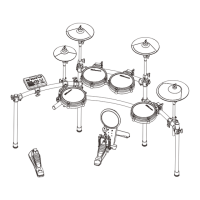
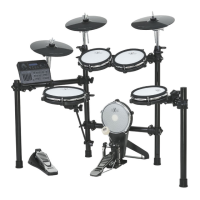
Diagram showing the complete drum kit after installation.
View of separated parts for rack assembly.
Step-by-step instructions for assembling the drum rack.
Diagram showing the completely installed drum rack.
Detailed instructions for installing cymbals, snare, tom pads, kick, and sound module.
Explanation of the buttons and faders on the sound module's control panel.
Detailed explanation of the functions of various buttons on the sound module.
Controls for muting drum/accomp tracks and tempo adjustment.
Description of all available connectors and their usage.
Techniques for playing snare, tom, cymbal, hi-hat, and kick pads.
Steps to ensure stability, connect cables, and power up the module.
Steps to adjust crosstalk settings to prevent unwanted trigger detection.
Adjusting headroom for desired velocity response and volume.
How to save current settings and configurations.
How to select and change drum kits and edit their parameters.
How to play, pause, and stop demo songs.
Using the metronome and adjusting tempo.
Steps for recording drum sequences and saving them.
Controlling volume, reverb, and equalizer using faders.
How to reset kits, settings, songs, and cross talk to default.
Guide to system setup options like volume, master tune, and local settings.
Adjusting demo pattern volume and overall pitch.
Configuring the local setting to function as a MIDI drum or produce sound.
Detailed explanation of advanced pad and trigger settings.
Configuration of rim velocity, pedal settings, calibration, and split points.
Guide to editing drum kits, including voice type, volume, reverb, pitch, and pan.
Choosing the category of sounds for drum kit triggers.
Adjusting volume, reverb, pitch, and panning for individual triggers.
Diagram illustrating trigger names for each part of the drum kit.
Lists of available drum kits and demo patterns.
A list of available voice sounds for Kick and Snare.
A list of available voice sounds for Toms.
A list of available voice sounds for Congas, Timbale, and Ride.
A list of available voice sounds for Crash and Hi-Hat.
A list of available voice sounds for Percussion.
Technical specifications of the digital drum kit.

 To Next Page
 General