Need help?
Do you have a question about the HYBREX DK9-15 and is the answer not in the manual?
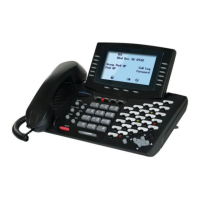
Instructions for connecting the DK9-25 Digital Key Telephone to the G2-STU2 or G1E-STU Card.
Guide for connecting DK9-25 and DK9-DSS units to G2-STU2 or G1E-STU cards.
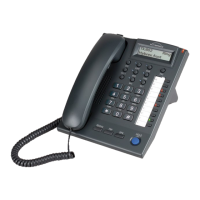
Instructions for connecting the DK9-15 Digital Key Telephone to the G2-STU2 or G1E-STU Card.
Guide for connecting DK9-15 and DK9-DSS units to G2-STU2 or G1E-STU cards.
Procedure for initiating an intercom call between extensions using dialing or DSS keys.
How to automatically select an idle CO line for outgoing calls, with trunk group access.
How to dial a programmed telephone number using a speed dial access code.
Using programmed DSS keys to automatically dial stored phone numbers.
How to be notified of a call when the extension is busy and how to respond.
How to answer an intercom call or an outside call using handset or handsfree.
Placing a call on hold and retrieving it, either internal or external.
Making conference calls with multiple internal or external parties.
Methods for transferring calls: direct, indirect, and voice-announced.
Announcing to a specific zone of extensions through the telephone speaker.
Broadcasting announcements to all internal paging zones simultaneously.
Setting up call forwarding for all calls, busy, or no answer scenarios.
Using a Forced Account Code to bypass toll restrictions and record outgoing calls.
Programming personal or system speed dial numbers and one-touch dialing keys.
Securing an extension by locking/unlocking it with a personalized security code.
Blocking all incoming calls, including paging announcements, for an extension.


 To Next Page


 General