Need help?
Do you have a question about the HYBREX DK6-21 and is the answer not in the manual?
Precautions to follow when installing telephone wiring and jacks.
Basic safety measures for using telephone equipment to reduce risks.
List of available HYBREX Digital Series Key Telephone models and their descriptions.
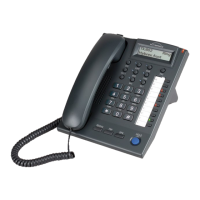
Diagram and labels for the DK6-21 digital key telephone.
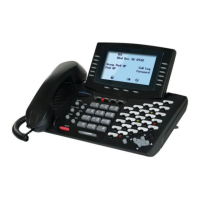
Diagram and labels for the DK7-21 digital key telephone.
Description of the top view components of the DK9-25 keyphone.
Description of the bottom view components of the DK9-25 keyphone.
Description of the top view components of the DK9-15 keyphone.
Description of the bottom view components of the DK9-15 keyphone.
Diagram and instructions for connecting the DK9-25 telephone.
Diagram and instructions for connecting DK9-25 and DK9-DSS units.
Diagram and instructions for connecting the DK9-15 telephone.
Diagram and instructions for connecting DK9-15 and DK9-DSS units.
Explanation of common icons used on the telephone keypad and their functions.
Status indications for CO and SPK keys through LED lights.
Descriptions of various tones used for signalling calls and system status.
Feature to change dialing mode from Pulse to Tone for DTMF signaling.
Using the telephone's speaker and microphone without the handset.
Playing background music through keyphone speakers when idle.
Setting up call forwarding for all calls, busy, or no answer.
Using a Forced Account Code to bypass toll restrictions.
Adjusting ring, speaker, handset, and microphone volume levels.
Storing personal and system speed dial numbers and one-touch dialing.
Securing the telephone to prevent unauthorized outside calls.
Setting up an alarm to play background music at a specific time.
Scheduling music or voice announcements for morning calls.
Setting the system's date and time from the console.
Configuring automatic or manual switching between day and night service.
Setting morning call alarms for other extensions from the console.
Programming custom absent messages for display on caller's LCD.
Assigning special functions or macros to DSS keys.
Accessing LCD help for station programming without a manual.
Storing and easily accessing the last dialed CO number.
Entering accounting codes for SMDR recording of calls.
Blocking all incoming calls, including paging announcements.
Directly calling and monitoring another station without ringing.
Automatically selecting a CO line when the handset is lifted.
Controlling the output of SMDR records to the system's memory.
Switching between handset and headset mode.
How to make internal calls between extensions using dialing or DSS keys.
Automatically selecting an idle CO line for outgoing calls.
Directly selecting any available CO line for outgoing calls.
Using the Flash key for temporary loop disconnection or call waiting.
Dialing stored numbers quickly using access codes or DSS keys.
Searching and dialing contacts by name for extensions, trunks, and speed dials.
Dialing stored numbers instantly by pressing a programmed DSS key.
Layout of one touch dialing keys for the DK9-25 model.
Layout of one touch dialing keys for the DK9-15 model.
Procedure to call an ACP Doorphone from an extension.
Reaching the attendant by dialing a programmed one-digit code.
Notification and handling of incoming calls when the line or extension is busy.
Queuing for a busy trunk line and automatic signaling when it becomes free.
Automatically redialing the last dialed outgoing telephone number.
Automatic redialing of busy numbers at programmed intervals.
Overriding or monitoring another busy or DND extension.
Joining an extension's conversation with a CO line.
How to answer intercom and outside calls using handset or handsfree.
Automatically answering intercom calls in handsfree mode.
Answering calls for other ringing extensions directly or by group.
Answering doorphone calls and unlocking doors.
Placing and retrieving internal or outside calls on hold.
Placing outside calls on hold for retrieval only by the holding extension.
Making conference calls with multiple internal and external parties.
Transferring calls directly, indirectly, or with voice announcement.
Handling incoming calls while busy or absent, with MSG key indication.
Alternating between two parties on separate calls.
Placing yourself on mute during a conversation.
Alternating between using the handset and the handsfree speakerphone.
Adjusting voice volume during a conversation.
Announcing to specific zones of extensions within the system.
Broadcasting a page to all internal zones simultaneously.
Broadcasting pages to external paging equipment in specific zones.
Broadcasting pages to all external paging zones.
Announcing to all internal and external paging zones.
Answering a page before the paging party hangs up.
Feature to change dialing mode from Pulse to Tone for DTMF signaling.
Using the telephone's speaker and microphone without the handset.
Playing background music through keyphone speakers when idle.
Recording auto attendant greetings and accessing voice channels.
Forwarding calls to voice mail and managing voice mail usage.
Lighting the extension's message light when calls are not answered.
Displaying incoming call information and redialing numbers.
Setting up call forwarding for all calls, busy, or no answer.
Using a Forced Account Code to bypass toll restrictions.
Adjusting ring, speaker, handset, and microphone volume levels.
Storing personal and system speed dial numbers and one-touch dialing.
Securing the telephone to prevent unauthorized outside calls.
Setting up an alarm to play background music at a specific time.
Scheduling music or voice announcements for morning calls.
Setting the system's date and time from the console.
Configuring automatic or manual switching between day and night service.
Setting morning call alarms for other extensions from the console.
Programming custom absent messages for display on caller's LCD.
Assigning special functions or macros to DSS keys.
Accessing LCD help for station programming without a manual.
Storing and easily accessing the last dialed CO number.
Entering accounting codes for SMDR recording of calls.
Blocking all incoming calls, including paging announcements.
Directly calling and monitoring another station without ringing.
Automatically selecting a CO line when the handset is lifted.
Controlling the output of SMDR records to the system's memory.
Switching between handset and headset mode.
How to make internal calls between extensions using dialing or DSS keys.
Automatically selecting an idle CO line for outgoing calls.
Directly selecting any available CO line for outgoing calls.
Using the Flash key for temporary loop disconnection or call waiting.
Dialing stored numbers quickly using access codes or DSS keys.
Searching and dialing contacts by name for extensions, trunks, and speed dials.
Dialing stored numbers instantly by pressing a programmed DSS key.
Layout of one touch dialing keys for the DK9-25 model.
Layout of one touch dialing keys for the DK9-15 model.
Procedure to call an ACP Doorphone from an extension.
Reaching the attendant by dialing a programmed one-digit code.
Notification and handling of incoming calls when the line or extension is busy.
Queuing for a busy trunk line and automatic signaling when it becomes free.
Automatically redialing the last dialed outgoing telephone number.
Automatic redialing of busy numbers at programmed intervals.
Overriding or monitoring another busy or DND extension.
Joining an extension's conversation with a CO line.
How to answer intercom and outside calls using handset or handsfree.
Automatically answering intercom calls in handsfree mode.
Answering calls for other ringing extensions directly or by group.
Answering doorphone calls and unlocking doors.
Placing and retrieving internal or outside calls on hold.
Placing outside calls on hold for retrieval only by the holding extension.
Making conference calls with multiple internal and external parties.
Transferring calls directly, indirectly, or with voice announcement.
Handling incoming calls while busy or absent, with MSG key indication.
Alternating between two parties on separate calls.
Placing yourself on mute during a conversation.
Alternating between using the handset and the handsfree speakerphone.
Adjusting voice volume during a conversation.
Announcing to specific zones of extensions within the system.
Broadcasting a page to all internal zones simultaneously.
Broadcasting pages to external paging equipment in specific zones.
Broadcasting pages to all external paging zones.
Announcing to all internal and external paging zones.
Answering a page before the paging party hangs up.
Feature to change dialing mode from Pulse to Tone for DTMF signaling.
Using the telephone's speaker and microphone without the handset.
Playing background music through keyphone speakers when idle.
Recording auto attendant greetings and accessing voice channels.
Forwarding calls to voice mail and managing voice mail usage.
Lighting the extension's message light when calls are not answered.
Displaying incoming call information and redialing numbers.
Setting up call forwarding for all calls, busy, or no answer.
Using a Forced Account Code to bypass toll restrictions.
Adjusting ring, speaker, handset, and microphone volume levels.
Storing personal and system speed dial numbers and one-touch dialing.
Securing the telephone to prevent unauthorized outside calls.
Setting up an alarm to play background music at a specific time.
Scheduling music or voice announcements for morning calls.
Setting the system's date and time from the console.
Configuring automatic or manual switching between day and night service.
Setting morning call alarms for other extensions from the console.
Programming custom absent messages for display on caller's LCD.
Assigning special functions or macros to DSS keys.
Accessing LCD help for station programming without a manual.
Storing and easily accessing the last dialed CO number.
Entering accounting codes for SMDR recording of calls.
Blocking all incoming calls, including paging announcements.
Directly calling and monitoring another station without ringing.
Automatically selecting a CO line when the handset is lifted.
Controlling the output of SMDR records to the system's memory.
Switching between handset and headset mode.
How to make internal calls between extensions using dialing or DSS keys.
Automatically selecting an idle CO line for outgoing calls.
Directly selecting any available CO line for outgoing calls.
Using the Flash key for temporary loop disconnection or call waiting.
Dialing stored numbers quickly using access codes or DSS keys.
Searching and dialing contacts by name for extensions, trunks, and speed dials.
Dialing stored numbers instantly by pressing a programmed DSS key.
Layout of one touch dialing keys for the DK9-25 model.
Layout of one touch dialing keys for the DK9-15 model.
Procedure to call an ACP Doorphone from an extension.
Reaching the attendant by dialing a programmed one-digit code.
Notification and handling of incoming calls when the line or extension is busy.
Queuing for a busy trunk line and automatic signaling when it becomes free.
Automatically redialing the last dialed outgoing telephone number.
Automatic redialing of busy numbers at programmed intervals.
Overriding or monitoring another busy or DND extension.
Joining an extension's conversation with a CO line.
How to answer intercom and outside calls using handset or handsfree.
Automatically answering intercom calls in handsfree mode.
Answering calls for other ringing extensions directly or by group.
Answering doorphone calls and unlocking doors.
Placing and retrieving internal or outside calls on hold.
Placing outside calls on hold for retrieval only by the holding extension.
Making conference calls with multiple internal and external parties.
Transferring calls directly, indirectly, or with voice announcement.
Handling incoming calls while busy or absent, with MSG key indication.
Alternating between two parties on separate calls.
Placing yourself on mute during a conversation.
Alternating between using the handset and the handsfree speakerphone.
Adjusting voice volume during a conversation.
Announcing to specific zones of extensions within the system.
Broadcasting a page to all internal zones simultaneously.
Broadcasting pages to external paging equipment in specific zones.
Broadcasting pages to all external paging zones.
Announcing to all internal and external paging zones.
Answering a page before the paging party hangs up.
Feature to change dialing mode from Pulse to Tone for DTMF signaling.
Using the telephone's speaker and microphone without the handset.
Playing background music through keyphone speakers when idle.
Recording auto attendant greetings and accessing voice channels.
Forwarding calls to voice mail and managing voice mail usage.
Lighting the extension's message light when calls are not answered.
Displaying incoming call information and redialing numbers.
Setting up call forwarding for all calls, busy, or no answer.
Using a Forced Account Code to bypass toll restrictions.
Adjusting ring, speaker, handset, and microphone volume levels.
Storing personal and system speed dial numbers and one-touch dialing.
Securing the telephone to prevent unauthorized outside calls.
Setting up an alarm to play background music at a specific time.
Scheduling music or voice announcements for morning calls.
Setting the system's date and time from the console.
Configuring automatic or manual switching between day and night service.
Setting morning call alarms for other extensions from the console.
Programming custom absent messages for display on caller's LCD.
Assigning special functions or macros to DSS keys.
Accessing LCD help for station programming without a manual.
Storing and easily accessing the last dialed CO number.
Entering accounting codes for SMDR recording of calls.
Blocking all incoming calls, including paging announcements.
Directly calling and monitoring another station without ringing.
Automatically selecting a CO line when the handset is lifted.
Controlling the output of SMDR records to the system's memory.
Switching between handset and headset mode.
 General
| Number of Lines | 6 |
|---|---|
| Wall Mountable | Yes |
| Network Interface | 10/100Base-T Ethernet |
| Supported Protocols | SIP |
| Power Supply | PoE (Power over Ethernet) |
| Audio Codecs | G.711, G.729 |
| Headset Port | Yes |


 To Next Page