Need help?
Do you have a question about the HYBREX DK3-21 and is the answer not in the manual?
Safety measures to consider during the installation of telephone wiring and jacks.
Basic safety precautions to follow when operating telephone equipment to reduce risks.
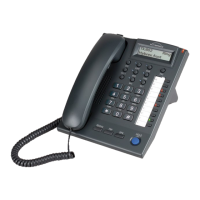
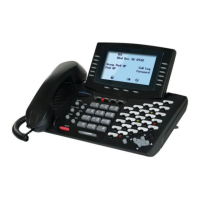
Detailed layout description of the DK6-21 digital key telephone model.
Detailed layout description of the DK7-21 digital key telephone model.
Identification of keys and components on the top view of the DK9-25 telephone.
Identification of ports and connectors on the bottom view of the DK9-25 telephone.
Identification of keys and components on the top view of the DK9-15 telephone.
Identification of ports and connectors on the bottom view of the DK9-15 telephone.
Diagram and instructions for connecting the DK9-25 telephone to system cards.
Diagram and instructions for connecting DK9-25 to system cards and DK9-DSS.
Diagram and instructions for connecting the DK9-15 telephone to system cards.
Diagram and instructions for connecting DK9-15 to system cards and DK9-DSS.
Describes the LED indications for CO keys (Trunk Line) in different states.
Describes the LED indications for SPK keys in different states.
Details on dial tones, ring back tones, busy tones, and override tones.
Features for dialing modes, handsfree operation, and background music.
Accessing voice channels, managing voice mail, and message waiting notifications.
Displaying incoming call information and redialing numbers from the call log.
Procedure for making internal calls between extensions using dialing or DSS keys.
Automatically selecting an idle CO line for outgoing calls via trunk groups.
Directly selecting any available CO line or using access codes for line selection.
Using the Flash key for temporary loop disconnection on a CO line.
Dialing programmed telephone numbers using Speed Access Codes.
Procedure for an extension to call an ACP Doorphone and its limitations.
Reaching the attendant by dialing a programmed one-digit code.
Marking a busy station to be recalled when it becomes free.
Queueing for a busy trunk line and receiving a signal when it becomes free.
Automatically stores and redials the last dialed outgoing telephone number.
Automatically redials busy numbers at programmable intervals.
Overriding or monitoring another busy or DND extension after programming.
Joining an extension's conversation with a CO line to create a 3-party conference.
Procedures for answering intercom and outside calls using handset or handsfree.
Automatically answering intercom calls in handsfree mode.
Answering calls for other ringing extensions, directly or by group.
Answering doorphone calls and unlocking the door via extension.
Placing calls on hold and retrieving internal or outside calls.
Placing outside calls on exclusive hold, retrievable only by the holding extension.
Setting up conferences with two or more parties, including unsupervised conferences.
Transferring calls directly, indirectly, or with voice announcement.
Responding to a call waiting notification and managing the previous call.
Alternating between two parties on separate calls.
Placing the microphone on mute during a conversation.
Switching between using the telephone handset and the handsfree mode.
Adjusting the speaker and handset volume levels during conversation.
Announcing to a specific zone of internal extensions via speaker.
Paging all internal zones simultaneously.
Broadcasting announcements to external paging equipment in selected zones.
Broadcasting announcements to all external paging zones.
Announcing to all internal and external paging zones.
Answering a paging announcement before the party hangs up.
Forwarding all calls, busy calls, or no-answer calls to another extension or number.
Using a Forced Account Code (FAC) to bypass toll restrictions for calls.
Adjusting ring, speaker, handset, and microphone volume levels.
Locking or unlocking telephone extensions using a security code.
Assigning background music to play at a specific time.
Setting up morning calls with music or voice announcements.
Setting the system date and time from the console.
Storing special functions into assigned DSS keys.
Using the telephone's LCD for programming assistance without a manual.
Storing and accessing the last dialed CO number for redialing.
Entering accounting codes for SMDR recording of outgoing calls.
Blocking all incoming calls, including paging announcements.
Allowing another station to monitor the extension without ringing.
Automatically selecting a CO line when the handset is lifted.
Locking or unlocking SMDR output to store or send call records.
Switching between handset and headset modes on extensions with headset features.


 To Next Page
 General