A. MAKING CALLS
4
A.07 One Touch Dialing
For One Touch Dialing, after a programmed DSS key (refer G.04) is selected, the Extension
automatically selects an idle CO line, and a previously stored phone number will be dialed.
→ → . Handset off hook / on hook.
. Press [SPD] key.
. Press a programmable DSS key.
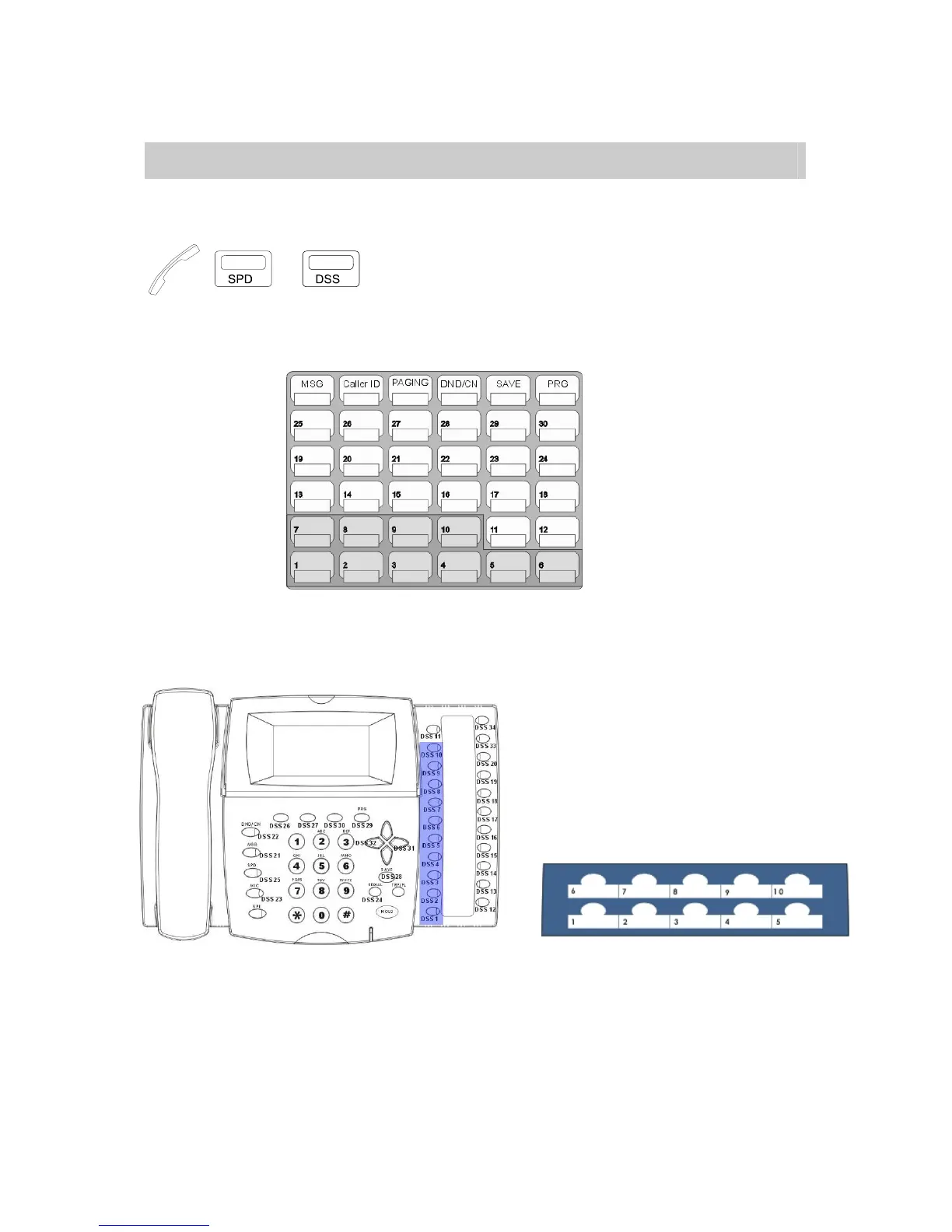
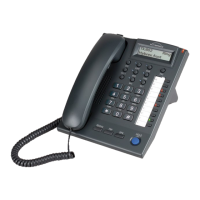
DK6 Series: One Touch Dialing Keys
DK2 Series – One Touch Dialing Keys DK3 Series – One Touch Dialing Keys



 To Next Page