D. DURING CONVERSATION
16
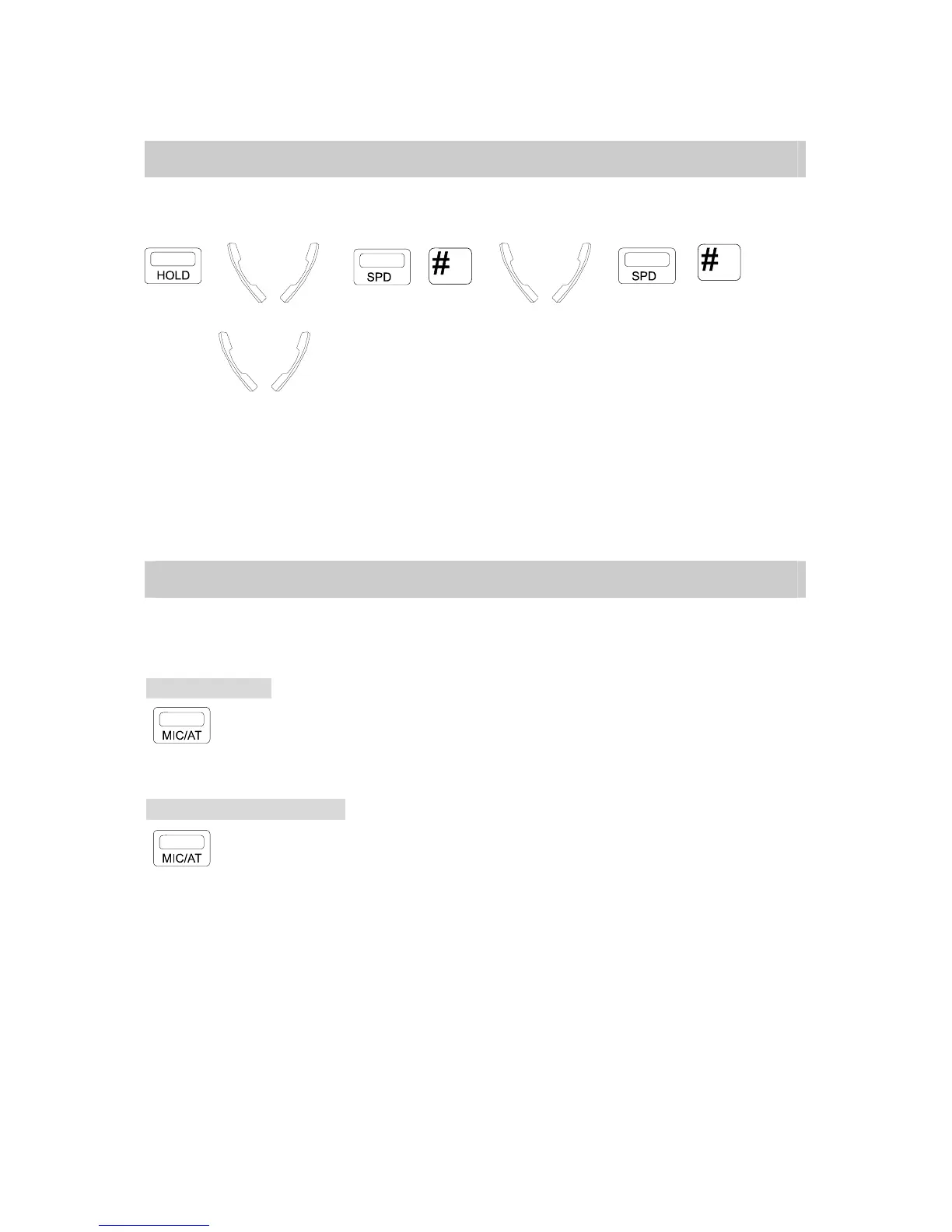
D.06 Call Splitting
This is for an Extension user to alternate between two parties on separate calls.
: A → <=B → , → <=A → ,
→ <=B
. Press [HOLD] key to hold A party.
. Make another call B.
. Press [SPD] then [#] key for retrieving A party and holding B.
. In conversation with A.
. Press [SPD] then [#] key for retrieving B party and holding A.
. In conversation with B party.
D.07 Mute Operation
When you do not want your voice to be heard by the party in conversation with you, use this
feature.
To place in Mute:
. Press [MIC/AT] key.
* Indicating LED Lamp goes steady when off hook / goes off when on hook.
To resume the conversation:
. Press [MIC/AT] key again.
* Indicating LED Lamp goes off when off hook / goes on when on hook.



 To Next Page