G. STATION PROGRAMMING
26
G.03 Volume Control (Setting)
This program can adjust the Volume of Digital Phones. There are six or seven types of Volume
you can adjust - Ring, Speaker, Handset, Ring Volume Up Gradually, Ring Frequency and
Microphone level and Background Ring Level.
Program the Volume for your Telephone:
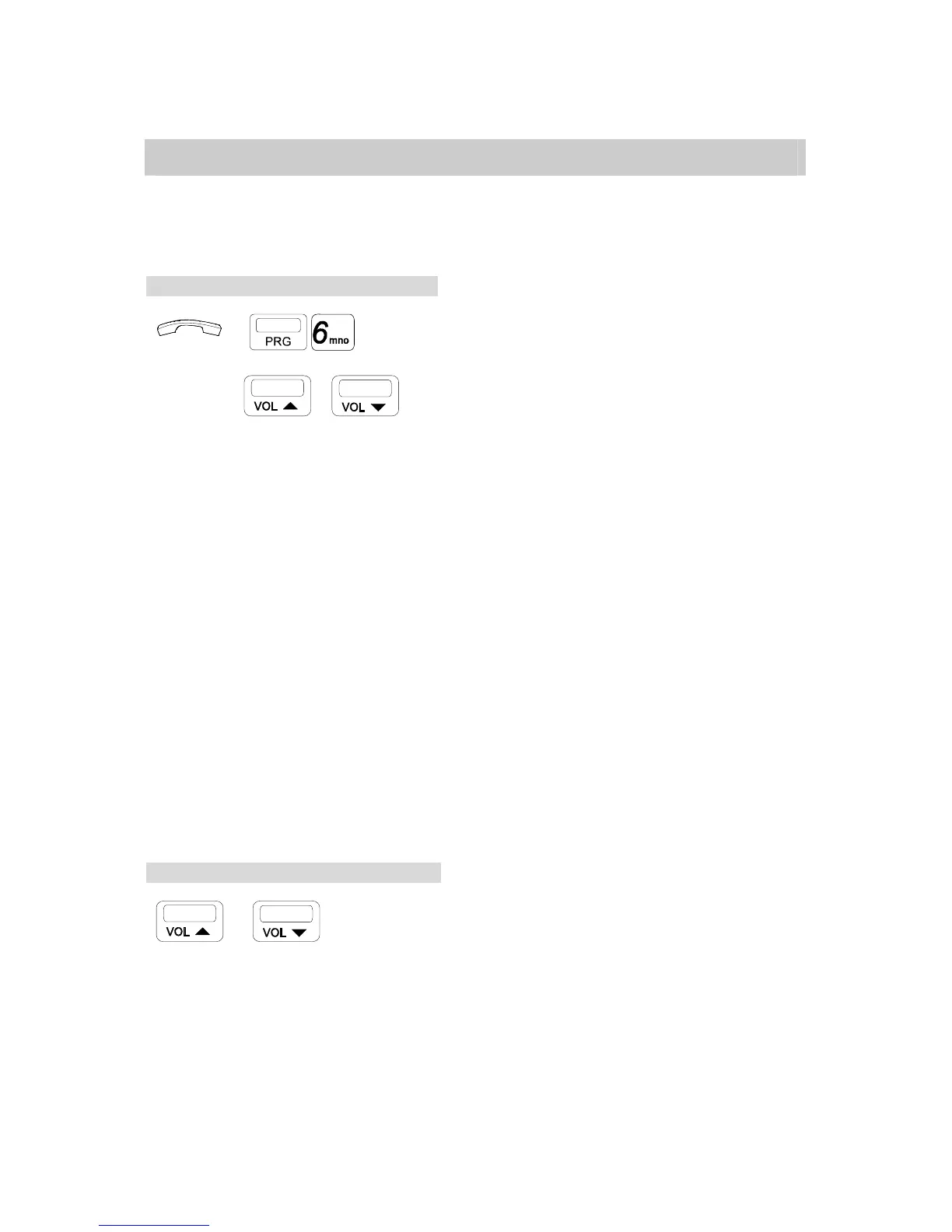
→ . Handset on hook / [SPK] key off.
. Press [PRG], [6].
. Dial [1] for setting Ring Volume,
→ CODE → / [2] for setting Speaker Volume,
[3] for setting Handset Volume,
. Press [VOL ▲ ] key for Volume Up.
. Press [VOL ▼ ] key for Volume Down.
To Set or Cancel the “Ring Volume Up Gradually” method is:
To Save . Press [PRG], [6], [4]
Confirmation Tone and the LCD will show "Save."
To Cancel . Press [PRG], [6], [4]
Confirmation Tone and the LCD will show "Cancel."
To Set the Ring Frequency:
. 8 ring frequencies can be selected.
The method is:[PRG], [6], [5] then key in your choice[1]~[8].
To Set the Microphone level:
. 8 Mic levels can be selected.
The method is:[PRG], [6], [6] then key in your choice[1]~[8].
To Set the Background Ring level:
. 8 Ring levels can be selected.
The method is:[PRG], [6], [7] then key in your choice[1]~[8].
During Conversation, Adjust the Volume:
/ . Press [VOL ▲ ] key for voice up.
. Press [VOL ▼ ] key for voice down.



 To Next Page