EasyManua.ls Logo

Hydas AD-2011 - User Manual

Hydas AD-2011
23 pages
Print Icon
To Next Page IconTo Next Page
Loading...
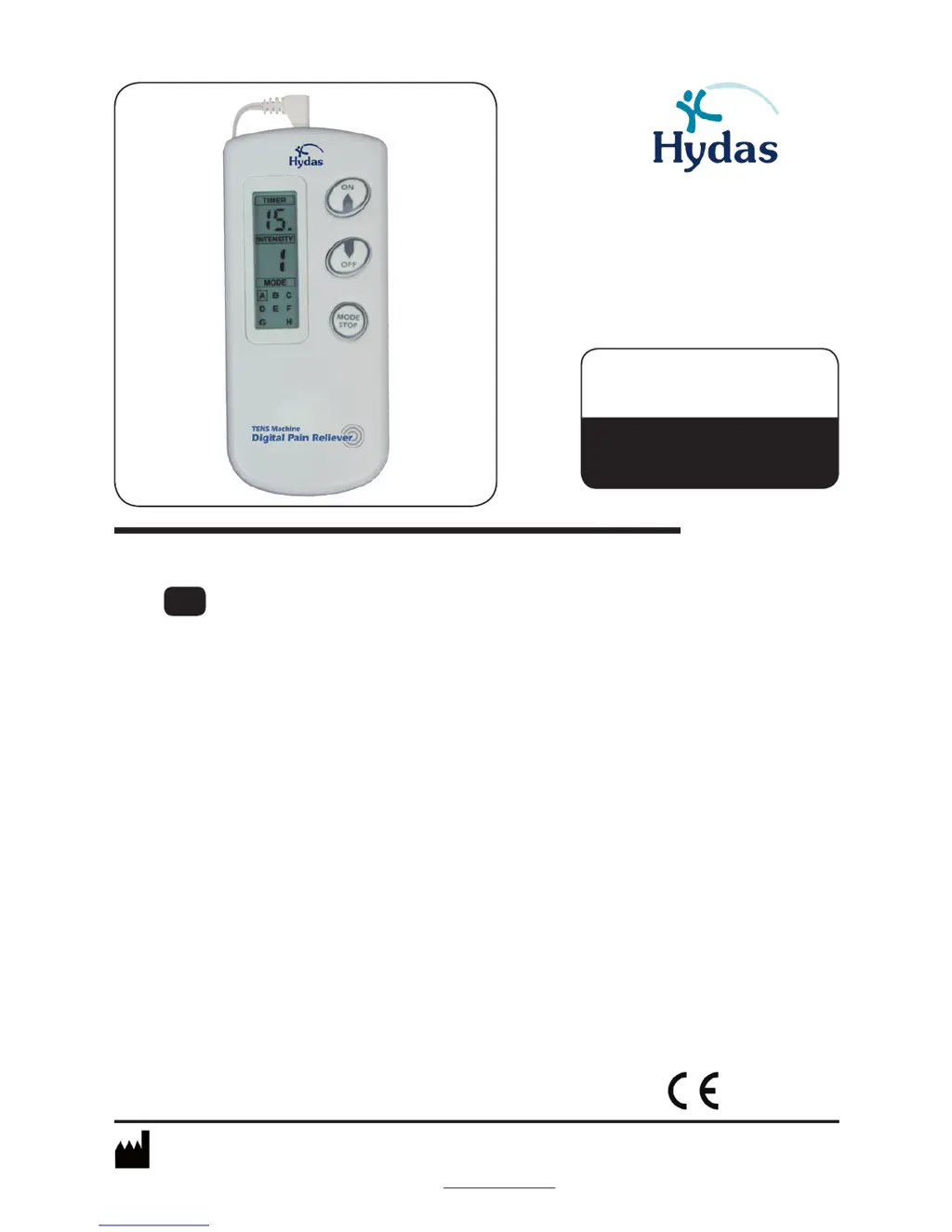
Instruction Manual
TENS device - «Easy Free» TENS
Please read before using!
GB
4507GAz1_1404
Hydas GmbH & Co. KG | Hirzenhainer Straße 3 | 60435 Frankfurt, Germany
Tel.: +49 (0)69 / 95 40 61 10 | Fax: +49 (0)69 / 95 40 61 40 | e-Mail: info@hydas.de
www.hydas.de
0483
Artikel | Item | Article
Artikel | Articolo | Articulo
4507.1.00

Questions and Answers

  • B
    belliottAug 1, 2025
    Why is the stimulus weak with my Hydas Personal Care Product?
    • T
      thomas64Aug 1, 2025
      If you're experiencing a weak stimulus with your Hydas Personal Care Product, several factors could be the cause: * Ensure the electrode pads firmly stick to the skin. * Make sure the electrode pads aren't overlapped; separate them and reapply to the skin. * Clean the electrode pads if they are dirty. * Adjust the intensity using the regulation dial if it's too weak. * Try changing the position of the electrode pads.
  • W
    William BrownAug 9, 2025
    How to troubleshoot no stimulus feeling with Hydas Personal Care Products?
    • C
      Christian CharlesAug 9, 2025
      If you're not feeling any stimulus from your Hydas Personal Care Product, here are a few things to check: * Replace the batteries if they are exhausted. * Ensure the batteries are loaded correctly. * Make sure the wire is firmly connected. * Remove the transparent protection film over the electrode pad.
  • S
    sarayangAug 15, 2025
    What to do if skin becomes red using Hydas Personal Care Products?
    • M
      Michael MonroeAug 15, 2025
      If your skin becomes red when using the Hydas Personal Care Product, consider the following: * Limit therapeutic time to 10-15 minutes. * Ensure the electrode pads firmly stick to the skin. * If the electrode pads are too dry, gently wipe them with a wet cloth. * Clean the electrode pads if they're dirty. * Replace the electrode pads if the surface is scratched.
  • R
    Ryan RhodesAug 25, 2025
    Why does the Hydas AD-2011 Personal Care Products power cut off during use?
    • C
      Chad LewisAug 25, 2025
      If the power cuts off during the therapeutic process with your Hydas Personal Care Product, try the following: * Turn off the power and firmly stick the electrode pads back onto the skin if they have come off. * Turn off the power and properly connect the wires if they are disconnected. * Replace the batteries if they have been exhausted.

Summary

Introduction to TENS

Theory of TENS Therapy

Explains the principles and history of transcutaneous electrical nerve stimulation (TENS).

Why Digital Pain Relief?

Discusses the benefits of digital pain relief and the purpose of pain signals.

How Digital Pain Relief Works

Details the two primary mechanisms by which TENS technology alleviates pain.

General Device Description

Device Components and Contents

Lists the main parts of the TENS device and its included accessories.

Device Overview and Controls

Describes the physical features and buttons of the TENS machine.

Display Indicators Explained

Explains the various indicators shown on the TENS device's LCD display.

Intended Use and Contraindications

Intended Use of TENS Device

Specifies the conditions for which the TENS device is designed.

Contraindications for Use

Lists individuals and conditions for whom the device should not be used.

Product Specifications

Technical Data and Standards

Provides detailed technical specifications and compliance with industry standards.

Important Safety Information

Key Safety Guidelines

Essential warnings and precautions for safe operation of the TENS device.

Setup and Operating Procedures

Battery Installation

Step-by-step guide for inserting batteries into the device.

Electrode Pad Preparation

Instructions for preparing adhesive gel pads for electrode application.

Connecting Electrode Wires

Guide on how to attach electrode lead wires to the device and pads.

Function and Use of Buttons

Details the operation of the ON, OFF, and MODE/STOP buttons on the device.

Therapy Programs

Program Modes Explained

Describes the different TENS programs (A-H) and their functions.

Operating Instructions and Diagrams

Device Operation Steps

Step-by-step guide on how to use the TENS device for treatment.

Electrode Placement Diagrams

Visual guides showing recommended electrode positions for various body areas.

Troubleshooting Guide

Common Malfunctions and Solutions

Addresses common issues with the TENS device and provides corrective actions.

Maintenance and Symbols

Device Maintenance Advice

Instructions for cleaning, storing, and caring for the TENS device.

Explanation of Symbols

Defines the meaning of various symbols used in the manual and on the device.

Warranty Information

Guarantee Period and Terms

Details the warranty coverage, duration, and conditions for the TENS device.

Electromagnetic Compatibility (EMC) Information

EMC Emissions Guidance

Information on electromagnetic emissions and their compliance with standards.

EMC Immunity Guidance

Guidance on electromagnetic immunity and compliance levels for the device.

EMC for ME Equipment and Systems

EMC Emissions for ME Systems

Electromagnetic emissions compliance for medical equipment and systems.

EMC Immunity for ME Systems

Electromagnetic immunity compliance for medical equipment and systems.

EMC for Non-Life-Supporting ME Systems

Radiated RF Immunity for ME Systems

Guidance on radiated RF immunity for medical equipment and systems.

Recommended Separation Distances

Specifies minimum separation distances for RF communication equipment to maintain EMC.

Manufacturer and Service Information

Hydas Contact Details

Provides contact information for Hydas GmbH & Co. KG and Hydas Inc.

Hydas AD-2011 Specifications

General IconGeneral
BrandHydas
ModelAD-2011
CategoryPersonal Care Products
LanguageEnglish

Related product manuals