EasyManua.ls Logo

HYDRO-RAIN HRC–300 Series - User Manual

HYDRO-RAIN HRC–300 Series
9 pages
Print Icon
To Next Page IconTo Next Page
Loading...
p 801 295 9820
f 801 951 5815
www.fluid-studio.net
1065 South 500 West
Bountiful, Utah 84010
proof no: 1
date:
02.10.09
des: MZ spck: MZ
job no: N/A
client: Orbit
sku: 04030
upc: N/A
file name: 04030-24 rE.indd
software: InDesign CS3
colors
additional instructions:
· Font size cannot be smaller than 7 pt.
color
non printing
PMS
2955
PMS
????
color
non printing
PMS
????
Registration
BLACK
Printers are
responsible for
meeting print
production
requirements.
Any changes
must be approved
by the client and
Fluid Studio.
Printed piece
must meet
designated
specifications
on this form.
dimensions:
flat: w: 13.76" h: 5.7"
finished: w 6.88" d: NA h 5.7"
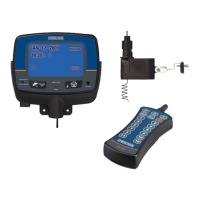
HRC–300 SERIES
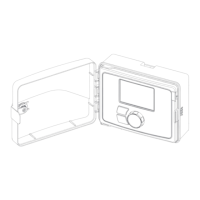
Indoor Touch Screen Controller
INSTRUCTION MANUAL
RF SYNC
HRC 300
RESET
RAIN SENSOR
ACTIVE | BYPASS
RF SYNC
SYSTEM
OFF
Model 04030-24 Rev E
Models:
HRC-300-06-NA
HRC-300-12-NA
Question and Answer IconNeed help?

Do you have a question about the HYDRO-RAIN HRC–300 Series and is the answer not in the manual?

Summary

Section 1: INTRODUCTION

Three Independent Programs

Features three independent programming functions for flexible watering across landscapes.

Simultaneous C Program & Stacking

Explains Program C for low-flow stations and the stacking feature for cycle logic.

Docking Port & Remote Control

Highlights wall-mounting ease and remote control capabilities via RF transmitter.

Non-Volatile Memory & LCD Display

Covers permanent programming storage and the user-friendly touch-screen display.

Language, Budgeting, and Rain Sensor

Details language options, water budgeting, and the optional rain sensor.

Section 2: GETTING STARTED

Initial Setup: Language and Time

Guides on setting the display language and current time/date configuration.

Controller Functions: Reset and RF Sync

Explains resetting to defaults and synchronizing wireless sensors.

Section 3: PROGRAMMING YOUR CONTROLLER

Program Selection and Start Times

Covers switching between programs and setting watering start times.

Watering Days and Station Durations

Details setting watering days and durations for each station.

Advanced Watering Cycles and Manual Modes

Explains setting watering cycles and performing manual watering operations.

Water Budgeting and Sensor Settings

Guides on water budgeting and managing wireless sensor status.

Screen Lock and Rain Delay Functionality

Describes locking the screen and using the Rain Delay feature.

Section 4: INSTALLING THE HRC 300 CONTROLLER DOCKING PORT AND RF TRANSMITTER SLEEVE

Controller and Docking Port Installation

Steps for selecting a location and mounting the docking port.

Transformer and Valve Wiring

Instructions for connecting the power transformer and electrical valve wires.

Completing Wiring and Mounting Sleeve

Details connecting pump/master valve wires and mounting the remote sleeve.

Section 5: DIAGNOSTICS CIRCUIT BREAKER

Smart-Scan Fault Detection and Notification

Explains the diagnostic system for detecting faulty solenoids or wiring.

Fault Correction and Circuit Breaker Operation

Guides on correcting faults and understanding the auto-resetting circuit breaker.

Section 6: GLOSSARY OF TERMS

Key Term Definitions

Provides definitions for essential terms related to the sprinkler controller.

Section 7: TROUBLE SHOOTING

Common Operational Issues and Causes

Addresses common symptoms like stations not turning on or stuck on.

Support, Warranty, and Safety Information

Includes help contacts, FCC listings, warranty, and child safety notes.

HYDRO-RAIN HRC–300 Series Specifications

General IconGeneral
ConnectivityWi-Fi
Mobile AppYes
Start Times per Program4
Operating Voltage24 VAC
Manual WateringYes
Backup MemoryYes
Number of Zones/Stations12
Watering DaysCustomizable
Rain DelayYes
Enclosure RatingIndoor/Outdoor
MountingWall-mount

Related product manuals