EasyManua.ls Logo

Hydrofarm Autopilot APCEM - User Manual

Default Icon
8 pages
Print Icon
To Next Page IconTo Next Page
Loading...
INSTRUCTIONS
APCEM
DESKTOP CO
2
MONITOR
Question and Answer IconNeed help?

Do you have a question about the Hydrofarm Autopilot APCEM and is the answer not in the manual?

Summary

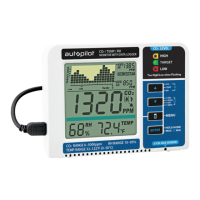
Overview of the Desktop CO2 Monitor

Key Features

Lists core capabilities like built-in data logger, Max/Min mode, and RCFS mode for factory settings.

Mode Functions Explained

Details various operational modes: ALTI, OUTSIDE, CALI, LOG, MaxMin, RcFS, MUTE, and ALARM 1.

Safety and Product Care

Safety Instructions

Important warnings and guidelines for safe handling, water contact, environment, and power adapter usage.

Product Care Guidelines

Instructions for cleaning, repair, and maintaining air circulation for optimal device performance.

Customizing Device Settings

Guidance on setting up parameters like temperature, RH, and ventilation rate to meet personal requirements.

Using Device Functions

Mute Function Operation

Step-by-step guide on how to enable or disable the beep alarm using the MUTE function.

Altitude (ALTI) Mode

Instructions for setting altitude to compensate for pressure changes based on location.

Setting Alarm Level 1

Procedure for setting the user-adjustable first alarm level for CO₂ concentration.

Advanced Device Operations

Setting Alarm Level 2

Procedure for setting the user-adjustable second alarm level for CO₂ concentration.

Outside CO2 Mode

How to adjust outside CO₂ concentration for ventilation rate calculation and its implications.

Calibration (CALI) Mode

Steps for calibrating the sensor to ensure accurate CO₂ concentration measurements.

Data Logging and Monitoring

Log Mode Usage

Instructions on how to access and review logged CO₂, temperature, and RH data from the past 24 hours.

Max;Min Mode Operation

Guide to viewing and clearing the maximum and minimum CO₂ readings recorded since the last power-on.

Troubleshooting and Specifications

Recover Factory Settings (RcFS)

Procedure to reset the APCEM CO₂ monitor to original factory settings.

Technical Specifications

Detailed specifications for CO₂, temperature, RH measurement, and power supply.

Fault Codes and Troubleshooting

Information on error codes, their descriptions, and suggested actions for resolving issues.

Product Warranty Information

Limited Warranty Details

Outlines the one-year warranty term, coverage, exclusions, and return process for service.

Summary

Overview of the Desktop CO2 Monitor

Key Features

Lists core capabilities like built-in data logger, Max/Min mode, and RCFS mode for factory settings.

Mode Functions Explained

Details various operational modes: ALTI, OUTSIDE, CALI, LOG, MaxMin, RcFS, MUTE, and ALARM 1.

Safety and Product Care

Safety Instructions

Important warnings and guidelines for safe handling, water contact, environment, and power adapter usage.

Product Care Guidelines

Instructions for cleaning, repair, and maintaining air circulation for optimal device performance.

Customizing Device Settings

Guidance on setting up parameters like temperature, RH, and ventilation rate to meet personal requirements.

Using Device Functions

Mute Function Operation

Step-by-step guide on how to enable or disable the beep alarm using the MUTE function.

Altitude (ALTI) Mode

Instructions for setting altitude to compensate for pressure changes based on location.

Setting Alarm Level 1

Procedure for setting the user-adjustable first alarm level for CO₂ concentration.

Advanced Device Operations

Setting Alarm Level 2

Procedure for setting the user-adjustable second alarm level for CO₂ concentration.

Outside CO2 Mode

How to adjust outside CO₂ concentration for ventilation rate calculation and its implications.

Calibration (CALI) Mode

Steps for calibrating the sensor to ensure accurate CO₂ concentration measurements.

Data Logging and Monitoring

Log Mode Usage

Instructions on how to access and review logged CO₂, temperature, and RH data from the past 24 hours.

Max;Min Mode Operation

Guide to viewing and clearing the maximum and minimum CO₂ readings recorded since the last power-on.

Troubleshooting and Specifications

Recover Factory Settings (RcFS)

Procedure to reset the APCEM CO₂ monitor to original factory settings.

Technical Specifications

Detailed specifications for CO₂, temperature, RH measurement, and power supply.

Fault Codes and Troubleshooting

Information on error codes, their descriptions, and suggested actions for resolving issues.

Product Warranty Information

Limited Warranty Details

Outlines the one-year warranty term, coverage, exclusions, and return process for service.

Hydrofarm Autopilot APCEM Specifications

General IconGeneral
BrandHydrofarm
ModelAutopilot APCEM
CategoryMonitor
LanguageEnglish

Related product manuals