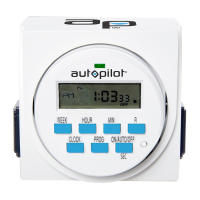
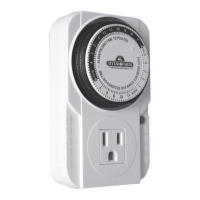
DIGITALGROUNDED7‐DAYTIMER
(TM01715D)
1.Presstheresetbutton.
Theresetbuttonisthesmallroundwhiterecessedbuttonontherightsideofthetimerface.Useapointedobjectto
reachitinordertoeraseallpreviousprogramming.
2.Settheclock.
HOUR:PresstheclockbuttonandsimultaneouslypresstheHOURbuttonuntilyo
uarriveatthecorrecthour.(Be
awareofAMandPMhours.)
MIN:AgainpressingtheCLOCKbutton,simultaneouslypresstheMINbuttonuntilyouarriveatthecorrectminute.
WEEK:PresstheclockbuttonandsimultaneouslypresstheWEEKbuttonuntilyouarriveatthecurrentdayofthe
week.
3.Programyoursettings.
Eacheventisnumberedandhasatimetocomeonandatimetogooff.Youcanset1,2,orupto8differentevents
usingthePROG(program)button.ThePROGdisplaywillstartat1ON.Asyoukeeppres
singthebutton,thedisplay
willcyclethroughalltheevents:1ON,1OFF;2ON,2OFF;3ON,etc.upto8OFF.ForeacheventyoumustsetWEEK,
HOUR,andMIN.Firstselectwhichdaysoftheweekthisparticulareventwillfunction(WEEKbutton.)Asyoupress
thebutton,itwillcyclethroughallthepossibilitieswhichinclude:MoTuWeThFrSaSu(everydayoftheweek);Mo,Tu,
We,Th,Fr,Sa,Su(eachindividualdayoftheweek);MoTuWeThFr(onlyweekdays);SaSu (onlyweekends);
MoTuWeThFrSa;MoWeFr;TuThSa;MoTuWe;orThFrSa.Afterselectingthedesiredday(s)youreventwillfunction,
selectthetimingfortheeventtocomeonorgooffusingtheHOURandMINbuttons.(BeawareofAMandPM
hours.)
4.Settoautomatic.
UsetheON/OFF/AUTObuttontosettoautomatic.ThebuttoncyclesthroughON,AUTO,OFF,andAUTOasyoukeep
pushingit.If,accordingtothescheduleyouha
veprogrammed,itissupposedtobeoffatthattimeofday(and dayof
theweek),youcycleitthroughtoOFFjustbeforeAUTO.If,accordingtothescheduleyouhaveprogrammed,itis
supposedtobeonatthattimeofday,youcycleitthroughtoONjustbeforeAUTO.Ifyouareusingthetimerfor
subtleequipmentlikeCO2andyouwanttotestyourprogrammedschedule,youcantryplugginginsomethingmore
obviouslikealightorafansothatyoucanseethechangesmoreeasily.
NOTE:
DaylightSavingsMode‐‐IFyoupressHOURandMINatthesametimeyouwillgetDaylightSavingsmodewhichwill
delayyoursettingsbyonehourautomatically.Thiswillbeshownasaclocksymbolovertheblackdotintheright
lowe
rcornerofthedisplay.PressHOURandMINsimultaneouslytoremovetheDaylightSavingsmode.
RandomMode‐‐IfyoupressWEEKandHOURsimultaneously,thedisplaywillshowan“O”abovetheclocksymbol
whichwillflashwhenfunctioning.Thisisrandommode.Theonandofftimingwillbedelayedfrom2upto32
minutesrandomly.Thissettingisprobablynotusefulforgardeningpurposes.Oneuseofthissettingisforlights,to
foolwould‐beburglarswhenyouarenothome.AgainpressWEEKandHOURsimultaneouslytoremovethismode.

 Need help?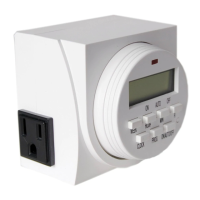

 To Next Page

 General